Author: contact@promarineelectronics.com

  • Best Trolling Motors for Bass Fishing

    Best Trolling Motors for Bass Fishing

    Bass fishing puts unique demands on a trolling motor — precise boat control around cover, enough thrust to hold position in wind, and increasingly, integrated GPS and sonar. Here are the models worth your money at each level, from tournament-grade to budget-conscious.
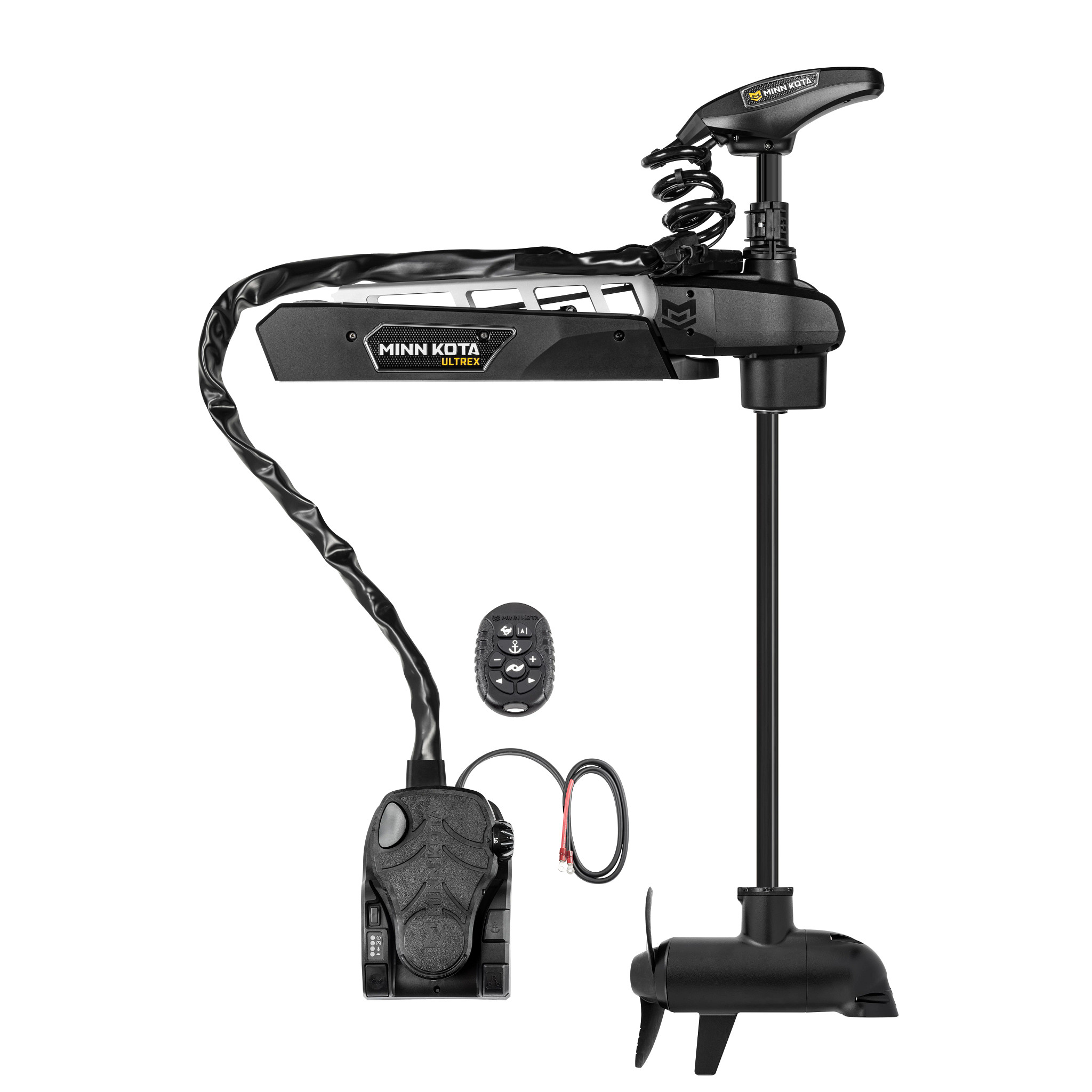
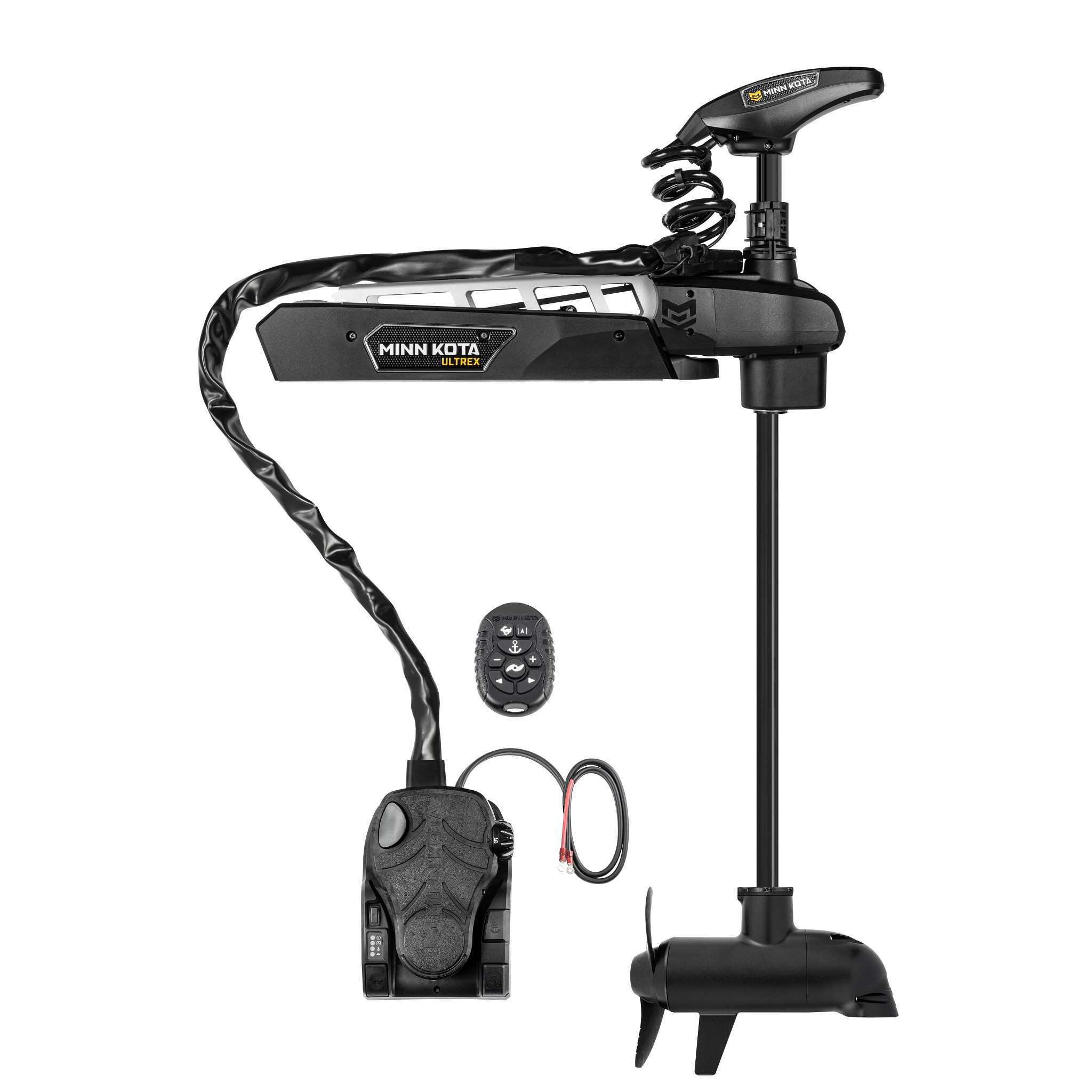
    Minn Kota Ultrex Quest trolling motor mounted on a bass boat bow
    Bow-mount motors with GPS anchor-lock dominate the serious bass fishing category.

    Best Overall: Minn Kota Ultrex Quest 90/115

    The Minn Kota Ultrex Quest 90/115 with Dual Spectrum CHIRP Sonar ($2,899.99) tops the lineup for a reason: 90-115 lbs of thrust covers everything up to a fully rigged bass boat, Spot-Lock GPS anchoring keeps you locked on structure in wind, and the integrated CHIRP sonar means you’re scanning the water right from the bow. It’s the motor most tournament anglers land on when budget isn’t the deciding factor.

    Best for Sonar-Assisted Fishing: Ultrex 80 Quest with MEGA DI+

    The Minn Kota Ultrex 80 Quest with MEGA Down Imaging Plus ($2,499.99) pairs 80 lbs of thrust with a 45-inch shaft and Humminbird’s down imaging built into the motor head — a strong pick if you fish shallow cover and want a real-time picture of what’s under the bow as you idle in.

    Best Mid-Range: Minn Kota Terrova 80 i-Pilot GPS

    The Minn Kota Terrova 80 i-Pilot GPS Trolling Motor ($1,549.99) delivers the GPS anchor-lock and route-recording features tournament anglers rely on at a noticeably lower price than the Quest line, with a 60-inch shaft suited to larger boats. A great balance of capability and cost for club-level and weekend tournament anglers.

    Best Value: Minn Kota Ultrex 52 80lb Quest

    The Minn Kota Ultrex 52 80lb Quest with Spot-Lock ($2,299.99) keeps Spot-Lock GPS anchoring while trimming shaft length and a few premium features, landing at a lower price point than the flagship Quest 90/115 without giving up the core boat-control technology bass anglers actually use.

    Best Budget Transom Option: Minn Kota Endura Max 55

    Fishing from a smaller boat or jon boat and don’t need bow-mount GPS features? The Minn Kota Endura Max 55 Freshwater Transom Motor ($349.99) is a reliable, no-frills hand-tiller option that covers most small-boat bass fishing without the bow-mount price tag.

    Frequently Asked Questions

    Is Spot-Lock worth the extra cost for bass fishing specifically?
    For most tournament and serious weekend anglers, yes — holding a precise position on structure or a dock without constantly repositioning translates directly into more casts at productive water.

    What thrust do I need for a typical bass boat?
    Most fully-rigged 17–20 foot bass boats land in the 80–115 lb thrust range; see our full guide to choosing a trolling motor for the exact sizing math based on your boat’s weight.

    Do I need built-in sonar on the trolling motor if I already have a bow-mounted fish finder transducer?
    Not strictly, but a motor-integrated transducer gives you a second sonar view exactly where you’re steering, which many anglers find complements a stern or separate bow unit rather than duplicating it.

    How long do these motors typically last with regular tournament use?
    Well-maintained Minn Kota units commonly run for many seasons; the main wear points are the prop, cables, and battery connections, so rinsing after saltwater or brackish use and checking connections each season goes a long way.

    Not sure which thrust and shaft length fits your boat? Start with our trolling motor buying guide, or browse the full trolling motor collection.
  • Choosing a Trolling Motor: Thrust, Shaft Length, and Control Type Explained

    Choosing a Trolling Motor: Thrust, Shaft Length, and Control Type Explained

    Trolling motor shopping trips up more anglers than almost any other marine electronics purchase, because the spec sheet throws three separate decisions at you at once — thrust, shaft length, and control type — and getting any one of them wrong means a motor that’s underpowered, mismatched to your boat, or annoying to actually use. Here’s how to work through all three.

    Thrust: Matching Power to Boat Weight

    Thrust is measured in pounds and is roughly the trolling motor’s version of horsepower. The rule of thumb is about 2 lbs of thrust for every 100 lbs of fully-loaded boat weight (boat, motor, fuel, gear, and passengers) in calm conditions — add extra headroom if you regularly fish wind or current. A loaded 18-foot bass boat around 3,000–3,500 lbs typically wants 80–115 lbs of thrust, which is why bow-mount motors like the Minn Kota Ultrex Quest 90/115 are sized the way they are. A kayak or small jon boat, by contrast, is well served by 30–55 lbs of thrust from something like a compact kayak trolling motor.

    Shaft Length: Getting the Prop Depth Right

    Shaft length determines how deep the prop sits below the waterline, and it’s boat-specific, not angler-specific. Measure from the mounting point (bow deck or transom) down to the waterline, then add roughly 18–20 inches so the prop stays submerged even when the bow pitches in chop. Too short and the prop cavitates and loses bite in waves; too long and it drags unnecessarily or the motor sits at an awkward angle. Bow-mount motors on bass and multi-species boats commonly run 45 to 60-inch shafts; transom mounts on jon boats and small craft are typically much shorter.

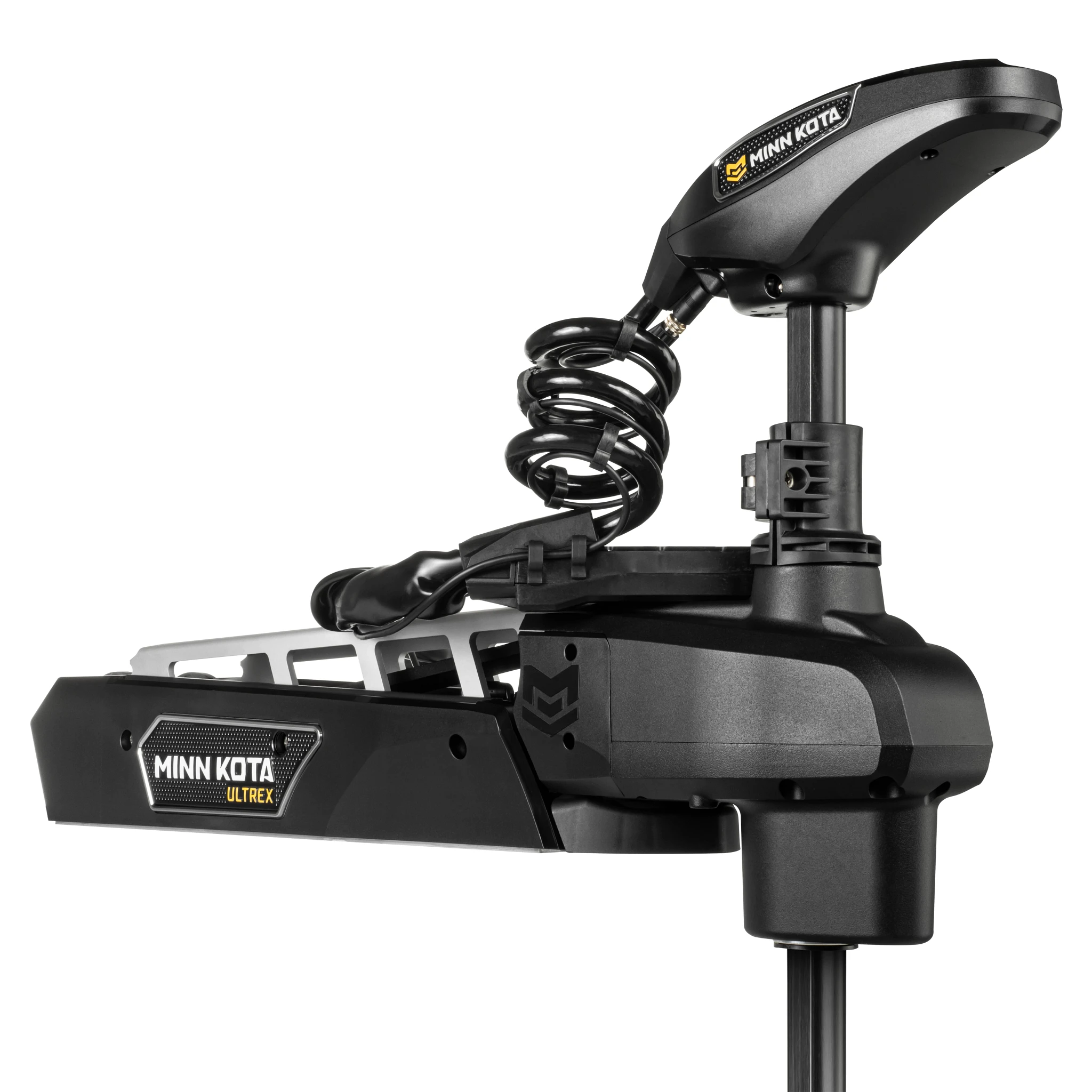
    Minn Kota Ultrex Quest bow-mount trolling motor with Spot-Lock
    A bow-mount motor like the Minn Kota Ultrex Quest puts thrust, shaft length, and GPS control all under one deck pedal or remote.

    Control Type: Foot Pedal, Hand-Tiller, or Remote/GPS

    Transom-mount motors are typically hand-tiller controlled directly at the motor head — simple, affordable, and fine for smaller boats where you’re steering near the stern anyway. Bow-mount motors offer more choice: a mechanical foot pedal steers by cable and keeps your hands free to fish, while electric steer models add wireless remotes and, on higher-end units, GPS features like Spot-Lock (holding a precise position automatically) and route recording. If you fish structure or wind-heavy water, GPS anchor-lock features on motors like the Minn Kota Terrova 80 i-Pilot GPS pay for themselves quickly by letting you fish instead of constantly repositioning.

    Built-In Sonar: A Growing Trend

    Several current trolling motors integrate sonar directly into the lower unit, effectively giving you a second transducer at the bow pointed wherever the motor is aimed — useful alongside a transom or thru-hull unit for a fuller picture. Units like the Minn Kota Ultrex 80 Quest with MEGA Down Imaging Plus pair Humminbird’s imaging sonar right into the motor head, and the Ultrex Quest 90/115 above adds Dual Spectrum CHIRP for the same reason. If you’re also considering forward-facing live sonar for the bow, our live sonar vs. traditional sonar guide explains how the two technologies complement rather than replace each other.

    Frequently Asked Questions

    Can I put too much thrust on a small boat?
    Not really from a safety standpoint, but you’re paying for capability you won’t use and adding unnecessary weight and battery draw — size to your actual boat weight rather than buying the biggest motor available.

    Do I need GPS Spot-Lock, or is a plain foot pedal enough?
    If you fish current, wind, or precise structure (docks, brush piles, ledges) regularly, Spot-Lock earns its keep fast. If you mostly drift-fish open, calm water, a mechanical pedal is simpler, lighter, and less expensive to maintain.

    How much battery capacity do I need to run a trolling motor all day?
    As a rough guide, a 12V motor at 55 lbs of thrust draws roughly 20–30 amps at full power; a full day of mixed-speed use typically calls for at minimum a dedicated deep-cycle marine battery sized to your motor’s voltage and expected run time — 24V and 36V systems (like most 80lb+ bow-mounts) need matched battery banks, not a single 12V battery.

    Freshwater vs. saltwater trolling motors — is there a real difference?
    Yes. Saltwater-rated motors use additional corrosion protection on fasteners, wiring, and the lower unit. Running a freshwater-only motor in salt will shorten its life significantly, so check the rating before buying if you fish brackish or coastal water even occasionally.

    Ready to compare real models at every price point? See our best trolling motors for bass fishing roundup, or browse the full trolling motor collection.
  • Best Forward-Facing Live Sonar Systems Compared

    Best Forward-Facing Live Sonar Systems Compared

    Garmin, Lowrance, and Humminbird all sell forward-facing live sonar now, and all three work well — but they differ enough in price, ease of use, and ecosystem that the “best” one really depends on what display you already run and how much you want to spend. Here’s how the current lineups stack up.

    Humminbird MEGA Live 2 forward-facing sonar transducer
    Humminbird’s MEGA Live 2 system pairs with HELIX and SOLIX displays for real-time forward and down imaging.

    Best Overall: Garmin Panoptix LiveScope Plus

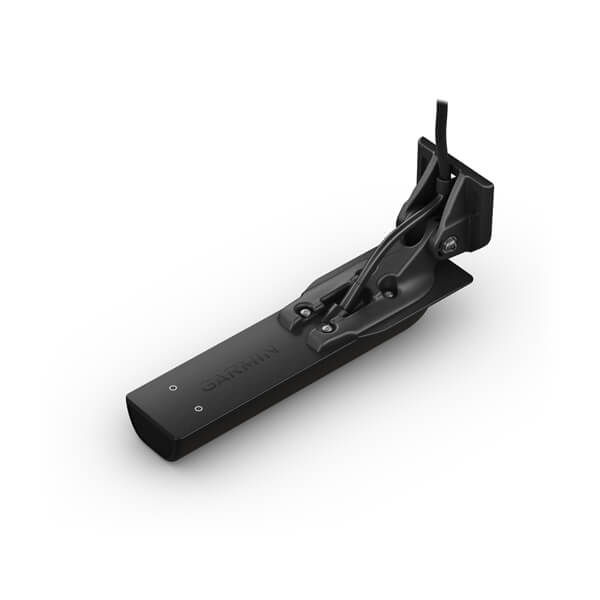
    The Garmin Panoptix LiveScope Plus System with GLS 10 and LVS34 Transducer ($1,799.99) remains the benchmark most anglers compare everything else against — sharp image quality, a dedicated black-box processor (the GLS 10) that keeps your main chartplotter screen free, and forward/down switching from one transducer. If you already run a Garmin chartplotter, this is the path of least resistance.

    Best Value Upgrade: Garmin LiveScope 2 HD Transducer

    If you already own a compatible Garmin display and GLS black box, the Garmin LiveScope 2 HD Transducer (LVS42HD) ($2,199.99) is a transducer-only upgrade that sharpens resolution over the original LiveScope without replacing your whole system — worth it for anglers who fish tournaments and want every bit of extra detail.

    Best for Lowrance Owners: ActiveTarget 2

    The Lowrance ActiveTarget 2 Live Sonar System with Transducer ($1,699.00) is the natural pick if you’re already running an HDS PRO display, with tight integration into Lowrance’s C-MAP mapping and a well-regarded target-separation algorithm that many bass anglers rate as class-leading for picking individual fish out of a school.

    Best for Humminbird Owners: MEGA Live 2

    The Humminbird MEGA Live 2 Imaging Live Sonar System ($1,599.99) pairs with HELIX and SOLIX displays and currently undercuts both Garmin and Lowrance’s equivalent bundles on price while offering the same forward/down switching. It’s a strong entry point if you’re building a Humminbird setup from scratch.

    Cheapest Way In: Add-On Transducers

    If your existing display already supports live sonar and you just need the sensor, the Humminbird MEGA Live 2 Forward-Facing Sonar ($1,399.99) transducer-only option is the least expensive way into real-time imaging on compatible HELIX/SOLIX units.

    Frequently Asked Questions

    Do I need a separate black box for live sonar?
    Garmin’s Panoptix system uses a dedicated GLS 10 processor; Lowrance ActiveTarget and Humminbird MEGA Live both process through the main display’s own processor, so check your display’s specifications for compatibility before buying a transducer alone.

    Which brand has the sharpest image?
    All three are close at this point and the differences are subtle in good conditions — Garmin’s LiveScope 2 HD transducer currently edges ahead on fine detail, but Lowrance and Humminbird’s latest generations have closed most of the earlier gap.

    Can I mix brands — a Garmin transducer on a Lowrance display?
    No. Live sonar systems are proprietary to their own ecosystem; the transducer and display need to be from the same manufacturer.

    Is a bundled system or an add-on transducer the better buy?
    A bundle (transducer plus a compatible display) is the better buy if you’re starting fresh; an add-on transducer only makes sense if you already own a display confirmed compatible with that brand’s live sonar.

    Not sure live sonar is worth the jump yet? Read our plain-language explainer on traditional sonar vs. forward-facing live sonar first, or browse the complete live sonar collection.

  • Traditional Sonar vs. Forward-Facing Live Sonar: What’s the Real Difference?

    Traditional Sonar vs. Forward-Facing Live Sonar: What’s the Real Difference?

    If you’ve shopped for a fish finder in the last few years, you’ve seen the term “live sonar” plastered across the high end of the lineup — Garmin LiveScope, Lowrance ActiveTarget, Humminbird MEGA Live. It’s easily the biggest leap in recreational sonar since CHIRP, but it works completely differently from the sonar you grew up with. Here’s what’s actually different, and whether it’s worth the jump.

    How Traditional Sonar (Including Down/Side Imaging) Works

    Traditional 2D, CHIRP, down imaging, and side imaging all share one trait: they’re historical. The transducer pings straight down (or to the side), the echo returns, and the display scrolls that data across the screen as your boat moves. You’re always looking at where you were, a second or two in the past. It’s excellent for finding structure, bottom composition, and marking fish that were sitting in a spot — see our full breakdown in how fish finders actually work.

    How Forward-Facing Live Sonar Works

    Live sonar (Garmin calls it LiveScope/Panoptix, Lowrance calls it ActiveTarget, Humminbird calls it MEGA Live) aims the beam forward or down in real time, refreshing several times per second instead of scrolling historically. Point it ahead of the boat and you watch fish swim, react to your lure, and move in or out of range live, with almost no lag. Point it straight down and you get a real-time look at what’s under the boat as you sit still — useful for vertical jigging or working a single piece of cover.

    Garmin LiveScope forward-facing live sonar transducer and display
    Garmin’s LiveScope system shows fish and structure moving in real time rather than scrolling historically.

    What Live Sonar Actually Changes on the Water

    The practical difference is feedback speed. With traditional sonar, you mark a fish, then decide where to cast based on where it was. With live sonar, you watch your bait fall through the water column in real time and see whether a fish moves toward it, ignores it, or spooks — so you adjust retrieve speed, depth, or lure choice on the fly instead of guessing on the next pass. It’s especially dominant for suspended fish (crappie, bass holding off structure, schooling stripers) that traditional sonar struggles to target precisely.

    Do You Need It, or Is Traditional Sonar Enough?

    Live sonar isn’t a replacement for a good chartplotter and traditional/side imaging — most serious anglers run both, using scrolling sonar to find general areas and structure, then live sonar to pick off individual fish once they’re in the zone. If you mostly fish familiar water and rely on GPS waypoints and contour lines, a strong CHIRP/side-imaging unit like the ones in our best fish finders by budget guide will serve you well. If you fish suspended or highly mobile species and want to close, cast, and react in real time, live sonar earns its price premium quickly.

    Frequently Asked Questions

    Can I add live sonar to a fish finder I already own?
    Often, yes. Garmin LiveScope and Lowrance ActiveTarget systems can typically be added as a second transducer feeding a compatible existing display — check your specific model’s compatibility before buying an add-on system rather than a full bundle.

    Forward, down, or both — which mode do I need?
    Forward mode is best for searching ahead and watching fish react while you’re moving or casting; down mode is best for vertical jigging or scanning directly beneath a stationary boat. Most systems, including the Garmin Panoptix LiveScope Plus System, let you switch between both from one transducer.

    Is live sonar hard to learn to read?
    There’s a learning curve of a few outings — the real-time image takes some getting used to compared to scrolling sonar — but most anglers pick up the basics faster than they expect because the picture is more intuitive, not less.

    Does live sonar work well in shallow water?
    Yes, and it’s arguably even more useful there, since precise casts matter more in tight cover. Down-imaging mode in particular excels at showing exactly where a fish is holding next to a dock piling or stump.

    Ready to see real systems side by side? Our best forward-facing live sonar systems compared guide breaks down the current Garmin, Lowrance, and Humminbird lineups by price and capability, or browse the full live sonar collection directly.

  • How to Read a Fish Finder Screen Like a Pro

    How to Read a Fish Finder Screen Like a Pro

    Buying a good fish finder is only half the battle — the other half is actually knowing what you’re looking at once it’s mounted and running. Here’s how to make sense of the screen instead of just staring at colorful noise.

    Arches, Blobs, and Dots: Reading Fish Targets

    On traditional 2D sonar, a fish swimming through the transducer’s cone shows up as an arch — the fish enters the edge of the cone (further away, weaker signal), passes under the center (closest, strongest signal), then exits the other edge. A full, symmetrical arch usually means a fish swam directly under the boat; a half-arch means it clipped the edge of the cone. On down imaging and side imaging, fish usually appear as bright dots, dashes, or small fish-shaped marks rather than arches, since those modes render a photo-like image instead of a traditional sonar return.

    Reading the Bottom

    The bottom shows up as a thick, continuous line across the screen. A hard bottom (rock, sand) returns a strong, sharp, often doubled line (the “second echo” as the pulse bounces bottom-surface-bottom again). A soft bottom (mud, silt) returns a thinner, fuzzier line since the sound energy absorbs into it rather than bouncing back cleanly. Learning to read bottom hardness matters for both fishing (many species prefer specific bottom types) and simply understanding what your anchor will grab.

    Understanding Side Imaging Layout

    Side imaging splits the screen into left and right halves, with the boat’s track running down the center. Distance from center represents actual distance from the boat — features closer to the centerline are closer to your hull. Brighter returns mean harder, denser objects (rock, wood, metal); darker areas are softer bottom or open water. Shadows behind objects (just like a shadow cast by sunlight) tell you the object has real height — a stump or rock pile casts a visible shadow, while a flat depth change doesn’t.

    Color Palettes: Does It Matter Which One You Use?

    Most fish finders offer several color palettes (blue, white, amber, etc.) purely for screen visibility in different lighting — amber and high-contrast palettes are often easier to read in direct sunlight, while blue palettes feel more natural in low light. The palette doesn’t change what the sonar is detecting, only how it’s displayed, so pick whatever’s easiest for your eyes on the water.

    Split Screens: What’s Worth Running at Once

    Most anglers settle into one of two layouts: sonar + chartplotter side by side (so you always know your location while watching sonar), or down imaging + side imaging together (for actively searching structure). Running three or four panels at once on anything smaller than a 9″ screen usually makes everything too small to read quickly — better to cycle between two clean views than cram in extra data you’ll ignore anyway.

    Frequently Asked Questions

    Why do I see fish arches sometimes but only dots other times?
    This is usually a difference between 2D sonar view (arches) and down/side imaging view (dots and marks) — they’re different rendering modes of the same underlying sonar data, not a malfunction.

    Why does the bottom depth jump around or disappear at speed?
    At higher boat speeds, especially in choppy water, the transducer can lose a clean read on the bottom. This is normal and usually resolves once you slow down; if it happens constantly at low speed, check your transducer mounting angle and depth.

    Should I adjust sensitivity manually or leave it on auto?
    Auto mode works well for most conditions on modern units. Manual sensitivity is worth learning if you fish very deep water (turn it up) or very shallow, clear water with excess surface clutter (turn it down).

    How long does it actually take to get comfortable reading a fish finder?
    Most anglers get a working intuition within a handful of outings once they stop trying to read every detail and instead learn to recognize the handful of patterns above — arches, hard vs. soft bottom, and shadows on side imaging.

    New to fish finders entirely? Start with our how fish finders actually work guide, or browse the best fish finders by budget if you’re still shopping.

  • Garmin vs. Lowrance vs. Humminbird: Which Fish Finder Brand Is Right for You?

    Garmin vs. Lowrance vs. Humminbird: Which Fish Finder Brand Is Right for You?

    Garmin, Lowrance, and Humminbird dominate the fish finder market for good reason — all three make genuinely excellent electronics. But they have real differences in ecosystem, imaging technology, and mapping that matter more than most spec sheets let on. Here’s how they actually compare.

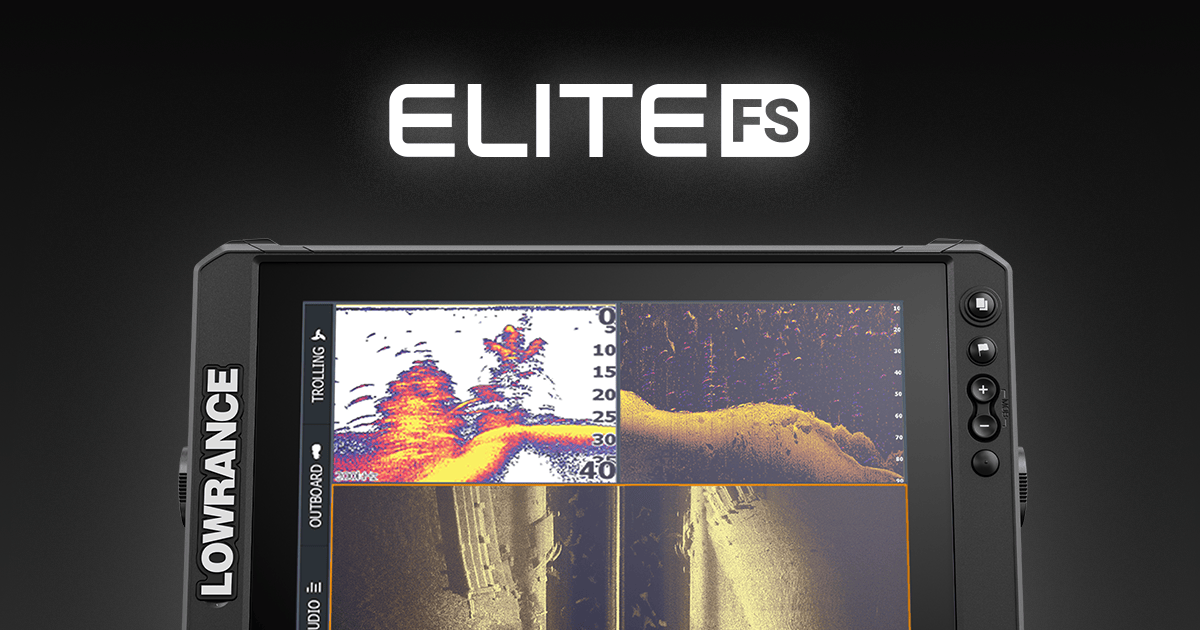
    Lowrance Elite FS fish finder display showing sonar and mapping

    Garmin: Best Ecosystem Integration

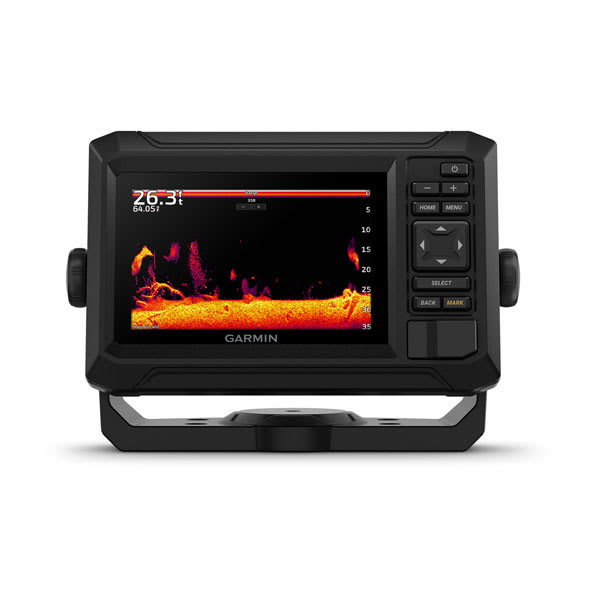
    Garmin’s biggest advantage is how well its electronics talk to each other and to the rest of your boat — autopilots, trolling motors (Garmin owns Force and Ulterra), and handheld GPS units all share the same Garmin ActiveCaptain app and account. Quickdraw Contours lets you build your own bathymetric maps in real time, which is a genuine advantage on small or poorly-charted lakes. Panoptix LiveScope, Garmin’s forward-facing live sonar, is widely considered the sharpest image quality in the category. Start with the Garmin ECHOMAP UHD2 73cv if you want to see what the ecosystem feels like without a flagship price tag.

    Lowrance: Best for Serious & Tournament Anglers

    Lowrance’s HDS PRO and Elite FS lines lean hard into speed and screen brightness — both matter more than people expect once you’re actually on the water in direct sun trying to read a screen at 40mph. ActiveTarget, their live sonar system, is a favorite among tournament bass anglers specifically for its wide field of view. Lowrance also has arguably the deepest built-in mapping options through C-MAP. The Lowrance Elite FS 9 is a strong mid-range entry into the brand.

    Humminbird: Best Imaging Detail

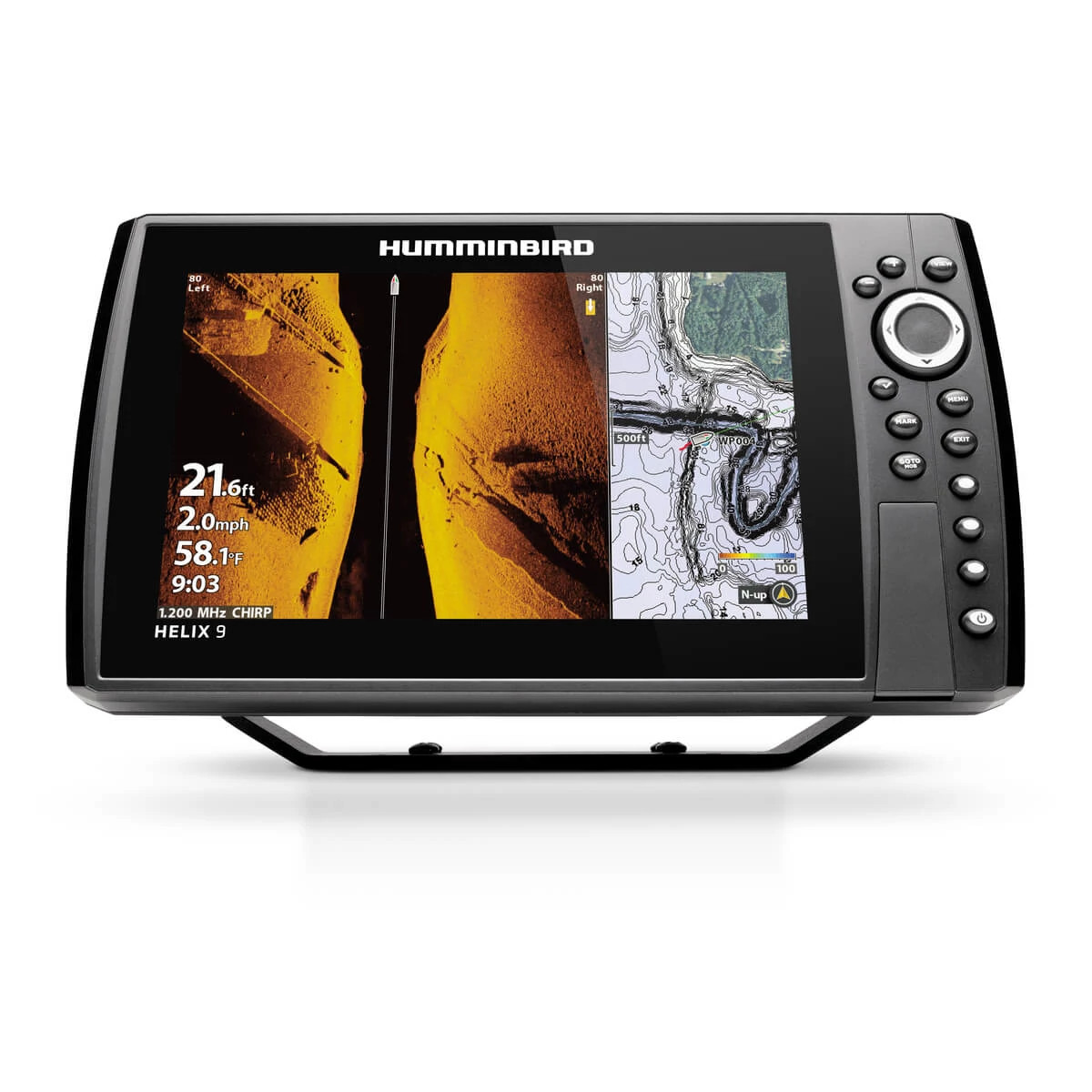
    Humminbird’s MEGA Imaging (MEGA Down Imaging and MEGA Side Imaging) is widely regarded as producing the clearest, most photo-realistic structure and fish detail of the three brands, especially at mid-range price points. AutoChart Live builds detailed depth maps as you fish, similar in spirit to Garmin’s Quickdraw. If side imaging clarity is your top priority, the Humminbird HELIX 9 MEGA SI is one of the strongest values in the whole market.

    So Which One Should You Actually Buy?

    Honestly, all three will serve you well — the differences are real but secondary to picking the right size and feature tier for your budget (see our best fish finders by budget guide for that). The tie-breakers that actually matter: if you already own other electronics from one of these brands (trolling motor, autopilot, handheld GPS), staying in that ecosystem usually pays off in integration. If side-imaging clarity is your single biggest priority, lean Humminbird. If you want the deepest mapping and fastest live sonar refresh for tournament fishing, lean Lowrance. If you want the most polished all-around ecosystem and might add an autopilot or trolling motor later, lean Garmin.

    Frequently Asked Questions

    Which brand has the best live sonar?
    All three (Garmin LiveScope, Lowrance ActiveTarget, Humminbird MEGA Live) are excellent and closely matched. Garmin is often cited for image sharpness, Lowrance for field of view, Humminbird for value.

    Can I mix brands — a Garmin fish finder with a non-Garmin trolling motor?
    Yes, mechanically it will work fine. You just lose the deeper software integration (like controlling trolling motor steering from the fish finder screen) that same-brand pairings offer.

    Is one brand more reliable than the others?
    All three are established, reputable marine electronics manufacturers with strong track records. Reliability differences between them are minor compared to differences in how well you maintain and install the unit.

    Do transducers transfer between brands?
    No — transducers are brand- and often model-specific. Factor this in if you’re upgrading a display and hoping to reuse an existing transducer.

  • Best Fish Finders for Every Budget (2026 Buying Guide)

    Best Fish Finders for Every Budget (2026 Buying Guide)

    The right fish finder depends far more on your budget and how you fish than on chasing the newest flagship. Here’s a real, no-nonsense breakdown of solid picks at every price point — not a list of every unit we sell, just the ones worth your money at each tier.

    Humminbird HELIX 9 fish finder chartplotter on a boat console

    Budget: Under $600

    Lowrance HOOK Reveal 5 TripleShot — $249.99. A genuinely capable entry point: CHIRP sonar, DownScan imaging, and a built-in GPS chartplotter on a 5″ display. It won’t wow you with screen real estate, but for a kayak, jon boat, or as a simple backup unit, it does everything most casual anglers need.

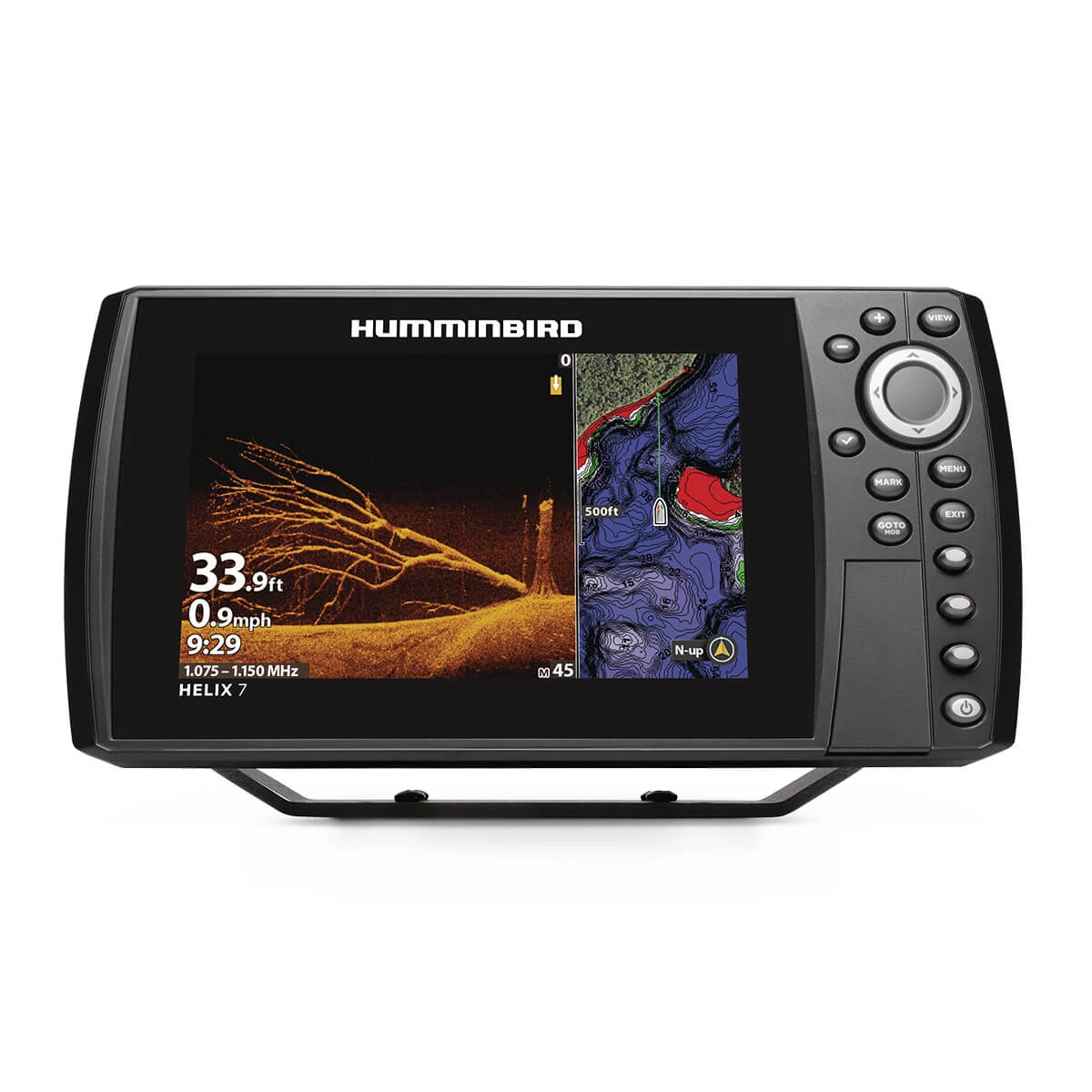
    Humminbird HELIX 7 CHIRP MEGA DI GPS G4N — $549.99. Steps up to a 7″ display with MEGA Down Imaging, which produces noticeably crisper structure detail than standard down imaging. This is the size most people actually wish they’d bought instead of a 5″.

    Mid-Range: $600–$1,100

    Garmin ECHOMAP UHD2 73cv — $649.99. Garmin’s UHD2 line packs a sharper display and built-in Quickdraw Contours mapping that lets you create your own high-detail lake maps as you fish — genuinely useful on smaller or less-charted waters.

    Humminbird HELIX 9 CHIRP MEGA SI GPS G4N — $999.99. This is where MEGA Side Imaging enters the picture — scanning a wide corridor to either side of the boat so you can find brush piles and schools without running over them first. A 9″ screen is also large enough to comfortably split sonar and mapping views.

    Premium: $1,200+

    Raymarine Axiom+ 9 RV — $1,199.99. RealVision 3D sonar renders the bottom and structure as an actual three-dimensional picture rather than a flat scroll, and the Axiom+ line runs on the same LightHouse chart ecosystem used on much larger offshore helms — useful if you think you’ll ever upgrade boats.

    Lowrance HDS PRO 9 — $1,999.99. The HDS PRO series is built for anglers who live on the water: faster processors, brighter high-contrast displays for direct sunlight, and full compatibility with Lowrance’s ActiveTarget live sonar system if you want to add it later.

    How to Actually Pick Between Them

    If you’re not sure where to start, work backward from how you fish rather than the spec sheet. Casual weekend angler on a small lake? Budget tier is genuinely enough. Fishing tournaments or unfamiliar water regularly? The mapping and side-imaging features in the mid-range tier pay for themselves fast. Chasing suspended fish in open water or fishing offshore structure? That’s when premium sonar resolution and live sonar compatibility start to matter. For the mechanics behind CHIRP, down imaging, and side imaging referenced above, see our guide on how fish finders actually work.

    Frequently Asked Questions

    Is it worth paying extra for a bigger screen?
    Usually yes, if your budget allows it. Once you start splitting the screen between sonar and mapping (which most anglers do), anything under 7″ feels cramped fast.

    Do I need a separate GPS unit if I buy a fish finder?
    No — virtually every fish finder sold today, including every unit above, is a combo unit with a built-in GPS chartplotter.

    What’s the single best upgrade from a budget unit?
    Side imaging. It fundamentally changes how you locate fish and structure compared to only having a down-facing cone, more than any other single spec.

    Should I buy based on brand or on the specific model?
    Model, every time. Garmin, Lowrance, and Humminbird all make excellent units across every price tier — see our Garmin vs. Lowrance vs. Humminbird comparison if brand loyalty or existing accessories (transducers, mounts) are a factor for you.

  • How Does a Fish Finder Actually Work?

    How Does a Fish Finder Actually Work?

    Walk into any tackle shop and ask “what fish finder should I buy?” and you’ll get a wall of jargon back — CHIRP, down imaging, side imaging, transducer frequency, beam angle. None of it makes sense until you understand what a fish finder is actually doing underneath your boat. Once you get the fundamentals, choosing between models (and reading the screen once you’re on the water) gets a lot easier.

    The Basic Idea: Sound, Not Sight

    A fish finder doesn’t “see” anything. It sends a pulse of sound energy down through the water from a transducer mounted on your hull or transom, and listens for the echo bouncing back. The time it takes for that echo to return tells the unit how far away an object is; the strength and shape of the echo tells it roughly what that object is — the bottom, a school of baitfish, structure, or a single big fish suspended in the water column. Your display just translates thousands of these echoes per second into a scrolling picture.

    CHIRP vs. Traditional Sonar

    Older, single-frequency sonar sends one pitch of sound (say, 200kHz) and reads the echo. CHIRP (Compressed High-Intensity Radiated Pulse) sends a sweep across a range of frequencies in every ping, which returns far more detail and separates targets that would blur together on traditional sonar — two fish holding close together, or a fish sitting right on the bottom. Nearly every fish finder worth buying today runs CHIRP as standard, including budget units like the Lowrance HOOK Reveal 5.

    Down Imaging, Side Imaging, and Live Sonar

    Traditional 2D sonar shows a cone-shaped slice directly under the boat. Down imaging uses a wider, flatter beam to produce a near-photographic picture of what’s directly below — brush piles, stumps, and individual fish show up as sharp, recognizable shapes rather than arches. Side imaging aims that same flat beam out to the sides, letting you scan a corridor 100–200+ feet wide without moving the boat, which is how experienced anglers find structure and schools without blind-casting the whole lake.

    The newest step up is forward-facing live sonar (Garmin LiveScope, Lowrance ActiveTarget, Humminbird MEGA Live) which updates in real time instead of scrolling historically, so you can literally watch your bait fall past a fish and see it react. We cover the difference in more depth in our live sonar vs. traditional sonar guide.

    Garmin ECHOMAP fish finder and chartplotter combo display
    A combo fish finder/chartplotter display like the Garmin ECHOMAP UHD2 shares sonar and GPS map data on one screen.

    Why Transducer Placement Matters

    A high-end display is only as good as the transducer feeding it. Transom-mount transducers are the easiest DIY install and fine for most recreational use; thru-hull transducers sit flush with the hull for cleaner readings at higher speed; trolling-motor-mounted transducers (common with side and live imaging) move with the bow of the boat so you’re always scanning where you’re actually pointed. If you’re mounting your own, our fish finder & chartplotter collection lists the transducer each unit ships with so you know what you’re getting before it arrives.

    GPS and Chartplotting: The Other Half of the Screen

    Almost every fish finder sold today is really a combo unit — sonar plus a GPS chartplotter sharing one screen. The GPS side lets you drop waypoints on productive spots, follow contour lines that reveal drop-offs and ledges, and in many cases overlay lake maps or coastal charts. If you’re trying to decide whether you even need a dedicated unit instead of a phone app, that’s a separate question we answer directly in chartplotter vs. phone GPS apps.

    Frequently Asked Questions

    Do I need CHIRP, or is traditional sonar fine?
    CHIRP costs little to nothing extra on current-generation units and gives meaningfully better target separation, so there’s rarely a reason to buy traditional-only sonar today.

    What frequency should I look for?
    Lower frequencies (50kHz) penetrate deeper water and cover a wider cone; higher frequencies (200kHz+) give sharper detail in shallower water. Most CHIRP units sweep a range and let the software pick the best return, so this matters less than it used to — but if you fish deep offshore water regularly, check that the transducer is rated for it.

    Does a bigger screen actually help?
    Yes, more than most people expect. Side-by-side split screens (sonar + chartplotter, or down + side imaging) eat screen space fast, and a 5″ display gets cramped quickly if you run more than one view. Most serious anglers land on 7″ to 9″ as the sweet spot.

    Can I add live sonar to a unit I already own?
    Sometimes. Garmin LiveScope and Lowrance ActiveTarget systems can often be added as a second transducer feeding into a compatible existing display — check your specific model’s compatibility before buying the add-on system.

    Ready to compare actual models instead of specs sheets? Our best fish finders by budget guide breaks down real picks at every price point, and if you’re torn between brands, see Garmin vs. Lowrance vs. Humminbird.

  • VHF vs. Two-Way Radio: What Boaters Actually Need (Featuring the Motorola MOTOTRBO CP200d)

    Ask five boaters what radio they need and you’ll get five different answers — and at least two of them will be wrong for what that person actually does on the water. Marine VHF, FRS/GMRS walkie talkies, and commercial two-way radios like the Motorola MOTOTRBO CP200d all say “radio” on the box, but they solve completely different problems. Get the wrong one and you’ll find out at the worst possible moment — usually when you’re trying to reach the dock, not the Coast Guard.

    VHF vs. FRS/GMRS vs. Business Radio — What’s the Difference?

    Marine VHF is the radio the Coast Guard, other vessels, and marinas monitor on Channel 16. It’s the only category built for distress calling, DSC (Digital Selective Calling), and ship-to-ship hailing over open water. If you’re underway and need to be reachable by anyone else on the water, a marine VHF like the Uniden Atlantis 155 or Cobra MR HH350 FLT is non-negotiable.

    FRS/GMRS radios (the Motorola Talkabout and Midland GXT lines) are consumer walkie talkies. They’re not monitored by anyone outside your group and can’t reach Channel 16, but they’re cheap, simple, and fine for keeping a dinghy crew, guests, or shore party in touch over a few miles.

    Business/commercial two-way radios like the Motorola MOTOTRBO CP200d are a third category entirely — built for one team to talk to itself reliably, all day, in noisy working conditions. They’re not marine-rated for distress use and can’t reach Channel 16, but for marina staff, charter crews, and dock-to-warehouse communication, they outperform both VHF and consumer FRS radios.

    Meet the Motorola MOTOTRBO CP200d

    The Motorola MOTOTRBO CP200d is a digital/analog commercial handheld with 16-channel capacity, IP54 water and dust resistance, and the kind of clear audio that cuts through engine noise and dock chatter. It’s built for the operational side of running a marina, charter business, or boatyard — coordinating slips, hauling gear, and keeping shop-floor staff connected — not for hailing other vessels.

    Right now it’s 15% off at $441.15 (regular $519.00). Shop the CP200d.

    Which Radio Actually Fits Your Situation?

    Here’s how we’d point different boaters and operators toward the right radio:

    Frequently Asked Questions

    Can I use a business radio like the CP200d to call for help on the water?

    No. The CP200d can’t reach Channel 16 or perform DSC distress calling. Keep a marine VHF aboard for that — the CP200d is for team and dock communication, not vessel-to-vessel hailing.

    Do I need a license to operate these radios?

    Marine VHF operation generally doesn’t require an individual license for recreational use in the US. GMRS radios like the Midland GXT67 PRO require an FCC GMRS license (no test required). Business radios like the CP200d typically operate on licensed frequencies managed by the purchasing business.

    What’s the difference between FRS and GMRS?

    FRS (Family Radio Service) is license-free but limited in power and range. GMRS allows higher power, repeater use, and longer range, but requires an FCC license.

    Ready to Gear Up?

    Browse the full lineup in VHF Radios & Marine Communication, or contact the technical team if you’re not sure which radio fits your setup.

  • Buy Marine Electronics in Elkhart, IN | Fish Finders & Live Sonar | Pro Marine Electronics

    Pro Marine Electronics is a trusted authorized dealer for Garmin, Humminbird, Lowrance, Minn Kota, and Power-Pole, shipping fast to anglers in Elkhart, Indiana. Whether you’re running Lake Michigan and the Elkhart River chain of lakes chasing smallmouth bass and walleye, or trailering to a nearby ramp on tournament weekend, we get tournament-grade electronics to your door — free shipping on orders over $1,300.

    Shop Top Brands Available in Elkhart, IN

    • Humminbird HELIX Series with MEGA Imaging
    • Garmin ECHOMAP & LiveScope real-time sonar systems
    • Humminbird MEGA Live 2 forward-facing sonar
    • Minn Kota Ultrex Quest GPS-powered trolling motors
    • Lowrance ActiveTarget 2 live sonar

    Why Elkhart Anglers Choose Pro Marine Electronics

    Local anglers fishing Lake Michigan and the Elkhart River chain of lakes rely on us for direct FedEx/UPS shipping, 100% authentic Garmin and Humminbird product (no grey-market units), and real fishing-electronics support from a team that actually installs and runs this gear — not a call-center script.

    Free Shipping to Elkhart, IN

    Orders over $1,300 ship free anywhere in the continental US, including Elkhart, IN. Finance qualifying orders through Affirm at checkout.

    Order Your Marine Electronics Today

    Browse our full Fish Finders & Chartplotters and Forward-Facing Live Sonar collections, or contact us for a build recommendation. Hours: Monday–Friday 9AM–6PM, Saturday 10AM–3PM EST.

    Fish Finders | Live Sonar | Trolling Motors | All Products | Contact | Compare LiveScope vs ActiveTarget 2 vs MEGA Live

🎁 10% OFF