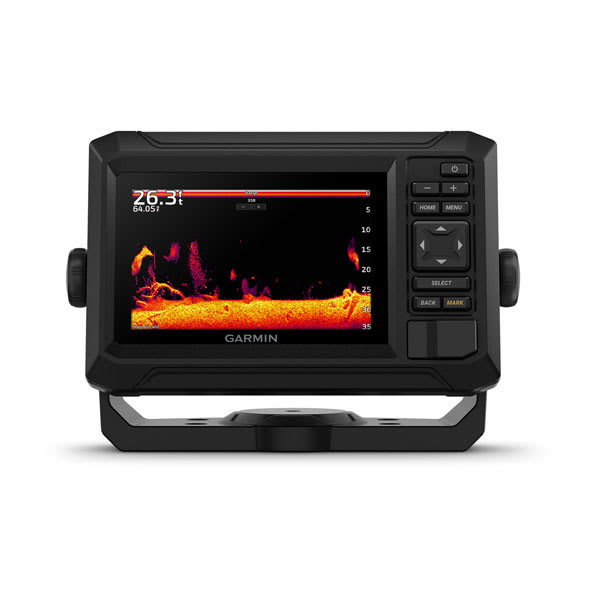
Buying a good fish finder is only half the battle — the other half is actually knowing what you’re looking at once it’s mounted and running. Here’s how to make sense of the screen instead of just staring at colorful noise.
Arches, Blobs, and Dots: Reading Fish Targets
On traditional 2D sonar, a fish swimming through the transducer’s cone shows up as an arch — the fish enters the edge of the cone (further away, weaker signal), passes under the center (closest, strongest signal), then exits the other edge. A full, symmetrical arch usually means a fish swam directly under the boat; a half-arch means it clipped the edge of the cone. On down imaging and side imaging, fish usually appear as bright dots, dashes, or small fish-shaped marks rather than arches, since those modes render a photo-like image instead of a traditional sonar return.
Reading the Bottom
The bottom shows up as a thick, continuous line across the screen. A hard bottom (rock, sand) returns a strong, sharp, often doubled line (the “second echo” as the pulse bounces bottom-surface-bottom again). A soft bottom (mud, silt) returns a thinner, fuzzier line since the sound energy absorbs into it rather than bouncing back cleanly. Learning to read bottom hardness matters for both fishing (many species prefer specific bottom types) and simply understanding what your anchor will grab.
Understanding Side Imaging Layout
Side imaging splits the screen into left and right halves, with the boat’s track running down the center. Distance from center represents actual distance from the boat — features closer to the centerline are closer to your hull. Brighter returns mean harder, denser objects (rock, wood, metal); darker areas are softer bottom or open water. Shadows behind objects (just like a shadow cast by sunlight) tell you the object has real height — a stump or rock pile casts a visible shadow, while a flat depth change doesn’t.
Color Palettes: Does It Matter Which One You Use?
Most fish finders offer several color palettes (blue, white, amber, etc.) purely for screen visibility in different lighting — amber and high-contrast palettes are often easier to read in direct sunlight, while blue palettes feel more natural in low light. The palette doesn’t change what the sonar is detecting, only how it’s displayed, so pick whatever’s easiest for your eyes on the water.
Split Screens: What’s Worth Running at Once
Most anglers settle into one of two layouts: sonar + chartplotter side by side (so you always know your location while watching sonar), or down imaging + side imaging together (for actively searching structure). Running three or four panels at once on anything smaller than a 9″ screen usually makes everything too small to read quickly — better to cycle between two clean views than cram in extra data you’ll ignore anyway.
Frequently Asked Questions
Why do I see fish arches sometimes but only dots other times?
This is usually a difference between 2D sonar view (arches) and down/side imaging view (dots and marks) — they’re different rendering modes of the same underlying sonar data, not a malfunction.
Why does the bottom depth jump around or disappear at speed?
At higher boat speeds, especially in choppy water, the transducer can lose a clean read on the bottom. This is normal and usually resolves once you slow down; if it happens constantly at low speed, check your transducer mounting angle and depth.
Should I adjust sensitivity manually or leave it on auto?
Auto mode works well for most conditions on modern units. Manual sensitivity is worth learning if you fish very deep water (turn it up) or very shallow, clear water with excess surface clutter (turn it down).
How long does it actually take to get comfortable reading a fish finder?
Most anglers get a working intuition within a handful of outings once they stop trying to read every detail and instead learn to recognize the handful of patterns above — arches, hard vs. soft bottom, and shadows on side imaging.
New to fish finders entirely? Start with our how fish finders actually work guide, or browse the best fish finders by budget if you’re still shopping.
Leave a Reply