If you’re shopping for an underwater fishing camera, here’s what actually separates a good one from a gimmick — and the model we currently stock that checks the right boxes.
Aqua-Vu MICRO Revolution Pro — Best Overall Pick
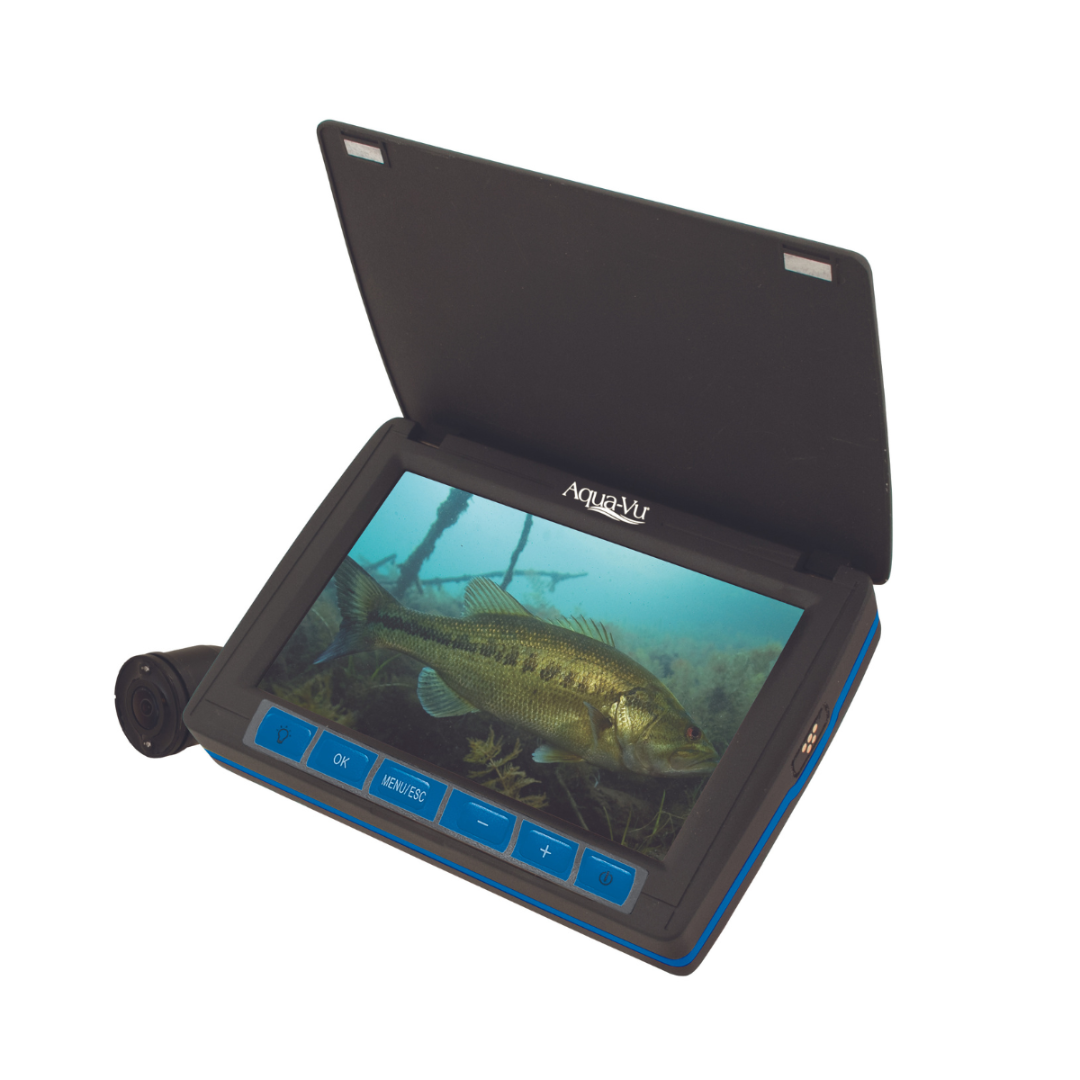
The Aqua-Vu MICRO Revolution Pro ($279.99) delivers 1080p HD video, a 40ft cable, and built-in LED lighting — enough depth and image quality for ice fishing, dock fishing, and pre-fishing structure scouting in one package.
Why Cable Length Matters
A 40ft cable covers the large majority of recreational ice fishing and dock/pier depths. If you’re regularly fishing significantly deeper water, check a camera’s rated cable length carefully before buying — running past the rated length isn’t advisable.
Why Built-In Lighting Is Worth Paying For
Natural light fades fast with depth, and a camera without its own light source becomes nearly useless past the first several feet in anything but the clearest water. The MICRO Revolution Pro’s built-in LEDs solve this directly rather than requiring a separate light accessory.
Built-in LED lighting and a 1080p sensor make the Aqua-Vu MICRO Revolution Pro usable well below the surface.
Video Quality vs. Live Viewing
If your priority is watching fish react to bait in real time, a topside-display model like this one is the right category. If you’d rather capture footage to review and share afterward, a general waterproof action camera on a pole rig is a different approach worth considering separately.
Frequently Asked Questions
Which underwater camera is best for ice fishing specifically? A model with a live topside display and built-in lighting, like the Aqua-Vu MICRO Revolution Pro, is the standard choice for ice fishing.
How deep can the Aqua-Vu MICRO Revolution Pro go? It’s rated for its full 40ft cable length — stay within that rating for reliable performance.
Do I need a separate light for underwater fishing video? Not with this camera — its built-in LED lighting is designed to handle typical depth and clarity conditions without an add-on light.
Is 1080p resolution enough for an underwater fishing camera? Yes, for identifying fish species, size, and behavior at typical fishing depths, 1080p is more than sufficient.
An underwater fishing camera won’t catch fish for you, but it answers a question sonar can’t: what’s actually down there and how are fish reacting to your bait, right now, in real time.
What an Underwater Camera Adds That Sonar Doesn’t
Sonar shows you where fish and structure are as arches and shapes; a camera shows you the fish itself, species, size, and behavior toward your bait or lure. That’s a genuinely different kind of information — useful for identifying species before you hook up, and for diagnosing why fish are marking on sonar but not biting.
How Dedicated Fishing Cameras Work
The Aqua-Vu MICRO Revolution Pro ($279.99) is built specifically for this — a 1080p HD camera on a 40ft cable with built-in LED lights and a display topside, designed for ice fishing, dock fishing, and checking structure before you commit a spot.
Where It Genuinely Helps
An underwater camera earns its keep most clearly for ice fishing, dock and pier fishing, and scouting new structure before committing time to a spot. Built-in LED lighting also makes a real difference in deeper or lower-light water, where a camera without its own light source struggles.
Dedicated fishing cameras like the Aqua-Vu MICRO Revolution Pro show a live topside feed as you lower the camera.
When Sonar Still Makes More Sense
For open-water trolling or offshore fishing, sonar generally remains the more practical primary tool, since it covers a wide area rather than the narrow, direct view a camera provides. Most serious anglers treat an underwater camera as a specialty add-on rather than a sonar replacement.
Frequently Asked Questions
Is an underwater camera a replacement for a fish finder? No — they serve different purposes. A fish finder covers a wide area via sonar; a camera shows a direct, narrow view exactly where you lower it.
Do underwater cameras work in murky water? Visibility depends heavily on water clarity — cameras perform best in clear to moderately clear water and are less useful in very murky conditions.
Does the Aqua-Vu’s built-in lighting really matter? Yes — natural light drops off quickly with depth, so built-in LED lighting like the MICRO Revolution Pro’s is what keeps the image usable below the first few feet.
What’s the cable length on the Aqua-Vu MICRO Revolution Pro? It comes with a 40ft cable, enough depth for most ice fishing, dock, and shallow-water scouting use cases.
Upgrading a transducer is often the single best value upgrade you can make to an existing fish finder — you keep the display you already know and get meaningfully better data. Here’s where to start depending on your budget and goals.
Garmin GT56UHD-TM — Best All-Round Upgrade
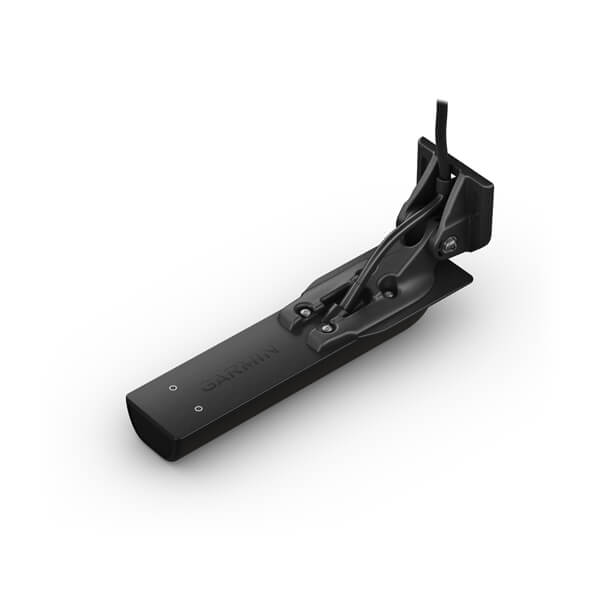
The Garmin GT56UHD-TM ($349.99) covers CHIRP, ClearVu, and SideVu in one transducer, making it the most complete general-purpose upgrade for anglers who don’t already have structure-scanning sonar.
Garmin LiveScope 2 HD — Best for Real-Time Live Sonar
For anglers who want to see fish and structure move in real time rather than scroll past on history, the Garmin LiveScope 2 HD ($2,199.99) is the current benchmark, though it’s a significant step up in price over standard CHIRP/ClearVu transducers.
Garmin LiveScope Plus System — Best Bundled Live Sonar Kit
If you want live sonar without piecing together components separately, the Garmin LiveScope Plus System ($1,299.99) bundles the transducer and processing black box together as a complete kit.
A single CHIRP/ClearVu/SideVu transducer upgrade often delivers the biggest jump in image quality for the price.
Checking Compatibility Before You Buy
Not every transducer works with every display — connector type, supported scanning modes, and mounting style all need to match your existing chartplotter or fish finder. It’s worth checking your display’s specific compatibility list before ordering.
Frequently Asked Questions
Will any transducer work with my existing fish finder? No — always check your display’s compatible transducer list, as connector type and supported scanning modes vary between brands and models.
Is a transducer upgrade worth it over buying a whole new fish finder? Often, yes — if your display already supports advanced scanning modes, a transducer upgrade can unlock significantly better data at a fraction of the cost of a new unit.
What’s the easiest transducer upgrade for a beginner? A combined CHIRP/ClearVu/SideVu unit like the GT56UHD-TM is a straightforward, well-rounded upgrade that doesn’t require learning an entirely new sonar mode.
Do I need professional installation for a new transducer? Many anglers install transom or trolling-motor mounted transducers themselves, though through-hull installations are usually best left to a professional.
The display gets all the attention, but a fish finder is only as good as the transducer feeding it data. CHIRP, ClearVu, SideVu, and LiveScope all sound similar on a spec sheet but show you genuinely different things underwater.
CHIRP Sonar — The Foundation
CHIRP (Compressed High-Intensity Radiated Pulse) sends a sweep of frequencies rather than one fixed frequency, giving sharper target separation and better detail than older single-frequency sonar. Most modern transducers, including the Garmin GT56UHD-TM ($349.99), build CHIRP in as the baseline.
ClearVu and SideVu — Structure Scanning
Where CHIRP shows fish as arches beneath the boat, ClearVu and SideVu scan in narrow, high-resolution slices that produce a near-photographic image of structure below and to the sides of the boat — the GT56UHD-TM covers all three in one transducer, which is why it’s a popular single upgrade.
LiveScope — Real-Time Live Sonar
The step up from traditional CHIRP/ClearVu is live sonar. The Garmin LiveScope 2 HD ($2,199.99) shows fish and structure moving in real time rather than as a scrolling history, which is why serious anglers increasingly treat it as a separate purchase from a standard CHIRP/ClearVu unit.
The Garmin GT56UHD-TM combines CHIRP, ClearVu, and SideVu scanning in a single transducer.
Frequently Asked Questions
Do I need a new transducer if I upgrade my fish finder display? Not always — check whether your existing transducer is compatible with the new display’s connector and supported scanning modes before buying a new one.
What’s the real difference between ClearVu and SideVu? ClearVu scans a narrow slice directly beneath and slightly to the sides; SideVu extends that scanning further out to each side of the boat.
Is LiveScope worth the extra cost over CHIRP/ClearVu? For anglers actively targeting fish in real time — bass, crappie, forward-facing sonar fishing styles — many say yes; for general cruising and casual fishing, standard CHIRP is usually enough.
Can one transducer do CHIRP, ClearVu, and SideVu at once? Yes — transducers like the GT56UHD-TM are built to handle all three scanning modes from one unit.
Chartplotters range from focused, no-sounder navigation displays to full sonar/radar-ready multifunction units. Here’s how the current lineup breaks down by use case and budget.
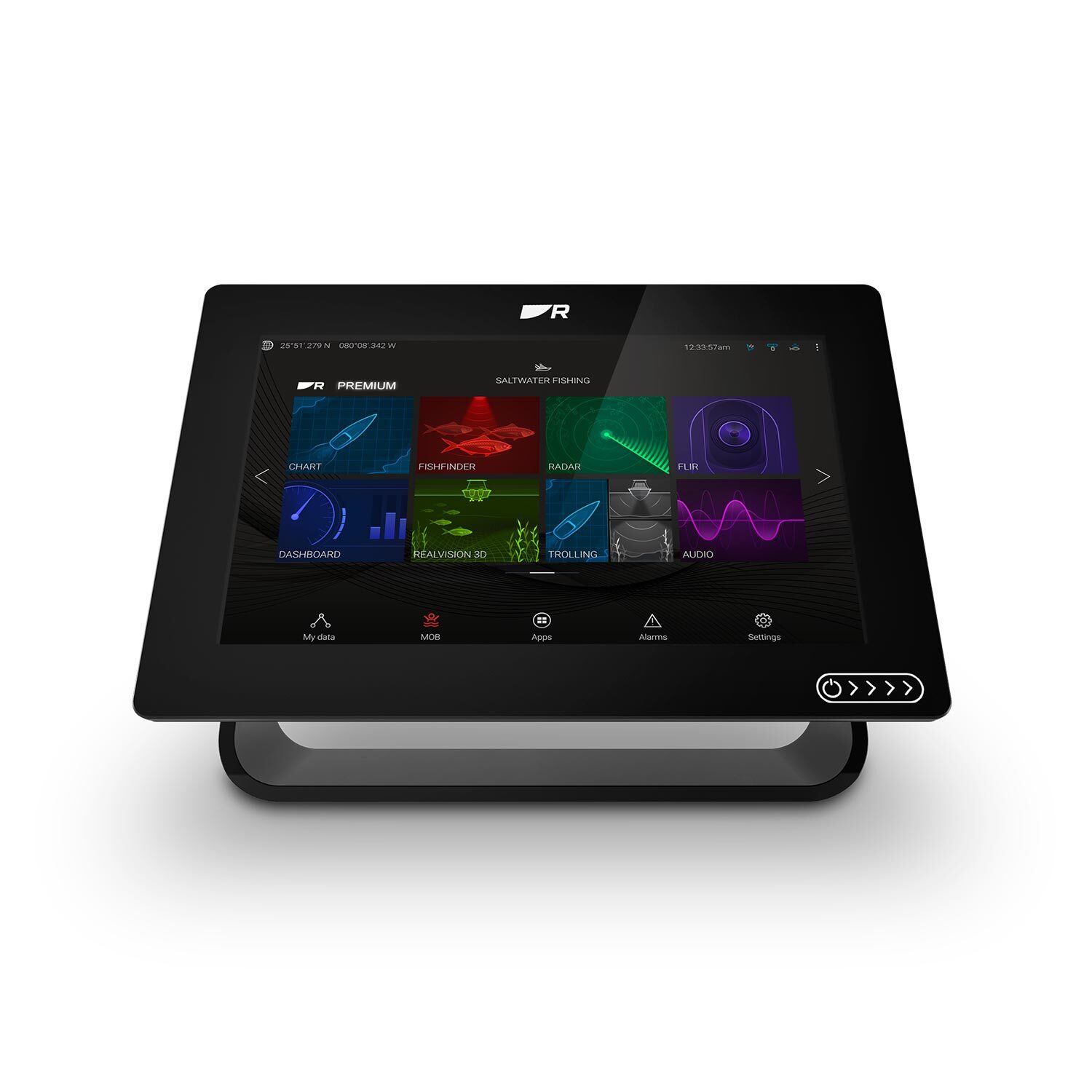
The Raymarine Axiom+ 9 is a dedicated chartplotter display built to network with sonar, radar, and autopilot.
Best Overall: Raymarine Axiom Pro 9 S
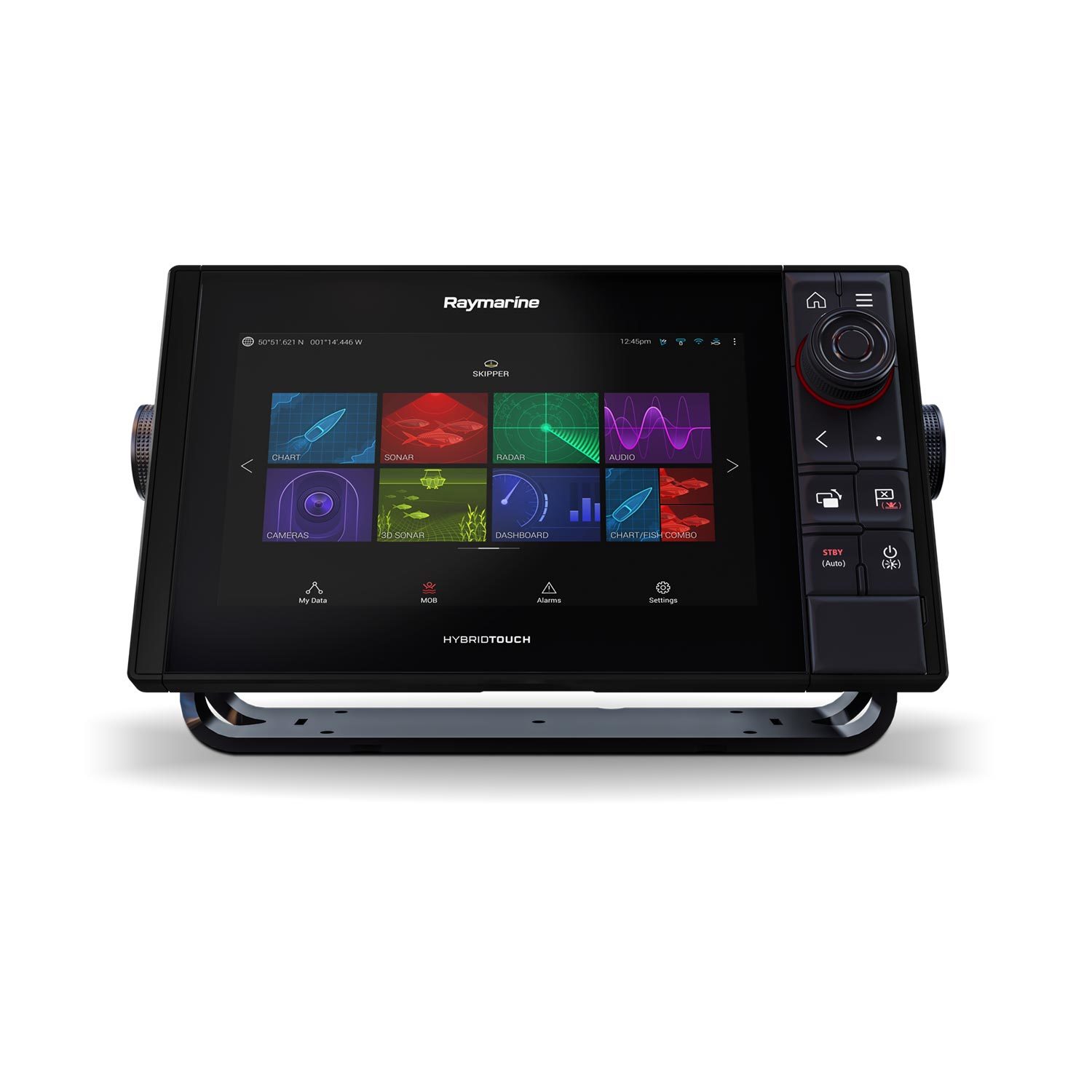
The Raymarine Axiom Pro 9 S HybridTouch Chartplotter ($1,669.97) ships with Navionics+ North America charts preloaded and HybridTouch controls (touchscreen plus physical keys, useful in rough water when a wet touchscreen gets unreliable), making it a strong all-around choice for boaters who want charts ready to go out of the box.
Best for Adding to an Existing Sonar Setup: Axiom+ 9 (No Sounder)
The Raymarine Axiom+ 9 Multifunction Display (No Sounder) ($1,319.99) is priced lower specifically because it skips a built-in sounder — the right choice if you already have dedicated fish finder hardware and just need a networked navigation display alongside it.
Best With Built-In 3D Sonar: Axiom+ 9 RV
The Raymarine Axiom+ 9 RV with RealVision 3D ($1,199.99) bundles Raymarine’s 3D sonar imaging with LightHouse charts in one unit, a strong value pick if you want chartplotting and modern sonar imaging from a single display without buying components separately.
Best for Large Helms and Offshore Boats: Garmin GPSMAP 8616
The Garmin GPSMAP 8616 GN+ 16-Inch Display Unit ($2,899.99) is built for boats running a full networked helm — radar, multiple sonar sources, AIS, and autopilot all on one large, bright display. It’s an investment, but it’s the category most serious offshore and center-console owners land in.
Best Budget Combo Unit: Humminbird HELIX 10 G4N
The Humminbird HELIX 10 CHIRP MEGA SI+ GPS G4N ($1,099.00) combines CHIRP sonar, MEGA side imaging, and full GPS chartplotting in one display at a noticeably lower price than the Raymarine and Garmin options above — a strong choice if a single all-in-one unit at a lower price point matters more than networked expansion.
Frequently Asked Questions
Do I need “Plus” charts included, or can I buy them separately? Most units can accept additional chart cards later, so a lower-priced no-sounder or base-chart unit isn’t a dead end — but buying with your primary cruising region’s charts preloaded, like the Axiom Pro 9 S with Navionics+ North America, saves an extra purchase.
What’s the real benefit of a networked multifunction display over a standalone unit? A networked MFD shares data across every connected device — sonar return on the chart screen, radar overlay on the map, autopilot waypoints from the chartplotter — instead of juggling separate displays for each function.
Is a touchscreen-only chartplotter reliable in rough water? Capacitive touchscreens can be less responsive with wet or gloved hands; units with HybridTouch or physical keypad backup, like the Axiom Pro line, hold up better in genuinely rough conditions.
Still deciding between a phone app and a dedicated chartplotter? Our chartplotter vs. phone GPS apps guide breaks down exactly when each makes sense.
Your phone already has GPS, a mapping app, and a bigger app ecosystem than any marine electronics company will ever build. So why do serious boaters still spend hundreds to thousands of dollars on a dedicated chartplotter? The answer comes down to reliability, integration, and a few capabilities phone apps fundamentally can’t match on the water.
What a Phone GPS App Does Well
Apps like Navionics Boating or similar marine navigation apps are genuinely good for casual, close-to-shore boating — they’re inexpensive, the charts are regularly updated, and most boaters already know how to use a phone interface. For a weekend on a familiar lake or a short coastal run with cell coverage nearby, a phone app is a perfectly reasonable primary tool, and even boaters with a full chartplotter often keep one installed as a backup.
Where Phone Apps Fall Short
The gap shows up in conditions that matter most: direct sunlight readability (marine displays are built for full-sun visibility; phone screens generally aren’t), waterproofing (a chartplotter is rated for spray and rain; a phone in a case is a compromise), and battery life (a chartplotter runs off the boat’s power system all day; a phone burns through its battery fast with GPS and screen-on navigation running continuously). More importantly, a dedicated unit like the Raymarine Axiom Pro 9 S integrates directly with your boat’s sonar, radar, and autopilot over a single network — a phone app operates in isolation from all of that.
A helm-mounted chartplotter integrates sonar, radar, and autopilot data that a phone app can’t reach.
Signal and Cell Coverage
This is the dealbreaker for many boaters: most phone navigation apps rely at least partly on cell data for map tiles, live weather, and AIS traffic overlays, even if base charts are cached offline. Once you’re a few miles offshore or in a coverage dead zone, that functionality can degrade exactly when you need it most. A standalone chartplotter’s charts, GPS, and (if equipped) radar and AIS all run independently of cell signal.
Integration With Sonar and Radar
If you already run a fish finder or are considering marine radar, a combo chartplotter/sonar unit or a networked MFD system shares one screen and one set of controls for everything — overlaying your route on the same display as your sonar returns or radar picture. Our guide to how fish finders work covers how the sonar side of that integration functions.
Frequently Asked Questions
Can I use a phone app as my only navigation on the water? For casual, near-shore boating in good conditions, many boaters do. For anything offshore, in variable weather, or where reliability genuinely matters, most experienced boaters treat a phone app as a backup to a dedicated chartplotter, not a replacement.
Do I need a chartplotter if I already have a fish finder with GPS? Many combo fish finder/chartplotter units already include full navigation charting — check whether your unit has chartplotting built in before assuming you need a separate dedicated MFD.
What size chartplotter display should I buy? Bigger is almost always better for on-water readability, especially if you’ll split the screen between charts and sonar or radar — 9-inch units like the Axiom+ 9 are a common sweet spot, while serious offshore setups often run 12-16 inches, like the Garmin GPSMAP 8616.
Does a chartplotter need an internet connection to work? No — charts are stored on the unit or a memory card, and GPS positioning doesn’t require cell or internet signal at all, which is the core reliability advantage over a phone app.
Buying a good fish finder is only half the battle — the other half is actually knowing what you’re looking at once it’s mounted and running. Here’s how to make sense of the screen instead of just staring at colorful noise.
Arches, Blobs, and Dots: Reading Fish Targets
On traditional 2D sonar, a fish swimming through the transducer’s cone shows up as an arch — the fish enters the edge of the cone (further away, weaker signal), passes under the center (closest, strongest signal), then exits the other edge. A full, symmetrical arch usually means a fish swam directly under the boat; a half-arch means it clipped the edge of the cone. On down imaging and side imaging, fish usually appear as bright dots, dashes, or small fish-shaped marks rather than arches, since those modes render a photo-like image instead of a traditional sonar return.
Reading the Bottom
The bottom shows up as a thick, continuous line across the screen. A hard bottom (rock, sand) returns a strong, sharp, often doubled line (the “second echo” as the pulse bounces bottom-surface-bottom again). A soft bottom (mud, silt) returns a thinner, fuzzier line since the sound energy absorbs into it rather than bouncing back cleanly. Learning to read bottom hardness matters for both fishing (many species prefer specific bottom types) and simply understanding what your anchor will grab.
Understanding Side Imaging Layout
Side imaging splits the screen into left and right halves, with the boat’s track running down the center. Distance from center represents actual distance from the boat — features closer to the centerline are closer to your hull. Brighter returns mean harder, denser objects (rock, wood, metal); darker areas are softer bottom or open water. Shadows behind objects (just like a shadow cast by sunlight) tell you the object has real height — a stump or rock pile casts a visible shadow, while a flat depth change doesn’t.
Color Palettes: Does It Matter Which One You Use?
Most fish finders offer several color palettes (blue, white, amber, etc.) purely for screen visibility in different lighting — amber and high-contrast palettes are often easier to read in direct sunlight, while blue palettes feel more natural in low light. The palette doesn’t change what the sonar is detecting, only how it’s displayed, so pick whatever’s easiest for your eyes on the water.
Split Screens: What’s Worth Running at Once
Most anglers settle into one of two layouts: sonar + chartplotter side by side (so you always know your location while watching sonar), or down imaging + side imaging together (for actively searching structure). Running three or four panels at once on anything smaller than a 9″ screen usually makes everything too small to read quickly — better to cycle between two clean views than cram in extra data you’ll ignore anyway.
Frequently Asked Questions
Why do I see fish arches sometimes but only dots other times? This is usually a difference between 2D sonar view (arches) and down/side imaging view (dots and marks) — they’re different rendering modes of the same underlying sonar data, not a malfunction.
Why does the bottom depth jump around or disappear at speed? At higher boat speeds, especially in choppy water, the transducer can lose a clean read on the bottom. This is normal and usually resolves once you slow down; if it happens constantly at low speed, check your transducer mounting angle and depth.
Should I adjust sensitivity manually or leave it on auto? Auto mode works well for most conditions on modern units. Manual sensitivity is worth learning if you fish very deep water (turn it up) or very shallow, clear water with excess surface clutter (turn it down).
How long does it actually take to get comfortable reading a fish finder? Most anglers get a working intuition within a handful of outings once they stop trying to read every detail and instead learn to recognize the handful of patterns above — arches, hard vs. soft bottom, and shadows on side imaging.
Garmin, Lowrance, and Humminbird dominate the fish finder market for good reason — all three make genuinely excellent electronics. But they have real differences in ecosystem, imaging technology, and mapping that matter more than most spec sheets let on. Here’s how they actually compare.
Garmin: Best Ecosystem Integration
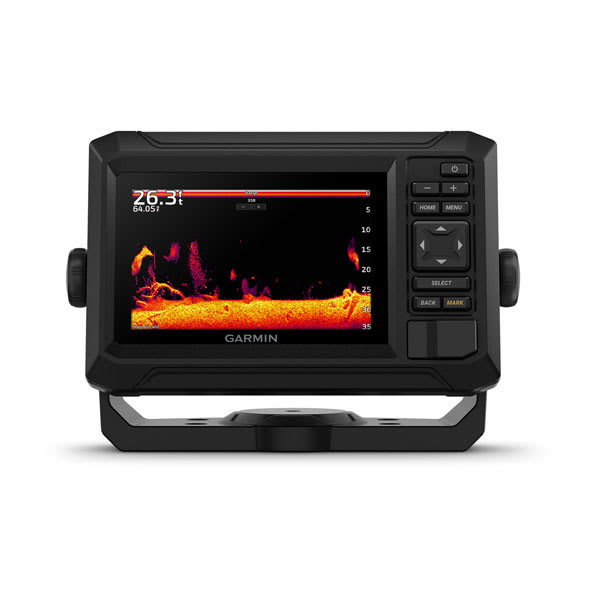
Garmin’s biggest advantage is how well its electronics talk to each other and to the rest of your boat — autopilots, trolling motors (Garmin owns Force and Ulterra), and handheld GPS units all share the same Garmin ActiveCaptain app and account. Quickdraw Contours lets you build your own bathymetric maps in real time, which is a genuine advantage on small or poorly-charted lakes. Panoptix LiveScope, Garmin’s forward-facing live sonar, is widely considered the sharpest image quality in the category. Start with the Garmin ECHOMAP UHD2 73cv if you want to see what the ecosystem feels like without a flagship price tag.
Lowrance: Best for Serious & Tournament Anglers
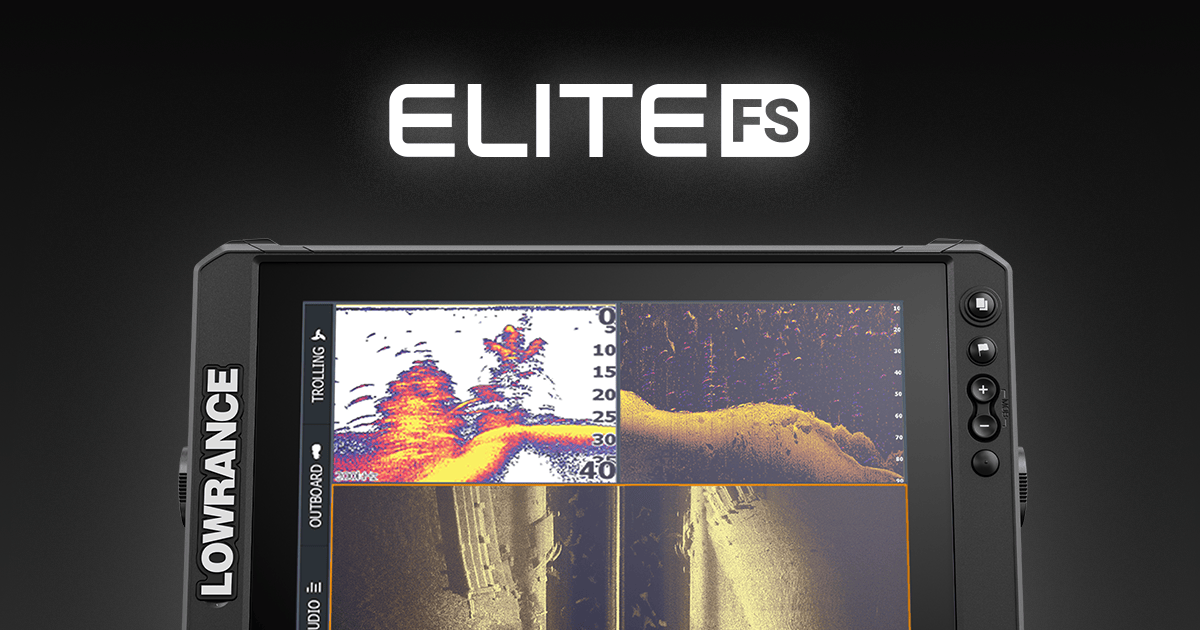
Lowrance’s HDS PRO and Elite FS lines lean hard into speed and screen brightness — both matter more than people expect once you’re actually on the water in direct sun trying to read a screen at 40mph. ActiveTarget, their live sonar system, is a favorite among tournament bass anglers specifically for its wide field of view. Lowrance also has arguably the deepest built-in mapping options through C-MAP. The Lowrance Elite FS 9 is a strong mid-range entry into the brand.
Humminbird: Best Imaging Detail
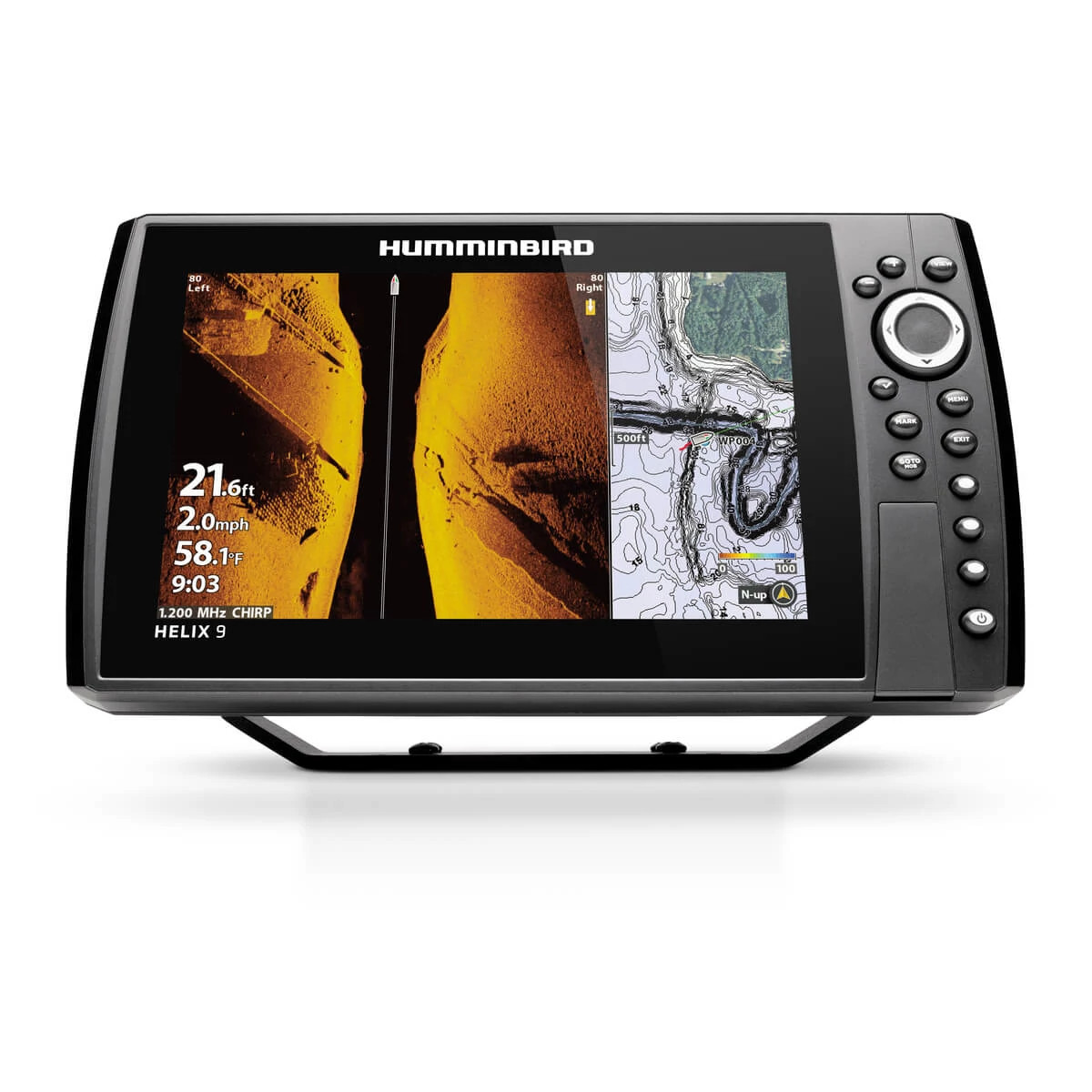
Humminbird’s MEGA Imaging (MEGA Down Imaging and MEGA Side Imaging) is widely regarded as producing the clearest, most photo-realistic structure and fish detail of the three brands, especially at mid-range price points. AutoChart Live builds detailed depth maps as you fish, similar in spirit to Garmin’s Quickdraw. If side imaging clarity is your top priority, the Humminbird HELIX 9 MEGA SI is one of the strongest values in the whole market.
So Which One Should You Actually Buy?
Honestly, all three will serve you well — the differences are real but secondary to picking the right size and feature tier for your budget (see our best fish finders by budget guide for that). The tie-breakers that actually matter: if you already own other electronics from one of these brands (trolling motor, autopilot, handheld GPS), staying in that ecosystem usually pays off in integration. If side-imaging clarity is your single biggest priority, lean Humminbird. If you want the deepest mapping and fastest live sonar refresh for tournament fishing, lean Lowrance. If you want the most polished all-around ecosystem and might add an autopilot or trolling motor later, lean Garmin.
Frequently Asked Questions
Which brand has the best live sonar? All three (Garmin LiveScope, Lowrance ActiveTarget, Humminbird MEGA Live) are excellent and closely matched. Garmin is often cited for image sharpness, Lowrance for field of view, Humminbird for value.
Can I mix brands — a Garmin fish finder with a non-Garmin trolling motor? Yes, mechanically it will work fine. You just lose the deeper software integration (like controlling trolling motor steering from the fish finder screen) that same-brand pairings offer.
Is one brand more reliable than the others? All three are established, reputable marine electronics manufacturers with strong track records. Reliability differences between them are minor compared to differences in how well you maintain and install the unit.
Do transducers transfer between brands? No — transducers are brand- and often model-specific. Factor this in if you’re upgrading a display and hoping to reuse an existing transducer.
The right fish finder depends far more on your budget and how you fish than on chasing the newest flagship. Here’s a real, no-nonsense breakdown of solid picks at every price point — not a list of every unit we sell, just the ones worth your money at each tier.
Budget: Under $600
Lowrance HOOK Reveal 5 TripleShot — $249.99. A genuinely capable entry point: CHIRP sonar, DownScan imaging, and a built-in GPS chartplotter on a 5″ display. It won’t wow you with screen real estate, but for a kayak, jon boat, or as a simple backup unit, it does everything most casual anglers need.
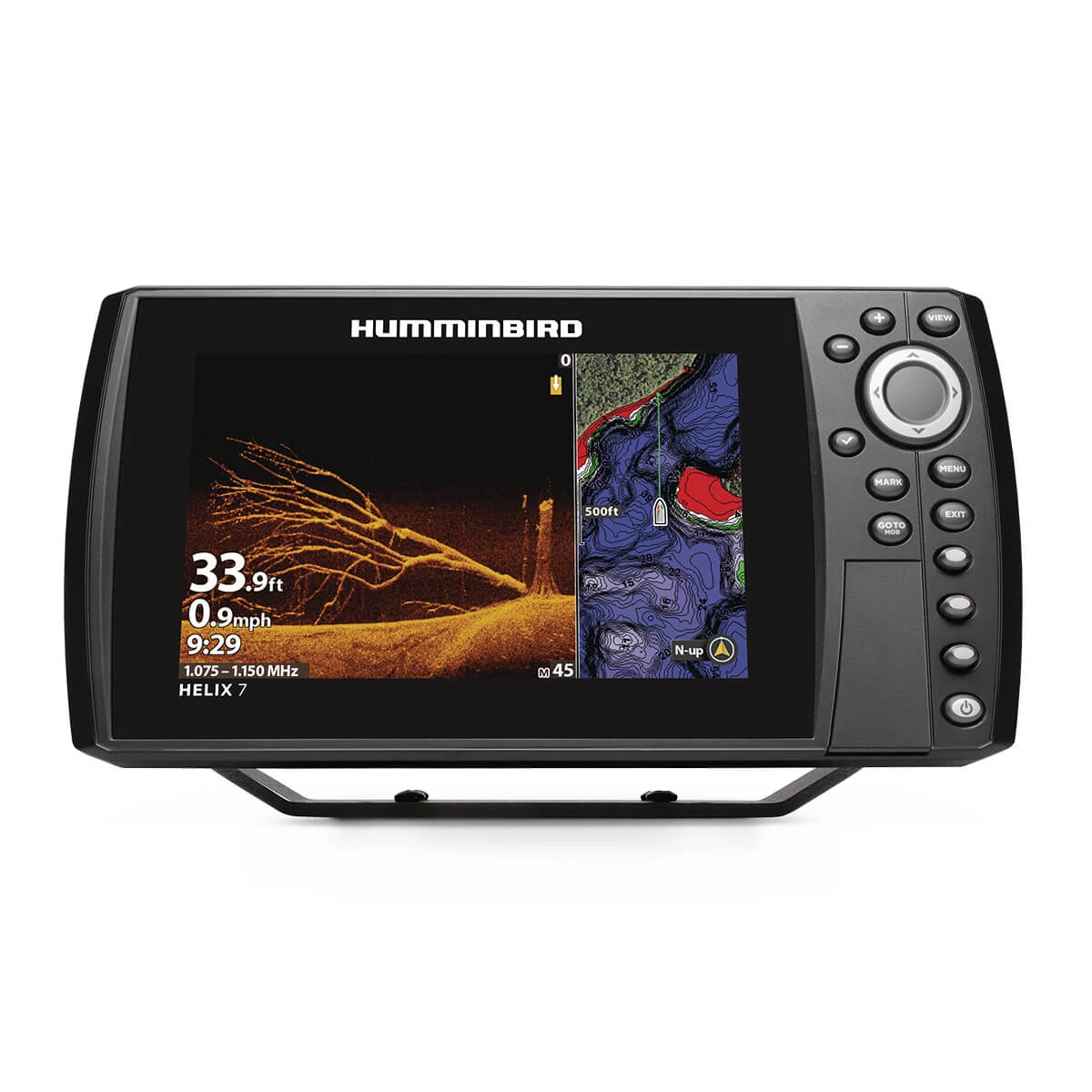
Humminbird HELIX 7 CHIRP MEGA DI GPS G4N — $549.99. Steps up to a 7″ display with MEGA Down Imaging, which produces noticeably crisper structure detail than standard down imaging. This is the size most people actually wish they’d bought instead of a 5″.
Mid-Range: $600–$1,100
Garmin ECHOMAP UHD2 73cv — $649.99. Garmin’s UHD2 line packs a sharper display and built-in Quickdraw Contours mapping that lets you create your own high-detail lake maps as you fish — genuinely useful on smaller or less-charted waters.
Humminbird HELIX 9 CHIRP MEGA SI GPS G4N — $999.99. This is where MEGA Side Imaging enters the picture — scanning a wide corridor to either side of the boat so you can find brush piles and schools without running over them first. A 9″ screen is also large enough to comfortably split sonar and mapping views.
Premium: $1,200+
Raymarine Axiom+ 9 RV — $1,199.99. RealVision 3D sonar renders the bottom and structure as an actual three-dimensional picture rather than a flat scroll, and the Axiom+ line runs on the same LightHouse chart ecosystem used on much larger offshore helms — useful if you think you’ll ever upgrade boats.
Lowrance HDS PRO 9 — $1,999.99. The HDS PRO series is built for anglers who live on the water: faster processors, brighter high-contrast displays for direct sunlight, and full compatibility with Lowrance’s ActiveTarget live sonar system if you want to add it later.
How to Actually Pick Between Them
If you’re not sure where to start, work backward from how you fish rather than the spec sheet. Casual weekend angler on a small lake? Budget tier is genuinely enough. Fishing tournaments or unfamiliar water regularly? The mapping and side-imaging features in the mid-range tier pay for themselves fast. Chasing suspended fish in open water or fishing offshore structure? That’s when premium sonar resolution and live sonar compatibility start to matter. For the mechanics behind CHIRP, down imaging, and side imaging referenced above, see our guide on how fish finders actually work.
Frequently Asked Questions
Is it worth paying extra for a bigger screen? Usually yes, if your budget allows it. Once you start splitting the screen between sonar and mapping (which most anglers do), anything under 7″ feels cramped fast.
Do I need a separate GPS unit if I buy a fish finder? No — virtually every fish finder sold today, including every unit above, is a combo unit with a built-in GPS chartplotter.
What’s the single best upgrade from a budget unit? Side imaging. It fundamentally changes how you locate fish and structure compared to only having a down-facing cone, more than any other single spec.
Should I buy based on brand or on the specific model? Model, every time. Garmin, Lowrance, and Humminbird all make excellent units across every price tier — see our Garmin vs. Lowrance vs. Humminbird comparison if brand loyalty or existing accessories (transducers, mounts) are a factor for you.
Walk into any tackle shop and ask “what fish finder should I buy?” and you’ll get a wall of jargon back — CHIRP, down imaging, side imaging, transducer frequency, beam angle. None of it makes sense until you understand what a fish finder is actually doing underneath your boat. Once you get the fundamentals, choosing between models (and reading the screen once you’re on the water) gets a lot easier.
The Basic Idea: Sound, Not Sight
A fish finder doesn’t “see” anything. It sends a pulse of sound energy down through the water from a transducer mounted on your hull or transom, and listens for the echo bouncing back. The time it takes for that echo to return tells the unit how far away an object is; the strength and shape of the echo tells it roughly what that object is — the bottom, a school of baitfish, structure, or a single big fish suspended in the water column. Your display just translates thousands of these echoes per second into a scrolling picture.
CHIRP vs. Traditional Sonar
Older, single-frequency sonar sends one pitch of sound (say, 200kHz) and reads the echo. CHIRP (Compressed High-Intensity Radiated Pulse) sends a sweep across a range of frequencies in every ping, which returns far more detail and separates targets that would blur together on traditional sonar — two fish holding close together, or a fish sitting right on the bottom. Nearly every fish finder worth buying today runs CHIRP as standard, including budget units like the Lowrance HOOK Reveal 5.
Down Imaging, Side Imaging, and Live Sonar
Traditional 2D sonar shows a cone-shaped slice directly under the boat. Down imaging uses a wider, flatter beam to produce a near-photographic picture of what’s directly below — brush piles, stumps, and individual fish show up as sharp, recognizable shapes rather than arches. Side imaging aims that same flat beam out to the sides, letting you scan a corridor 100–200+ feet wide without moving the boat, which is how experienced anglers find structure and schools without blind-casting the whole lake.
The newest step up is forward-facing live sonar (Garmin LiveScope, Lowrance ActiveTarget, Humminbird MEGA Live) which updates in real time instead of scrolling historically, so you can literally watch your bait fall past a fish and see it react. We cover the difference in more depth in our live sonar vs. traditional sonar guide.
A combo fish finder/chartplotter display like the Garmin ECHOMAP UHD2 shares sonar and GPS map data on one screen.
Why Transducer Placement Matters
A high-end display is only as good as the transducer feeding it. Transom-mount transducers are the easiest DIY install and fine for most recreational use; thru-hull transducers sit flush with the hull for cleaner readings at higher speed; trolling-motor-mounted transducers (common with side and live imaging) move with the bow of the boat so you’re always scanning where you’re actually pointed. If you’re mounting your own, our fish finder & chartplotter collection lists the transducer each unit ships with so you know what you’re getting before it arrives.
GPS and Chartplotting: The Other Half of the Screen
Almost every fish finder sold today is really a combo unit — sonar plus a GPS chartplotter sharing one screen. The GPS side lets you drop waypoints on productive spots, follow contour lines that reveal drop-offs and ledges, and in many cases overlay lake maps or coastal charts. If you’re trying to decide whether you even need a dedicated unit instead of a phone app, that’s a separate question we answer directly in chartplotter vs. phone GPS apps.
Frequently Asked Questions
Do I need CHIRP, or is traditional sonar fine? CHIRP costs little to nothing extra on current-generation units and gives meaningfully better target separation, so there’s rarely a reason to buy traditional-only sonar today.
What frequency should I look for? Lower frequencies (50kHz) penetrate deeper water and cover a wider cone; higher frequencies (200kHz+) give sharper detail in shallower water. Most CHIRP units sweep a range and let the software pick the best return, so this matters less than it used to — but if you fish deep offshore water regularly, check that the transducer is rated for it.
Does a bigger screen actually help? Yes, more than most people expect. Side-by-side split screens (sonar + chartplotter, or down + side imaging) eat screen space fast, and a 5″ display gets cramped quickly if you run more than one view. Most serious anglers land on 7″ to 9″ as the sweet spot.
Can I add live sonar to a unit I already own? Sometimes. Garmin LiveScope and Lowrance ActiveTarget systems can often be added as a second transducer feeding into a compatible existing display — check your specific model’s compatibility before buying the add-on system.