The display gets all the attention, but a fish finder is only as good as the transducer feeding it data. CHIRP, ClearVu, SideVu, and LiveScope all sound similar on a spec sheet but show you genuinely different things underwater.
CHIRP Sonar — The Foundation
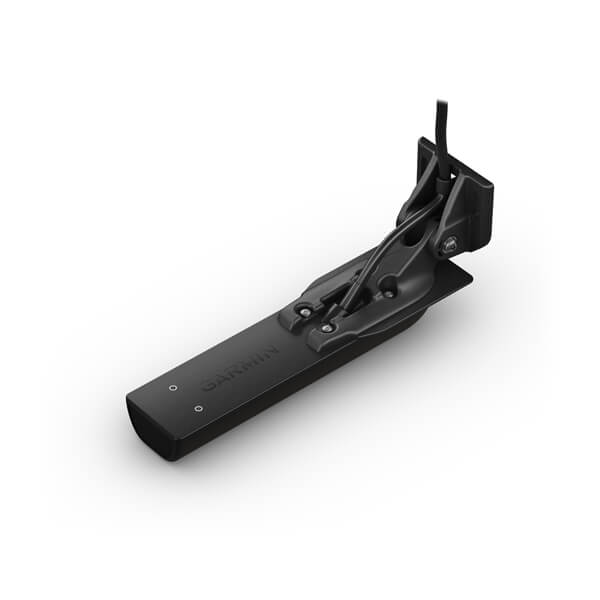
CHIRP (Compressed High-Intensity Radiated Pulse) sends a sweep of frequencies rather than one fixed frequency, giving sharper target separation and better detail than older single-frequency sonar. Most modern transducers, including the Garmin GT56UHD-TM ($349.99), build CHIRP in as the baseline.
ClearVu and SideVu — Structure Scanning
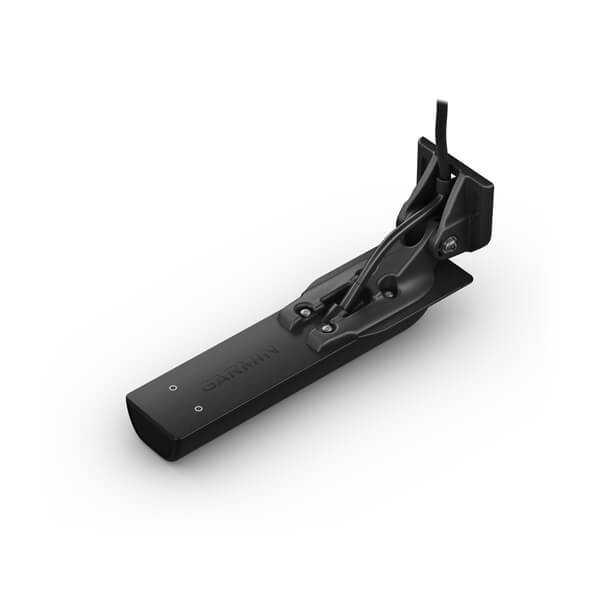
Where CHIRP shows fish as arches beneath the boat, ClearVu and SideVu scan in narrow, high-resolution slices that produce a near-photographic image of structure below and to the sides of the boat — the GT56UHD-TM covers all three in one transducer, which is why it’s a popular single upgrade.
LiveScope — Real-Time Live Sonar
The step up from traditional CHIRP/ClearVu is live sonar. The Garmin LiveScope 2 HD ($2,199.99) shows fish and structure moving in real time rather than as a scrolling history, which is why serious anglers increasingly treat it as a separate purchase from a standard CHIRP/ClearVu unit.
The Garmin GT56UHD-TM combines CHIRP, ClearVu, and SideVu scanning in a single transducer.
Frequently Asked Questions
Do I need a new transducer if I upgrade my fish finder display? Not always — check whether your existing transducer is compatible with the new display’s connector and supported scanning modes before buying a new one.
What’s the real difference between ClearVu and SideVu? ClearVu scans a narrow slice directly beneath and slightly to the sides; SideVu extends that scanning further out to each side of the boat.
Is LiveScope worth the extra cost over CHIRP/ClearVu? For anglers actively targeting fish in real time — bass, crappie, forward-facing sonar fishing styles — many say yes; for general cruising and casual fishing, standard CHIRP is usually enough.
Can one transducer do CHIRP, ClearVu, and SideVu at once? Yes — transducers like the GT56UHD-TM are built to handle all three scanning modes from one unit.
If you’ve shopped for a fish finder in the last few years, you’ve seen the term “live sonar” plastered across the high end of the lineup — Garmin LiveScope, Lowrance ActiveTarget, Humminbird MEGA Live. It’s easily the biggest leap in recreational sonar since CHIRP, but it works completely differently from the sonar you grew up with. Here’s what’s actually different, and whether it’s worth the jump.
How Traditional Sonar (Including Down/Side Imaging) Works
Traditional 2D, CHIRP, down imaging, and side imaging all share one trait: they’re historical. The transducer pings straight down (or to the side), the echo returns, and the display scrolls that data across the screen as your boat moves. You’re always looking at where you were, a second or two in the past. It’s excellent for finding structure, bottom composition, and marking fish that were sitting in a spot — see our full breakdown in how fish finders actually work.
How Forward-Facing Live Sonar Works
Live sonar (Garmin calls it LiveScope/Panoptix, Lowrance calls it ActiveTarget, Humminbird calls it MEGA Live) aims the beam forward or down in real time, refreshing several times per second instead of scrolling historically. Point it ahead of the boat and you watch fish swim, react to your lure, and move in or out of range live, with almost no lag. Point it straight down and you get a real-time look at what’s under the boat as you sit still — useful for vertical jigging or working a single piece of cover.
Garmin’s LiveScope system shows fish and structure moving in real time rather than scrolling historically.
What Live Sonar Actually Changes on the Water
The practical difference is feedback speed. With traditional sonar, you mark a fish, then decide where to cast based on where it was. With live sonar, you watch your bait fall through the water column in real time and see whether a fish moves toward it, ignores it, or spooks — so you adjust retrieve speed, depth, or lure choice on the fly instead of guessing on the next pass. It’s especially dominant for suspended fish (crappie, bass holding off structure, schooling stripers) that traditional sonar struggles to target precisely.
Do You Need It, or Is Traditional Sonar Enough?
Live sonar isn’t a replacement for a good chartplotter and traditional/side imaging — most serious anglers run both, using scrolling sonar to find general areas and structure, then live sonar to pick off individual fish once they’re in the zone. If you mostly fish familiar water and rely on GPS waypoints and contour lines, a strong CHIRP/side-imaging unit like the ones in our best fish finders by budget guide will serve you well. If you fish suspended or highly mobile species and want to close, cast, and react in real time, live sonar earns its price premium quickly.
Frequently Asked Questions
Can I add live sonar to a fish finder I already own? Often, yes. Garmin LiveScope and Lowrance ActiveTarget systems can typically be added as a second transducer feeding a compatible existing display — check your specific model’s compatibility before buying an add-on system rather than a full bundle.
Forward, down, or both — which mode do I need? Forward mode is best for searching ahead and watching fish react while you’re moving or casting; down mode is best for vertical jigging or scanning directly beneath a stationary boat. Most systems, including the Garmin Panoptix LiveScope Plus System, let you switch between both from one transducer.
Is live sonar hard to learn to read? There’s a learning curve of a few outings — the real-time image takes some getting used to compared to scrolling sonar — but most anglers pick up the basics faster than they expect because the picture is more intuitive, not less.
Does live sonar work well in shallow water? Yes, and it’s arguably even more useful there, since precise casts matter more in tight cover. Down-imaging mode in particular excels at showing exactly where a fish is holding next to a dock piling or stump.
Buying a good fish finder is only half the battle — the other half is actually knowing what you’re looking at once it’s mounted and running. Here’s how to make sense of the screen instead of just staring at colorful noise.
Arches, Blobs, and Dots: Reading Fish Targets
On traditional 2D sonar, a fish swimming through the transducer’s cone shows up as an arch — the fish enters the edge of the cone (further away, weaker signal), passes under the center (closest, strongest signal), then exits the other edge. A full, symmetrical arch usually means a fish swam directly under the boat; a half-arch means it clipped the edge of the cone. On down imaging and side imaging, fish usually appear as bright dots, dashes, or small fish-shaped marks rather than arches, since those modes render a photo-like image instead of a traditional sonar return.
Reading the Bottom
The bottom shows up as a thick, continuous line across the screen. A hard bottom (rock, sand) returns a strong, sharp, often doubled line (the “second echo” as the pulse bounces bottom-surface-bottom again). A soft bottom (mud, silt) returns a thinner, fuzzier line since the sound energy absorbs into it rather than bouncing back cleanly. Learning to read bottom hardness matters for both fishing (many species prefer specific bottom types) and simply understanding what your anchor will grab.
Understanding Side Imaging Layout
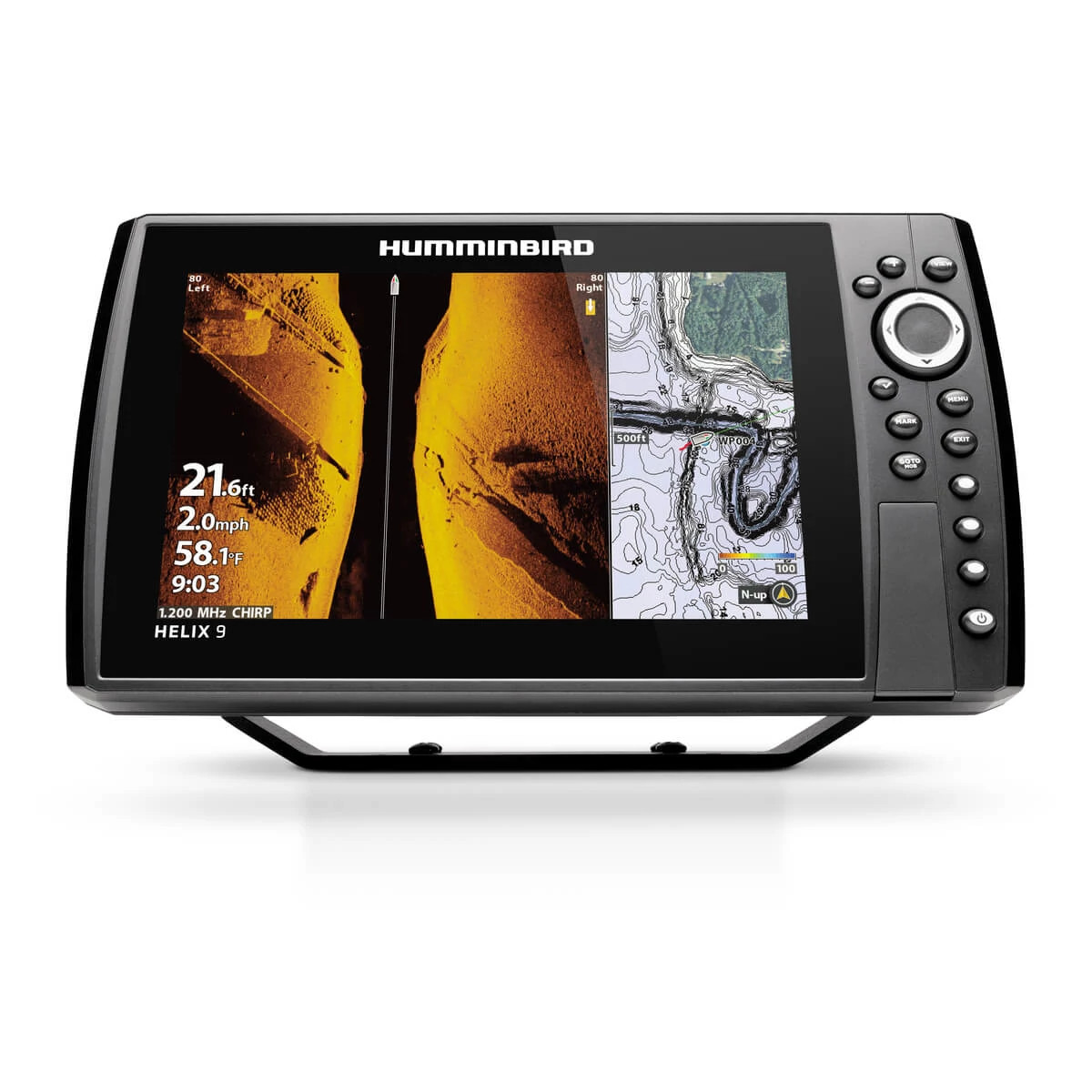
Side imaging splits the screen into left and right halves, with the boat’s track running down the center. Distance from center represents actual distance from the boat — features closer to the centerline are closer to your hull. Brighter returns mean harder, denser objects (rock, wood, metal); darker areas are softer bottom or open water. Shadows behind objects (just like a shadow cast by sunlight) tell you the object has real height — a stump or rock pile casts a visible shadow, while a flat depth change doesn’t.
Color Palettes: Does It Matter Which One You Use?
Most fish finders offer several color palettes (blue, white, amber, etc.) purely for screen visibility in different lighting — amber and high-contrast palettes are often easier to read in direct sunlight, while blue palettes feel more natural in low light. The palette doesn’t change what the sonar is detecting, only how it’s displayed, so pick whatever’s easiest for your eyes on the water.
Split Screens: What’s Worth Running at Once
Most anglers settle into one of two layouts: sonar + chartplotter side by side (so you always know your location while watching sonar), or down imaging + side imaging together (for actively searching structure). Running three or four panels at once on anything smaller than a 9″ screen usually makes everything too small to read quickly — better to cycle between two clean views than cram in extra data you’ll ignore anyway.
Frequently Asked Questions
Why do I see fish arches sometimes but only dots other times? This is usually a difference between 2D sonar view (arches) and down/side imaging view (dots and marks) — they’re different rendering modes of the same underlying sonar data, not a malfunction.
Why does the bottom depth jump around or disappear at speed? At higher boat speeds, especially in choppy water, the transducer can lose a clean read on the bottom. This is normal and usually resolves once you slow down; if it happens constantly at low speed, check your transducer mounting angle and depth.
Should I adjust sensitivity manually or leave it on auto? Auto mode works well for most conditions on modern units. Manual sensitivity is worth learning if you fish very deep water (turn it up) or very shallow, clear water with excess surface clutter (turn it down).
How long does it actually take to get comfortable reading a fish finder? Most anglers get a working intuition within a handful of outings once they stop trying to read every detail and instead learn to recognize the handful of patterns above — arches, hard vs. soft bottom, and shadows on side imaging.
The right fish finder depends far more on your budget and how you fish than on chasing the newest flagship. Here’s a real, no-nonsense breakdown of solid picks at every price point — not a list of every unit we sell, just the ones worth your money at each tier.
Budget: Under $600
Lowrance HOOK Reveal 5 TripleShot — $249.99. A genuinely capable entry point: CHIRP sonar, DownScan imaging, and a built-in GPS chartplotter on a 5″ display. It won’t wow you with screen real estate, but for a kayak, jon boat, or as a simple backup unit, it does everything most casual anglers need.
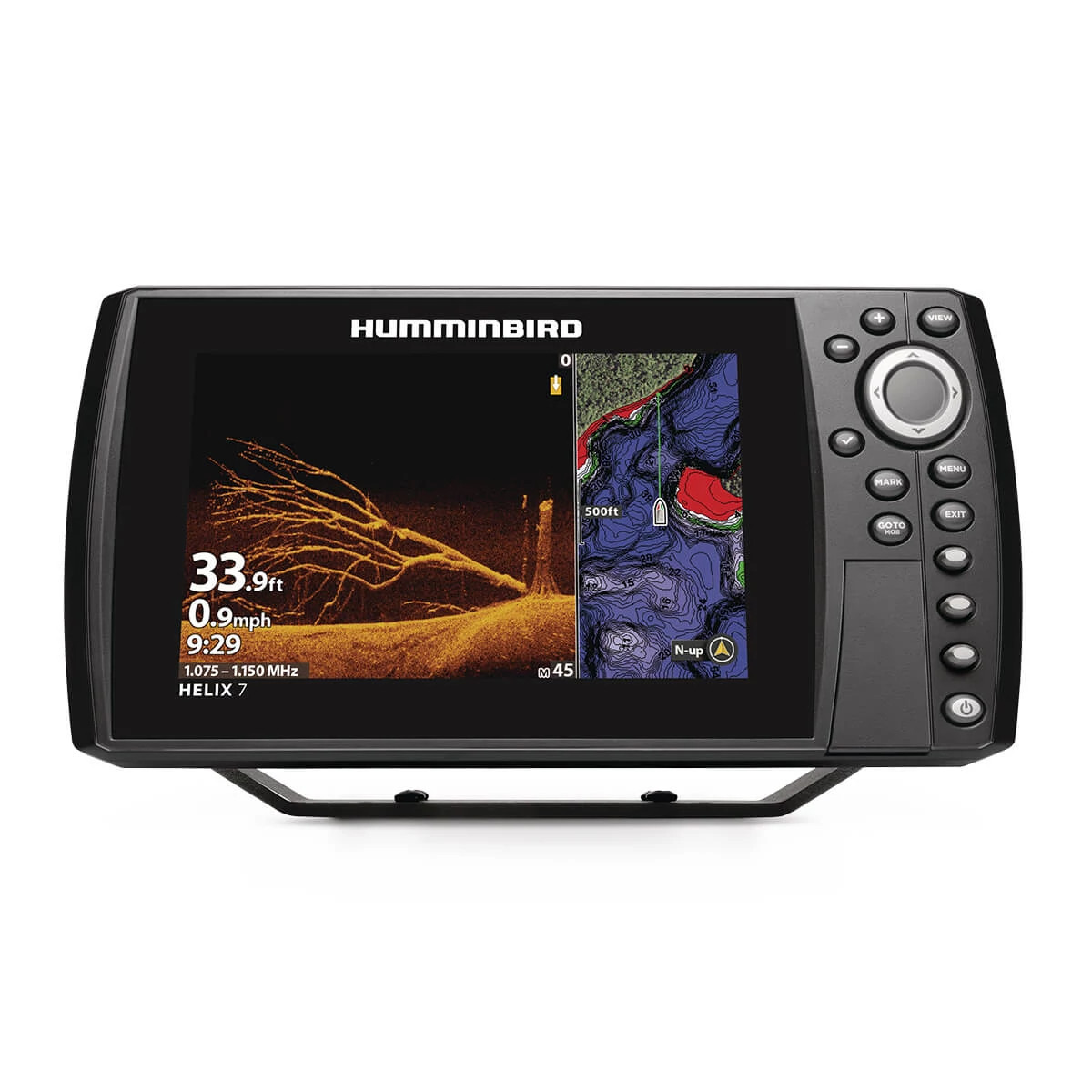
Humminbird HELIX 7 CHIRP MEGA DI GPS G4N — $549.99. Steps up to a 7″ display with MEGA Down Imaging, which produces noticeably crisper structure detail than standard down imaging. This is the size most people actually wish they’d bought instead of a 5″.
Mid-Range: $600–$1,100
Garmin ECHOMAP UHD2 73cv — $649.99. Garmin’s UHD2 line packs a sharper display and built-in Quickdraw Contours mapping that lets you create your own high-detail lake maps as you fish — genuinely useful on smaller or less-charted waters.
Humminbird HELIX 9 CHIRP MEGA SI GPS G4N — $999.99. This is where MEGA Side Imaging enters the picture — scanning a wide corridor to either side of the boat so you can find brush piles and schools without running over them first. A 9″ screen is also large enough to comfortably split sonar and mapping views.
Premium: $1,200+
Raymarine Axiom+ 9 RV — $1,199.99. RealVision 3D sonar renders the bottom and structure as an actual three-dimensional picture rather than a flat scroll, and the Axiom+ line runs on the same LightHouse chart ecosystem used on much larger offshore helms — useful if you think you’ll ever upgrade boats.
Lowrance HDS PRO 9 — $1,999.99. The HDS PRO series is built for anglers who live on the water: faster processors, brighter high-contrast displays for direct sunlight, and full compatibility with Lowrance’s ActiveTarget live sonar system if you want to add it later.
How to Actually Pick Between Them
If you’re not sure where to start, work backward from how you fish rather than the spec sheet. Casual weekend angler on a small lake? Budget tier is genuinely enough. Fishing tournaments or unfamiliar water regularly? The mapping and side-imaging features in the mid-range tier pay for themselves fast. Chasing suspended fish in open water or fishing offshore structure? That’s when premium sonar resolution and live sonar compatibility start to matter. For the mechanics behind CHIRP, down imaging, and side imaging referenced above, see our guide on how fish finders actually work.
Frequently Asked Questions
Is it worth paying extra for a bigger screen? Usually yes, if your budget allows it. Once you start splitting the screen between sonar and mapping (which most anglers do), anything under 7″ feels cramped fast.
Do I need a separate GPS unit if I buy a fish finder? No — virtually every fish finder sold today, including every unit above, is a combo unit with a built-in GPS chartplotter.
What’s the single best upgrade from a budget unit? Side imaging. It fundamentally changes how you locate fish and structure compared to only having a down-facing cone, more than any other single spec.
Should I buy based on brand or on the specific model? Model, every time. Garmin, Lowrance, and Humminbird all make excellent units across every price tier — see our Garmin vs. Lowrance vs. Humminbird comparison if brand loyalty or existing accessories (transducers, mounts) are a factor for you.
Walk into any tackle shop and ask “what fish finder should I buy?” and you’ll get a wall of jargon back — CHIRP, down imaging, side imaging, transducer frequency, beam angle. None of it makes sense until you understand what a fish finder is actually doing underneath your boat. Once you get the fundamentals, choosing between models (and reading the screen once you’re on the water) gets a lot easier.
The Basic Idea: Sound, Not Sight
A fish finder doesn’t “see” anything. It sends a pulse of sound energy down through the water from a transducer mounted on your hull or transom, and listens for the echo bouncing back. The time it takes for that echo to return tells the unit how far away an object is; the strength and shape of the echo tells it roughly what that object is — the bottom, a school of baitfish, structure, or a single big fish suspended in the water column. Your display just translates thousands of these echoes per second into a scrolling picture.
CHIRP vs. Traditional Sonar
Older, single-frequency sonar sends one pitch of sound (say, 200kHz) and reads the echo. CHIRP (Compressed High-Intensity Radiated Pulse) sends a sweep across a range of frequencies in every ping, which returns far more detail and separates targets that would blur together on traditional sonar — two fish holding close together, or a fish sitting right on the bottom. Nearly every fish finder worth buying today runs CHIRP as standard, including budget units like the Lowrance HOOK Reveal 5.
Down Imaging, Side Imaging, and Live Sonar
Traditional 2D sonar shows a cone-shaped slice directly under the boat. Down imaging uses a wider, flatter beam to produce a near-photographic picture of what’s directly below — brush piles, stumps, and individual fish show up as sharp, recognizable shapes rather than arches. Side imaging aims that same flat beam out to the sides, letting you scan a corridor 100–200+ feet wide without moving the boat, which is how experienced anglers find structure and schools without blind-casting the whole lake.
The newest step up is forward-facing live sonar (Garmin LiveScope, Lowrance ActiveTarget, Humminbird MEGA Live) which updates in real time instead of scrolling historically, so you can literally watch your bait fall past a fish and see it react. We cover the difference in more depth in our live sonar vs. traditional sonar guide.
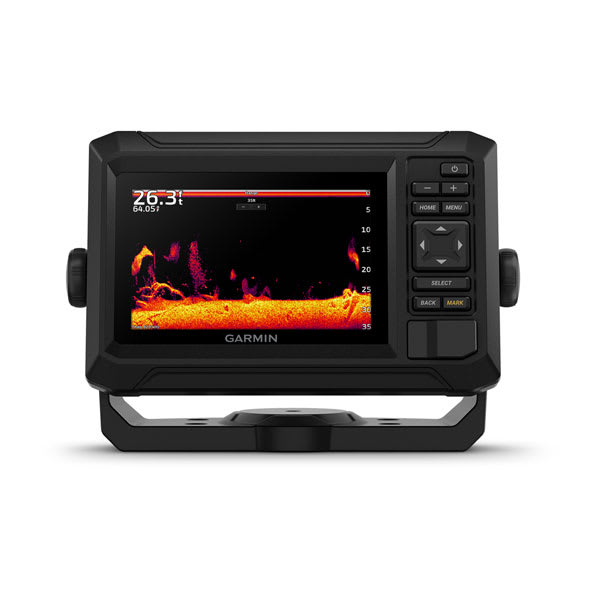
A combo fish finder/chartplotter display like the Garmin ECHOMAP UHD2 shares sonar and GPS map data on one screen.
Why Transducer Placement Matters
A high-end display is only as good as the transducer feeding it. Transom-mount transducers are the easiest DIY install and fine for most recreational use; thru-hull transducers sit flush with the hull for cleaner readings at higher speed; trolling-motor-mounted transducers (common with side and live imaging) move with the bow of the boat so you’re always scanning where you’re actually pointed. If you’re mounting your own, our fish finder & chartplotter collection lists the transducer each unit ships with so you know what you’re getting before it arrives.
GPS and Chartplotting: The Other Half of the Screen
Almost every fish finder sold today is really a combo unit — sonar plus a GPS chartplotter sharing one screen. The GPS side lets you drop waypoints on productive spots, follow contour lines that reveal drop-offs and ledges, and in many cases overlay lake maps or coastal charts. If you’re trying to decide whether you even need a dedicated unit instead of a phone app, that’s a separate question we answer directly in chartplotter vs. phone GPS apps.
Frequently Asked Questions
Do I need CHIRP, or is traditional sonar fine? CHIRP costs little to nothing extra on current-generation units and gives meaningfully better target separation, so there’s rarely a reason to buy traditional-only sonar today.
What frequency should I look for? Lower frequencies (50kHz) penetrate deeper water and cover a wider cone; higher frequencies (200kHz+) give sharper detail in shallower water. Most CHIRP units sweep a range and let the software pick the best return, so this matters less than it used to — but if you fish deep offshore water regularly, check that the transducer is rated for it.
Does a bigger screen actually help? Yes, more than most people expect. Side-by-side split screens (sonar + chartplotter, or down + side imaging) eat screen space fast, and a 5″ display gets cramped quickly if you run more than one view. Most serious anglers land on 7″ to 9″ as the sweet spot.
Can I add live sonar to a unit I already own? Sometimes. Garmin LiveScope and Lowrance ActiveTarget systems can often be added as a second transducer feeding into a compatible existing display — check your specific model’s compatibility before buying the add-on system.