Category: Buying Guides

  • Do You Need an Underwater Fishing Camera?

    Do You Need an Underwater Fishing Camera?

    An underwater fishing camera won’t catch fish for you, but it answers a question sonar can’t: what’s actually down there and how are fish reacting to your bait, right now, in real time.

    What an Underwater Camera Adds That Sonar Doesn’t

    Sonar shows you where fish and structure are as arches and shapes; a camera shows you the fish itself, species, size, and behavior toward your bait or lure. That’s a genuinely different kind of information — useful for identifying species before you hook up, and for diagnosing why fish are marking on sonar but not biting.

    How Dedicated Fishing Cameras Work

    The Aqua-Vu MICRO Revolution Pro ($279.99) is built specifically for this — a 1080p HD camera on a 40ft cable with built-in LED lights and a display topside, designed for ice fishing, dock fishing, and checking structure before you commit a spot.

    Where It Genuinely Helps

    An underwater camera earns its keep most clearly for ice fishing, dock and pier fishing, and scouting new structure before committing time to a spot. Built-in LED lighting also makes a real difference in deeper or lower-light water, where a camera without its own light source struggles.
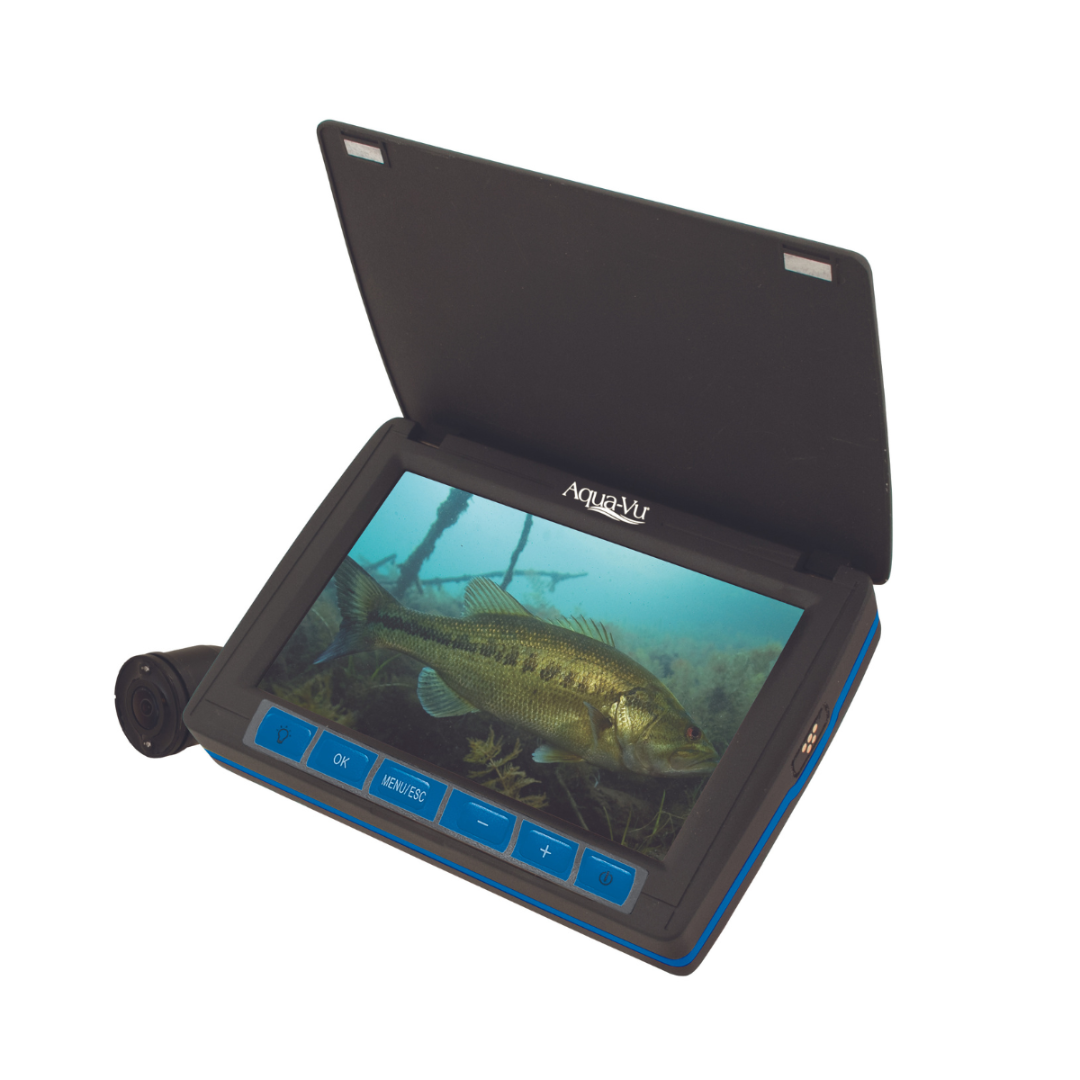
    Aqua-Vu underwater fishing camera with topside display
    Dedicated fishing cameras like the Aqua-Vu MICRO Revolution Pro show a live topside feed as you lower the camera.

    When Sonar Still Makes More Sense

    For open-water trolling or offshore fishing, sonar generally remains the more practical primary tool, since it covers a wide area rather than the narrow, direct view a camera provides. Most serious anglers treat an underwater camera as a specialty add-on rather than a sonar replacement.

    Frequently Asked Questions

    Is an underwater camera a replacement for a fish finder?
    No — they serve different purposes. A fish finder covers a wide area via sonar; a camera shows a direct, narrow view exactly where you lower it.

    Do underwater cameras work in murky water?
    Visibility depends heavily on water clarity — cameras perform best in clear to moderately clear water and are less useful in very murky conditions.

    Does the Aqua-Vu’s built-in lighting really matter?
    Yes — natural light drops off quickly with depth, so built-in LED lighting like the MICRO Revolution Pro’s is what keeps the image usable below the first few feet.

    What’s the cable length on the Aqua-Vu MICRO Revolution Pro?
    It comes with a 40ft cable, enough depth for most ice fishing, dock, and shallow-water scouting use cases.

    Ready to see the full spec sheet? Check out the Aqua-Vu MICRO Revolution Pro, or browse the full fish finders and chartplotters category.
  • Understanding Transducers: CHIRP, ClearVu, SideVu, and LiveScope Explained

    Understanding Transducers: CHIRP, ClearVu, SideVu, and LiveScope Explained

    The display gets all the attention, but a fish finder is only as good as the transducer feeding it data. CHIRP, ClearVu, SideVu, and LiveScope all sound similar on a spec sheet but show you genuinely different things underwater.

    CHIRP Sonar — The Foundation

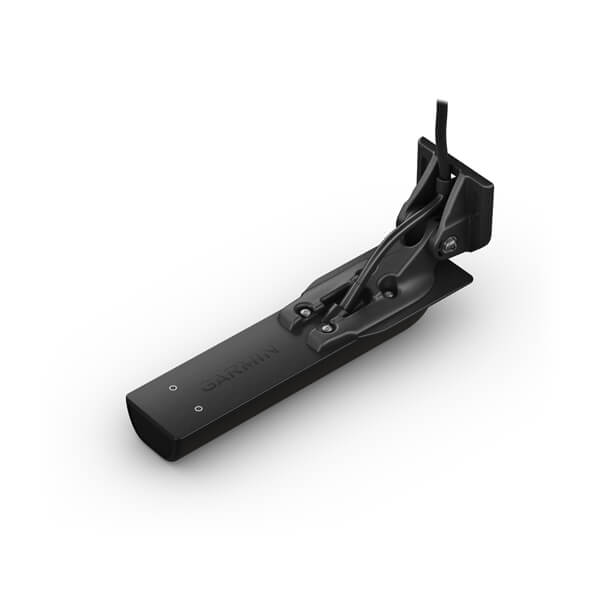
    CHIRP (Compressed High-Intensity Radiated Pulse) sends a sweep of frequencies rather than one fixed frequency, giving sharper target separation and better detail than older single-frequency sonar. Most modern transducers, including the Garmin GT56UHD-TM ($349.99), build CHIRP in as the baseline.

    ClearVu and SideVu — Structure Scanning

    Where CHIRP shows fish as arches beneath the boat, ClearVu and SideVu scan in narrow, high-resolution slices that produce a near-photographic image of structure below and to the sides of the boat — the GT56UHD-TM covers all three in one transducer, which is why it’s a popular single upgrade.

    LiveScope — Real-Time Live Sonar

    The step up from traditional CHIRP/ClearVu is live sonar. The Garmin LiveScope 2 HD ($2,199.99) shows fish and structure moving in real time rather than as a scrolling history, which is why serious anglers increasingly treat it as a separate purchase from a standard CHIRP/ClearVu unit.

    Garmin GT56UHD-TM CHIRP ClearVu SideVu transducer
    The Garmin GT56UHD-TM combines CHIRP, ClearVu, and SideVu scanning in a single transducer.

    Frequently Asked Questions

    Do I need a new transducer if I upgrade my fish finder display?
    Not always — check whether your existing transducer is compatible with the new display’s connector and supported scanning modes before buying a new one.

    What’s the real difference between ClearVu and SideVu?
    ClearVu scans a narrow slice directly beneath and slightly to the sides; SideVu extends that scanning further out to each side of the boat.

    Is LiveScope worth the extra cost over CHIRP/ClearVu?
    For anglers actively targeting fish in real time — bass, crappie, forward-facing sonar fishing styles — many say yes; for general cruising and casual fishing, standard CHIRP is usually enough.

    Can one transducer do CHIRP, ClearVu, and SideVu at once?
    Yes — transducers like the GT56UHD-TM are built to handle all three scanning modes from one unit.

    Ready to compare specific upgrade options? See best transducers to upgrade your fish finder, or browse the full fish finders and chartplotters category.
  • Mounting Your Marine Electronics: A Complete Guide

    Mounting Your Marine Electronics: A Complete Guide

    A brilliant chartplotter or fish finder is only as good as the mount holding it — a loose or flexing mount vibrates a screen until it’s unreadable and, worse, can fail outright in a chop. Here’s how to think about mounting before you buy.

    Fixed vs. Quick-Release Mounts

    A permanently bolted mount is the most rigid option and the right choice for a primary chartplotter at the helm. But for a unit you want to remove between trips — common on smaller boats and kayaks — a Garmin Quick Release Mount Kit ($47.99) lets you pull the display off in seconds without losing a secure fit while underway.

    Track Mount Systems

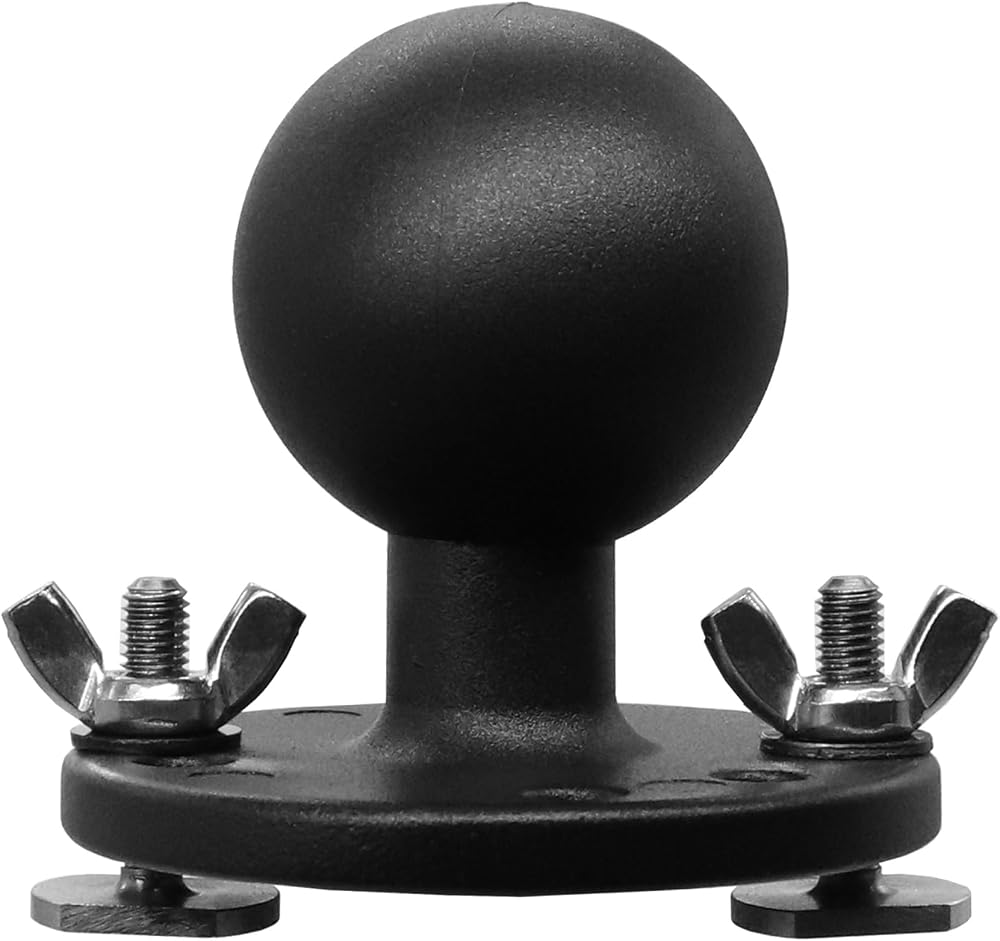
    Rather than committing to one fixed position, a track-mount system like the RAM Mounts Low Profile Track System ($89.99) lets you reposition a display, rod holder, or camera along a rail — particularly useful if you’re still working out the best layout for your helm or cockpit.

    Mounting Transducers Correctly

    Transducer placement matters as much as display placement. A Brocraft Universal Transducer Arm ($49.99) lets you fine-tune transducer depth and angle after installation — important because even a few degrees of misalignment can noticeably degrade sonar return quality.

    Garmin quick release mount kit for marine chartplotter
    Quick-release mounts let you remove a display for storage without sacrificing a rigid fit underway.

    Mounting on Kayaks and Small Boats

    Space is tighter and vibration is different on a kayak, so purpose-built kits matter more. A dedicated kayak ball-mount kit keeps a compact fish finder secure without eating up cockpit space you need for tackle and paddling.

    Frequently Asked Questions

    Do I need a different mount for a transducer than for a display?
    Yes — transducer mounts need to allow angle and depth adjustment in the water, while display mounts prioritize rigidity and viewing angle.

    Can I move a fixed-mount chartplotter between boats?
    Not easily — a fixed mount is designed to stay in place. A quick-release system is the better choice if you plan to move a unit between boats or seasons.

    What causes screen vibration on a mounted chartplotter?
    Usually a loose mount, an undersized mount for the display’s weight, or a mounting surface that flexes at speed — upgrading to a rigid track or fixed mount usually resolves it.

    Does transducer mount position affect sonar accuracy?
    Significantly — incorrect angle or turbulent water at the mount point can distort or weaken the sonar return, even with premium hardware.

    Ready to shop specific hardware? See our picks in best mounts for marine electronics, or browse the full fish finders and chartplotters category.
  • Protecting Marine Electronics from Saltwater and Corrosion

    Protecting Marine Electronics from Saltwater and Corrosion

    Saltwater is the single biggest threat to marine electronics — not because the units aren’t built for it, but because corrosion works quietly at connections, terminals, and mounting hardware long before it ever shows up as a failed display. A few consistent habits add years to the life of an expensive setup.

    Rinse After Every Saltwater Trip

    Fresh water rinse-downs are the single most effective, least expensive thing you can do. Salt crystallizes as it dries and becomes mildly corrosive and abrasive; a thorough freshwater rinse of the transducer, transom hardware, trolling motor shaft, and any exposed connectors after every saltwater outing removes it before it has a chance to work into seals and contacts. Don’t skip the areas you can’t easily see — up under gunwales, around transom-mount brackets, and inside rod holders near wiring runs.

    Battery Terminals and Connections

    Corrosion at battery terminals causes more “dead” electronics than actual component failure. A thin coat of dielectric grease or a purpose-made anti-corrosion terminal spray on battery posts and connector housings creates a barrier against moisture and salt air. Check terminals each season (more often in saltwater use) for the telltale white or greenish crust that signals corrosion has already started, and clean it promptly with a wire brush and terminal cleaner before reconnecting.

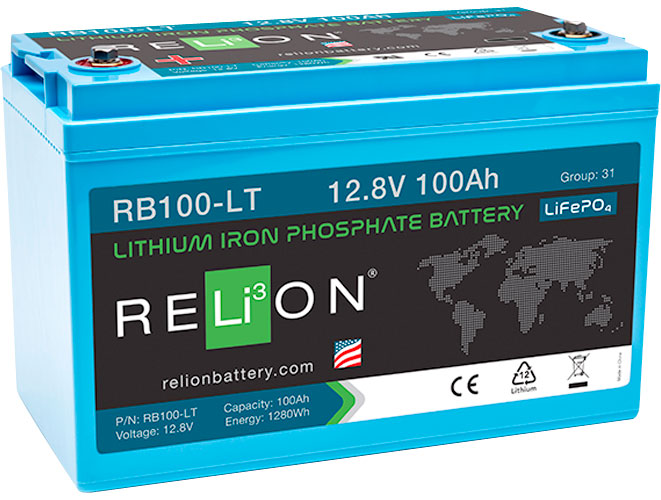
    Marine lithium battery with sealed terminals
    Sealed lithium batteries like the Relion RB100-LT resist corrosion better than older lead-acid designs, but terminals still need regular attention.

    Choosing Corrosion-Resistant Hardware From the Start

    Not all marine electronics hardware handles salt equally. Look for tinned copper wiring (resists corrosion far better than bare copper), marine-rated heat-shrink connectors instead of standard electrical tape, and stainless or anodized aluminum mounting hardware rather than plain steel. When choosing a charger, a smart marine charger like the NOCO Genius 10 or the Minn Kota MK-110PC On-Board Charger is built with marine environments in mind, which matters as much for the connection hardware as the charging electronics themselves.

    Consider Lithium for Reduced Maintenance

    Modern LiFePO4 lithium batteries like the Relion RB100-LT use sealed housings and terminal designs that generally resist corrosion better than traditional lead-acid batteries, on top of their weight and cycle-life advantages — worth factoring in if you’re replacing a battery bank anyway and fish saltwater regularly.

    Storage and Off-Season Care

    If a boat sits for weeks between saltwater trips, corrosion continues working even when you’re not using the boat — humid marine air alone is enough. Disconnecting batteries, applying a light protective coating to exposed terminals, and keeping electronics covered when not in use meaningfully slows this process during storage periods.

    Frequently Asked Questions

    Does a “waterproof” rating mean an electronic unit is also corrosion-proof?
    No — a waterproof (IPX) rating protects against water intrusion into the housing, but exposed connectors, mounting hardware, and battery terminals outside that sealed housing still need separate corrosion protection.

    How often should I check battery terminals for corrosion in saltwater use?
    At minimum once a season, but boaters who fish saltwater weekly often check monthly — catching corrosion early, while it’s still a light crust, is far easier than dealing with a badly corroded terminal later.

    Is dielectric grease actually necessary, or is it overkill?
    For saltwater use, it’s genuinely worth the few minutes it takes — it’s inexpensive, doesn’t harm connections, and meaningfully slows corrosion at exposed terminals and connector housings.

    Are freshwater boats at risk of corrosion too?
    Much less so, but humidity, condensation, and dissimilar-metal corrosion (galvanic corrosion between different metals in contact) can still occur even in freshwater use — the same basic habits just matter less urgently.

    Looking to upgrade your power setup while you’re at it? Browse our batteries & chargers collection, or see our trolling motor buying guide for battery sizing guidance.

  • Kayak Fishing Electronics 101

    Kayak Fishing Electronics 101

    Kayak fishing has its own electronics rules — limited deck space, no dedicated power system, and a hull that needs a clean, non-invasive mounting approach. The good news is you can build a genuinely capable setup without the budget or complexity of a full boat rig. Here’s where to start.

    Power: The First Thing to Solve

    Unlike a boat, a kayak has no engine charging a battery bank, so every electronic device draws down a dedicated, portable power source. A small 12V sealed lead-acid or lithium battery in a waterproof box is the standard setup for a fish finder and any accessories; size it to your unit’s draw and typical time on the water, and always carry it in a way that keeps connections dry. This is the first budget line to plan for — a great fish finder with no reliable power is dead weight.

    Choosing a Fish Finder for a Kayak

    Compact displays built for small craft, like the Garmin Striker Vivid 4cv, hit the sweet spot of a small footprint, low power draw, and real CHIRP/ClearVu sonar with built-in GPS — more than enough for most kayak anglers without the size or cost of a full boat-class unit. If you want a step up in screen size and still-modest power draw, the Humminbird HELIX 5 CHIRP GPS G3 is a popular mid-tier choice. For the fundamentals of how any of these units actually work, see our how fish finders work guide.

    Compact fish finder mounted on a kayak
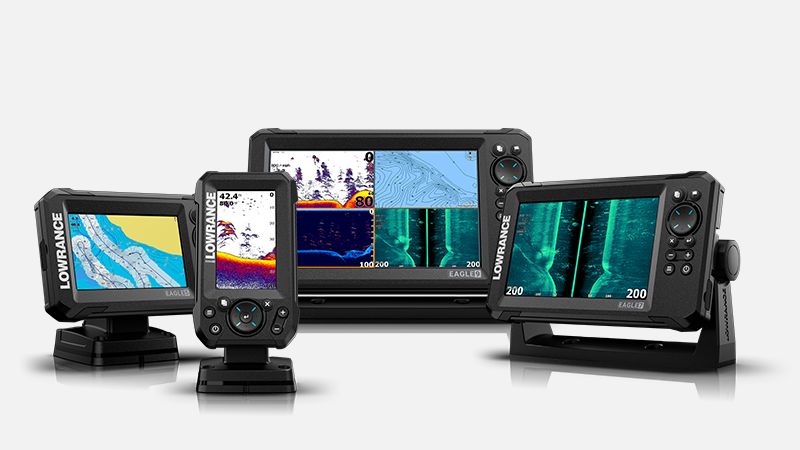
    Compact displays like the Lowrance Eagle series are built for the limited space and power budget of a kayak.

    A Castable Option Worth Knowing About

    If you’d rather skip permanent mounting and wiring entirely, castable sonar units like the Deeper PRO+ 2 Smart Sonar pair a floating, throwable sonar ball with your phone over WiFi — no battery installation, no transducer mount, and it works from a kayak, the bank, or ice. It trades some of the screen size and features of a mounted unit for genuine simplicity.

    Mounting Without Drilling

    Many kayak anglers avoid permanent hull penetrations by using a transducer arm or scupper-hole mount that clamps to the kayak rather than requiring thru-hull installation, along with track-mount systems (RAM mounts and similar) that let you add and reposition a display without new holes each time you upgrade gear.

    Adding a Trolling Motor and Live Sonar

    Once the basics are dialed in, many kayak anglers add a small trolling motor like the Bixpy K-1 Outboard Motor Kit for hands-free positioning, and increasingly, kayak-compatible live sonar via mounts like the Power-Pole Micro Anchor for instant-hold shallow anchoring. Our live sonar vs. traditional sonar guide covers whether that upgrade makes sense for your fishing style.

    Frequently Asked Questions

    How much should I budget for a basic kayak fish finder setup?
    A capable entry unit, a small dedicated battery, and basic mounting hardware typically runs a few hundred dollars total — considerably less than a boat-class setup while still giving you real CHIRP sonar and GPS.

    Do I need to drill into my kayak to mount electronics?
    No — scupper-hole and clamp-on transducer mounts, along with track-mount display arms, let most anglers add a full fish finder setup without any permanent hull modification.

    Is a castable sonar as good as a mounted fish finder?
    It trades some screen size and continuous power for simplicity — a castable unit like the Deeper PRO+ 2 is a strong choice if you want zero installation, but a mounted display generally offers a larger, easier-to-read screen on the water.

    How do I keep electronics dry on a kayak?
    Use waterproof battery boxes, marine-rated connectors, and mount displays above expected spray lines; even “waterproof” units benefit from keeping wiring connections out of standing water in the hull.

    Ready to see specific kayak-friendly fish finders side by side? See our best kayak fish finders guide, or browse the full kayak & small boat electronics collection.

  • Shallow Water Anchors Explained: How Spike Anchors Work

    Shallow Water Anchors Explained: How Spike Anchors Work

    Anyone who fishes flats, marsh, or shallow backwater eventually runs into the same problem: a traditional anchor and rode is slow, noisy, and awkward in two feet of water, and it can drag or foul on grass and structure. Shallow water anchors (often called “shallow water spikes” or “stake anchors”) solve this with a completely different mechanism. Here’s how they work and how to choose one.

    How a Shallow Water Anchor Works

    Instead of a traditional fluke anchor and rode, a shallow water anchor mounts to the transom or bow and drives a fiberglass spike (or in some cases a blade-shaped pole) straight down into the bottom using hydraulic, electric, or manual power. Deploy it and the boat is pinned in place almost instantly; retract it and you’re moving again in seconds — no pulling anchor line, no coiling rode, no risk of a fouled anchor stuck on structure.

    Depth Range and Hold

    Shallow water anchors are purpose-built for skinny water — typically effective from a few inches down to 8-10+ feet depending on the spike length, with units like the Power-Pole Blade Series 10ft reaching deeper flats and marsh water than shorter spikes. Holding power comes from the spike’s penetration into the bottom rather than weight or fluke design, which is why they excel in mud, sand, and grass but aren’t a substitute for a real anchor in open, deep water.

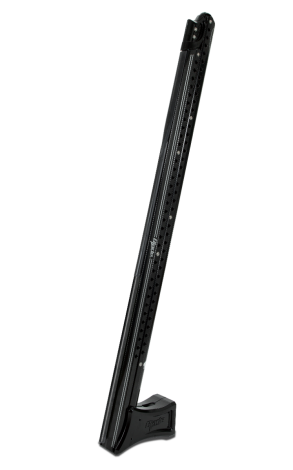
    Power-Pole Blade Series shallow water anchor mounted on a boat transom
    A shallow water anchor deploys and retracts in seconds, holding the boat by driving a spike into the bottom.

    Bluetooth and Remote Control

    Most current-generation shallow water anchors, including the Minn Kota Raptor and Power-Pole’s Blade and Micro lines, offer Bluetooth app control and wireless remotes, letting you deploy or retract from anywhere in the boat — genuinely useful when you’re mid-cast and need to stop quickly without walking to a switch.

    Kayak and Small Boat Options

    Shallow water anchors aren’t just for bay boats — the Power-Pole Micro Anchor is purpose-built with a universal mount for kayaks and small boats, bringing the same instant-deploy convenience to craft that would otherwise rely on a drift sock or a simple stake tied off by hand.

    When You Still Need a Traditional Anchor

    Shallow water anchors don’t replace a traditional anchor entirely — for open water, deeper anchoring, or overnight security, a proper fluke or plow anchor like a Fortress FX-11 with adequate rode is still the right tool. Most flats and bay boat owners carry both: a shallow water anchor for quick, repeated stops while sight-fishing or working structure, and a traditional anchor for deeper or overnight anchoring.

    Frequently Asked Questions

    What depth is too deep for a shallow water anchor?
    Most spikes top out around 8-10 feet of effective depth; beyond that, holding power and structural stress become issues, and a traditional anchor and rode is the right choice.

    Do shallow water anchors work in mud and grass, or just sand?
    They’re actually most popular specifically because they hold well in mud, sand, and grass bottoms where a traditional anchor tends to drag or foul — hard rock or shell bottom is where they perform worst.

    Are these anchors noisy when deploying?
    Older hydraulic units could be noticeable; current models, including the Minn Kota Raptor’s “Silent Deploy” feature, are specifically engineered to minimize noise so you don’t spook fish in shallow water.

    Can I mount a shallow water anchor on a small boat or kayak?
    Yes — the Power-Pole Micro Anchor is designed specifically for kayak and small-boat universal mounting, bringing the same technology to smaller craft.

    Ready to compare specific models? See our best shallow water anchors roundup, or browse the full shallow water anchor collection.

  • Understanding Marine Radar: Range, Overlay, and When You Need It

    Understanding Marine Radar: Range, Overlay, and When You Need It

    Radar is the one piece of marine electronics most recreational boaters go without — and the one that matters most the first time you’re caught out after dark, in fog, or in a sudden squall with visibility dropping to nothing. Here’s what marine radar actually does and how to know if you need it.

    What Marine Radar Actually Shows You

    Unlike sonar, which looks down into the water, radar sweeps horizontally, sending out radio pulses and building a picture of everything solid around your boat — other vessels, shoreline, buoys, and squalls carrying enough moisture to reflect a return. On a networked multifunction display like the Garmin GPSMAP 8616xsv, radar typically overlays directly on your chart screen, so you see real vessel and shoreline returns lined up against your GPS position and course.

    Range and Resolution

    Radar range is a trade-off: longer range lets you spot weather and large vessels well in advance, but resolution drops at distance and close-in targets can get harder to distinguish. Most recreational radomes cover a practical range from a few hundred feet out to 24-48 nautical miles depending on the unit and antenna height, with better near-range resolution generally coming from open-array antennas over compact radomes — though radomes remain far more common on recreational boats for their lower cost, weight, and easier mounting.

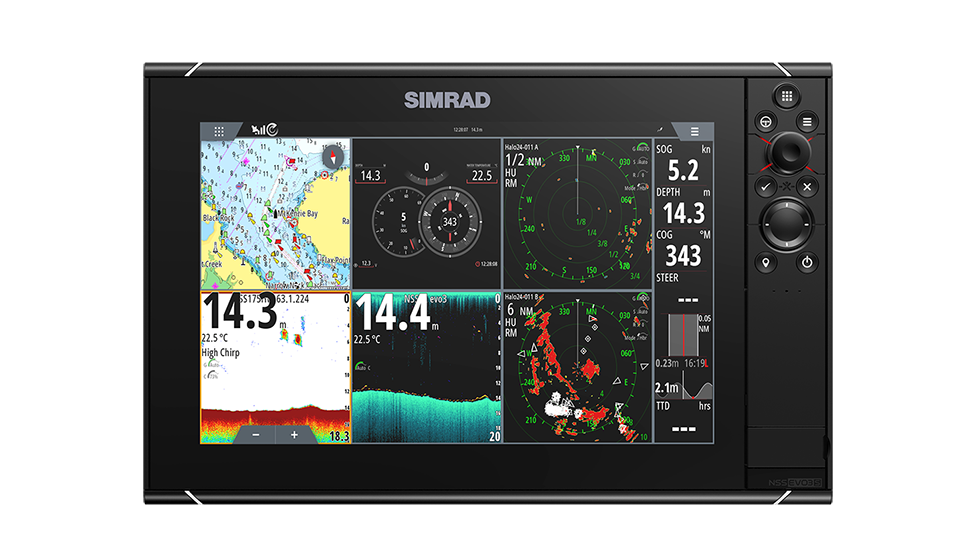
    Marine chartplotter display showing radar and navigation overlay
    Radar typically overlays directly onto the chart screen on a networked multifunction display.

    Collision Avoidance and Fog/Night Navigation

    The single biggest reason recreational boaters add radar is situational awareness when visual range is compromised — fog, heavy rain, or running after dark in busy traffic areas. Radar picks up vessels and hazards well before they’re visible, and features like MARPA (Mini Automatic Radar Plotting Aid) on higher-end systems track other vessels’ speed and heading automatically to flag potential collision risks.

    Storm and Weather Tracking

    Radar also reads precipitation density, which means a boat with radar can visually track an approaching squall’s intensity and movement on screen well before it arrives — genuinely useful information when you’re deciding whether to keep fishing or head in.

    Do You Actually Need It?

    If you exclusively day-boat on a small inland lake in clear conditions, radar is a nice-to-have rather than essential. If you run coastal, offshore, in busy shipping lanes, or regularly out before dawn or after dusk, radar moves from optional to genuinely important safety equipment — the kind of purchase that pays for itself the one time visibility drops and you’re glad it’s there.

    Frequently Asked Questions

    Does radar replace AIS for collision avoidance?
    No — they’re complementary. AIS shows you the identity, course, and speed of other AIS-equipped vessels via broadcast signal; radar shows you everything solid in range regardless of whether it’s transmitting AIS, including small craft, buoys, and landmasses. Serious offshore setups run both.

    Can I add radar to a chartplotter I already own?
    Often, yes, if your existing MFD supports a networked radar antenna — check your unit’s compatibility list before buying a standalone radome, since radar typically requires a specific network connection type matched to the display brand.

    How much does adding radar typically cost?
    Radar-capable multifunction displays like the units in our best marine radar for small and mid-size boats guide start in the low thousands including the display, with the radar antenna itself typically an additional cost on top.

    Do I need radar if I already have a good chartplotter and GPS?
    GPS and charts show you where you are; radar shows you what else is physically out there right now, including things with no GPS transponder at all — they solve different problems and most offshore-capable setups eventually add both.

    Ready to see specific radar-capable systems? See our best marine radar for small and mid-size boats guide, or browse the full chartplotter & MFD collection.

  • Chartplotter vs. Phone GPS Apps: Do You Need a Dedicated Unit?

    Chartplotter vs. Phone GPS Apps: Do You Need a Dedicated Unit?

    Your phone already has GPS, a mapping app, and a bigger app ecosystem than any marine electronics company will ever build. So why do serious boaters still spend hundreds to thousands of dollars on a dedicated chartplotter? The answer comes down to reliability, integration, and a few capabilities phone apps fundamentally can’t match on the water.

    What a Phone GPS App Does Well

    Apps like Navionics Boating or similar marine navigation apps are genuinely good for casual, close-to-shore boating — they’re inexpensive, the charts are regularly updated, and most boaters already know how to use a phone interface. For a weekend on a familiar lake or a short coastal run with cell coverage nearby, a phone app is a perfectly reasonable primary tool, and even boaters with a full chartplotter often keep one installed as a backup.

    Where Phone Apps Fall Short

    The gap shows up in conditions that matter most: direct sunlight readability (marine displays are built for full-sun visibility; phone screens generally aren’t), waterproofing (a chartplotter is rated for spray and rain; a phone in a case is a compromise), and battery life (a chartplotter runs off the boat’s power system all day; a phone burns through its battery fast with GPS and screen-on navigation running continuously). More importantly, a dedicated unit like the Raymarine Axiom Pro 9 S integrates directly with your boat’s sonar, radar, and autopilot over a single network — a phone app operates in isolation from all of that.

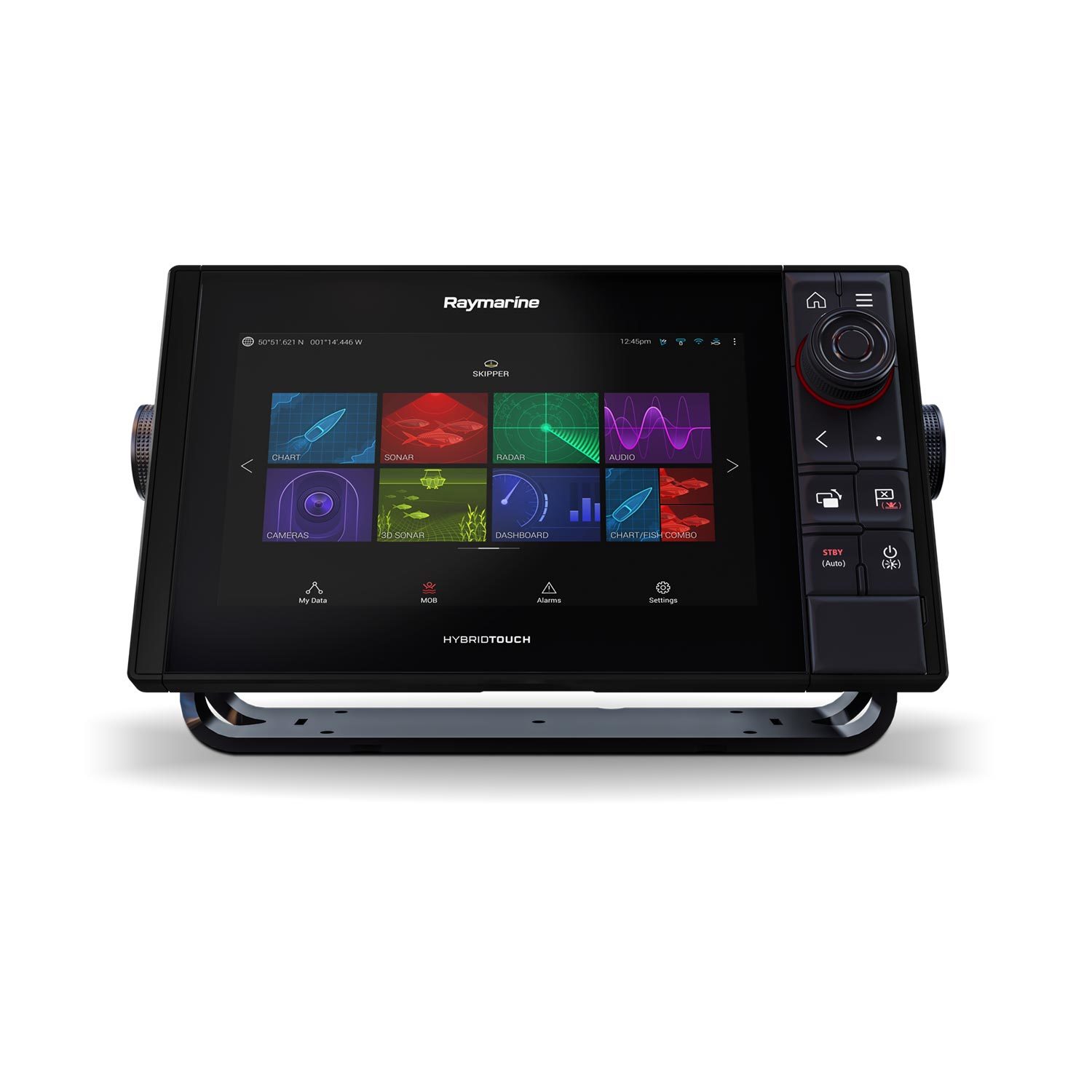
    Raymarine Axiom Pro chartplotter mounted at the helm
    A helm-mounted chartplotter integrates sonar, radar, and autopilot data that a phone app can’t reach.

    Signal and Cell Coverage

    This is the dealbreaker for many boaters: most phone navigation apps rely at least partly on cell data for map tiles, live weather, and AIS traffic overlays, even if base charts are cached offline. Once you’re a few miles offshore or in a coverage dead zone, that functionality can degrade exactly when you need it most. A standalone chartplotter’s charts, GPS, and (if equipped) radar and AIS all run independently of cell signal.

    Integration With Sonar and Radar

    If you already run a fish finder or are considering marine radar, a combo chartplotter/sonar unit or a networked MFD system shares one screen and one set of controls for everything — overlaying your route on the same display as your sonar returns or radar picture. Our guide to how fish finders work covers how the sonar side of that integration functions.

    Frequently Asked Questions

    Can I use a phone app as my only navigation on the water?
    For casual, near-shore boating in good conditions, many boaters do. For anything offshore, in variable weather, or where reliability genuinely matters, most experienced boaters treat a phone app as a backup to a dedicated chartplotter, not a replacement.

    Do I need a chartplotter if I already have a fish finder with GPS?
    Many combo fish finder/chartplotter units already include full navigation charting — check whether your unit has chartplotting built in before assuming you need a separate dedicated MFD.

    What size chartplotter display should I buy?
    Bigger is almost always better for on-water readability, especially if you’ll split the screen between charts and sonar or radar — 9-inch units like the Axiom+ 9 are a common sweet spot, while serious offshore setups often run 12-16 inches, like the Garmin GPSMAP 8616.

    Does a chartplotter need an internet connection to work?
    No — charts are stored on the unit or a memory card, and GPS positioning doesn’t require cell or internet signal at all, which is the core reliability advantage over a phone app.

    Ready to compare actual chartplotter models? See our best marine chartplotters compared guide, or browse the full fish finder & chartplotter collection.

  • VHF Marine Radio Channels Explained: What to Monitor and When

    A marine VHF radio is only as useful as your understanding of what’s actually happening on each channel. Unlike a general-purpose walkie talkie, VHF marine channels are internationally regulated and each one has a specific, expected use — get it wrong and you’re either missing a call for help or clogging a channel other boaters depend on. Here’s what you actually need to know.

    Channel 16: The One Channel Everyone Must Know

    Channel 16 (156.800 MHz) is the international distress, safety, and calling frequency. Every fixed and handheld marine VHF radio monitors it, and the U.S. Coast Guard maintains a continuous listening watch. The rule is simple: keep Channel 16 as your default/standby channel any time you’re underway, use it only to initiate a distress call or to hail another vessel briefly before switching to a working channel, and never use it for ongoing conversation. This is different from FRS/GMRS radios like a Motorola Talkabout T802, which share no channels with marine VHF at all and aren’t monitored by the Coast Guard.

    Distress, Safety, and Working Channels

    Beyond Channel 16, a handful of channels matter most for recreational boaters:

    Channel 9 is a secondary hailing channel used in many U.S. recreational boating areas to keep routine calling traffic off 16. Channels 68, 69, 71, 72, and 78A are common non-commercial working channels for boat-to-boat conversation once you’ve made contact. Channel 22A is used by the Coast Guard to broadcast safety and weather-related information and to switch distress traffic off of 16 for follow-up communication. Channels 13 and 67 are bridge-to-bridge channels used near locks, bridges, and in some commercial traffic areas.

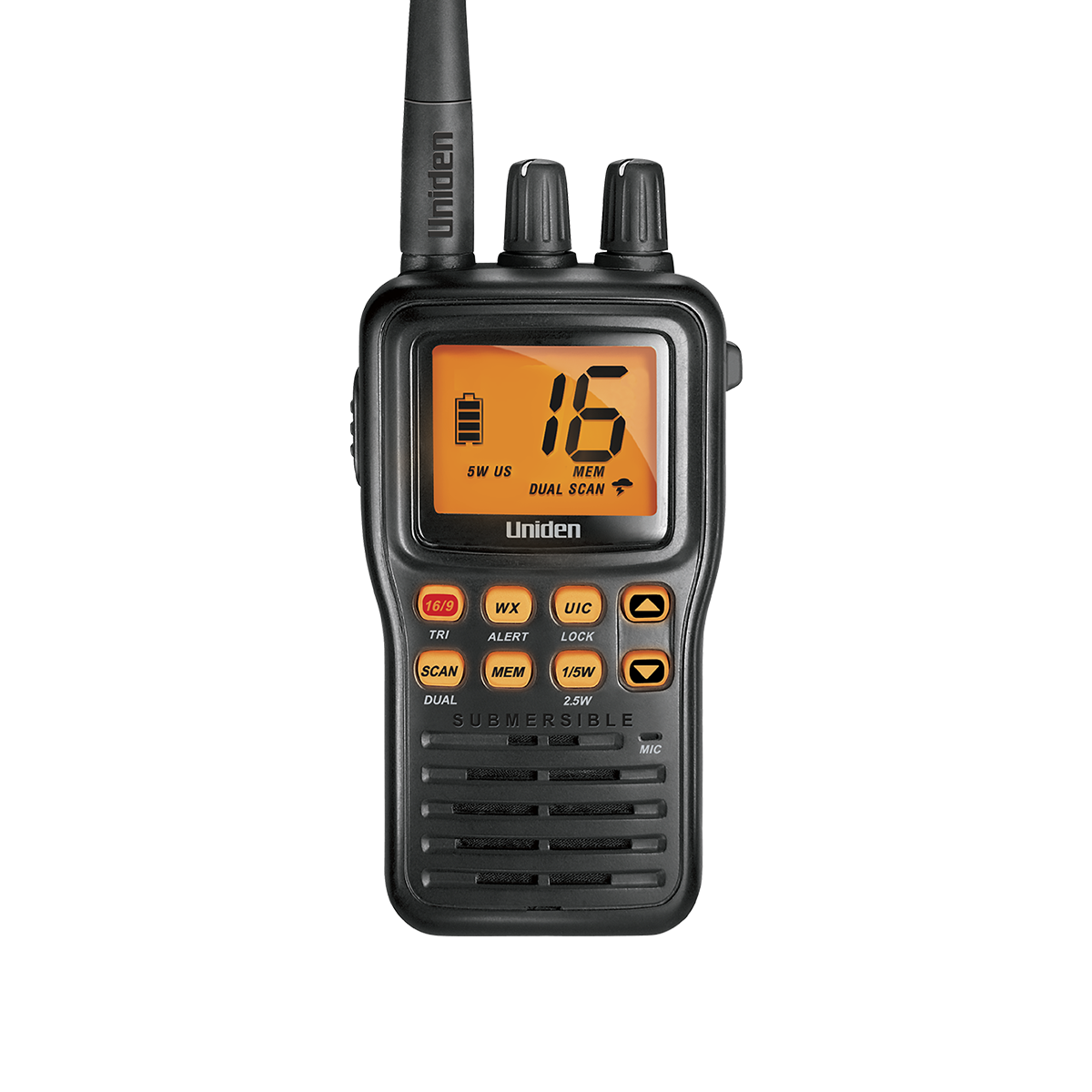
    Uniden MHS75 submersible handheld VHF marine radio
    A dedicated handheld VHF radio monitors Channel 16 and gives you real Coast Guard-monitored emergency communication, unlike a consumer walkie talkie.

    Weather Channels (WX1–WX10)

    NOAA Weather Radio broadcasts continuous forecasts and alerts on a dedicated set of weather channels (WX1 through WX10) that most marine VHF radios, including budget handhelds, tune separately from the standard ship channels. Checking the weather channel before heading out, and leaving a radio’s weather-alert function enabled while underway, is one of the simplest habits that separates prepared boaters from everyone else.

    DSC: Digital Selective Calling

    Modern fixed-mount and many handheld VHF radios include DSC (Digital Selective Calling), which lets you send an automated distress alert — including your GPS position, if the radio is connected to or has a built-in GPS — with a single button press, broadcast simultaneously to the Coast Guard and any DSC-equipped vessels in range. If your radio has DSC, register it for a free MMSI number before you need it; an unregistered DSC radio can still send an alert, but responders won’t have your vessel information on file.

    Frequently Asked Questions

    Can I use a regular walkie talkie instead of a marine VHF radio on the water?
    You can carry one as a backup for boat-to-boat chatter at close range, but it isn’t monitored by the Coast Guard and doesn’t reach shore stations or other vessels the way marine VHF does — it shouldn’t be your only communication device offshore or on open water.

    Do I need a license to operate a marine VHF radio?
    Recreational boaters in the U.S. operating domestically generally don’t need an individual license, but a vessel traveling internationally or carrying certain commercial/DSC equipment may need a Ship Station License — check current FCC requirements for your specific situation.

    What’s the difference between a handheld and a fixed-mount VHF radio?
    Fixed-mount radios run on the boat’s power, connect to a permanently mounted antenna, and transmit at higher wattage (typically 25W) for longer range; handhelds like the Standard Horizon HX40 are battery-powered, portable, and usually cap around 5-6W — ideal as a backup, for smaller boats, or for going ashore in a dinghy.

    How far does a handheld VHF radio actually reach?
    Range depends heavily on antenna height on both ends since VHF is line-of-sight — a handheld talking to another handheld at water level might only reach 2-5 miles, while a handheld talking to a tall shore station or another boat’s mast-mounted antenna can reach considerably farther.

    Ready to pick a specific radio? See our top handheld VHF radios for boaters comparison, or browse the full VHF radio collection. If you’re deciding between VHF and a consumer two-way radio for a specific use case, our VHF vs. two-way radio guide covers that comparison directly.

  • Choosing a Trolling Motor: Thrust, Shaft Length, and Control Type Explained

    Choosing a Trolling Motor: Thrust, Shaft Length, and Control Type Explained

    Trolling motor shopping trips up more anglers than almost any other marine electronics purchase, because the spec sheet throws three separate decisions at you at once — thrust, shaft length, and control type — and getting any one of them wrong means a motor that’s underpowered, mismatched to your boat, or annoying to actually use. Here’s how to work through all three.

    Thrust: Matching Power to Boat Weight

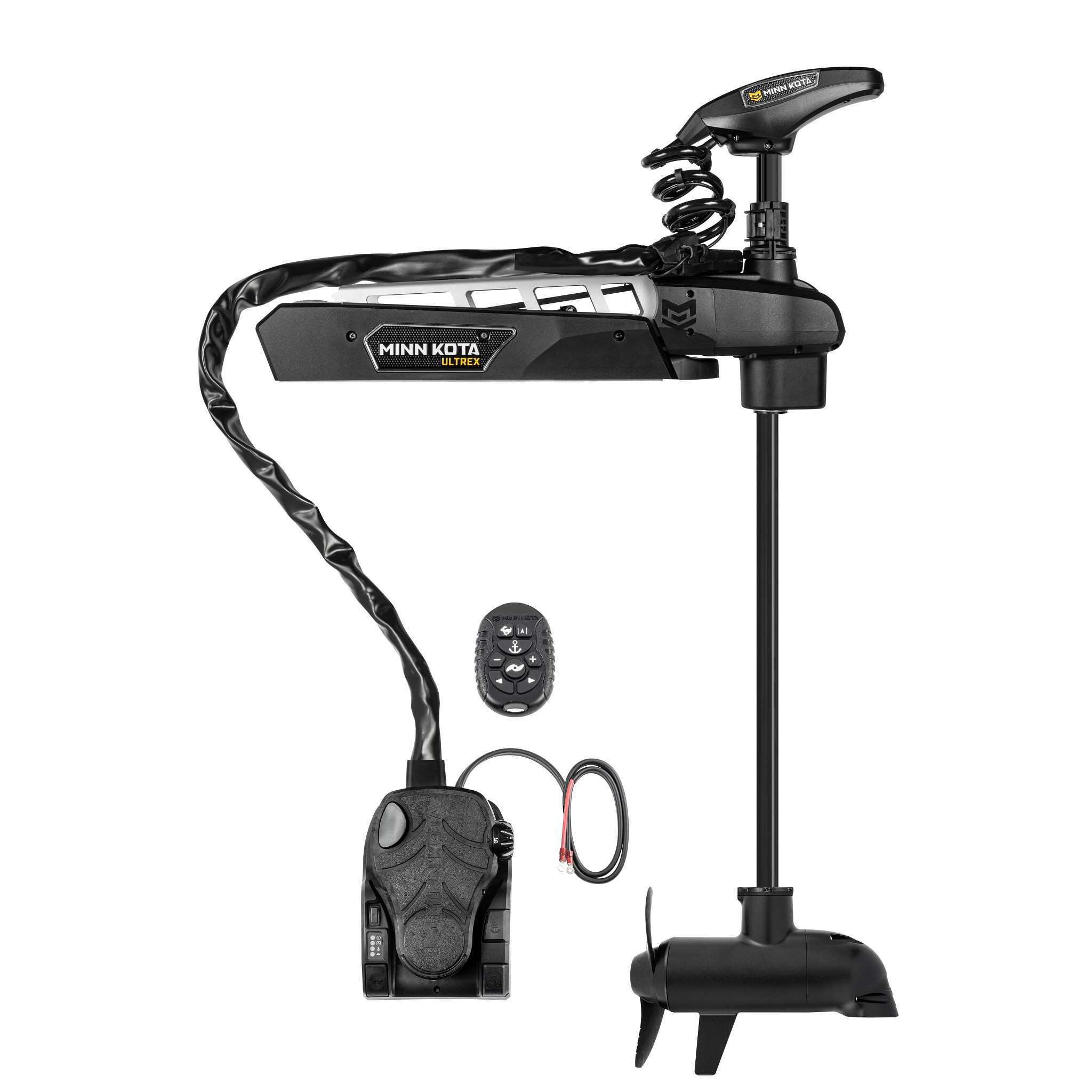
    Thrust is measured in pounds and is roughly the trolling motor’s version of horsepower. The rule of thumb is about 2 lbs of thrust for every 100 lbs of fully-loaded boat weight (boat, motor, fuel, gear, and passengers) in calm conditions — add extra headroom if you regularly fish wind or current. A loaded 18-foot bass boat around 3,000–3,500 lbs typically wants 80–115 lbs of thrust, which is why bow-mount motors like the Minn Kota Ultrex Quest 90/115 are sized the way they are. A kayak or small jon boat, by contrast, is well served by 30–55 lbs of thrust from something like a compact kayak trolling motor.

    Shaft Length: Getting the Prop Depth Right

    Shaft length determines how deep the prop sits below the waterline, and it’s boat-specific, not angler-specific. Measure from the mounting point (bow deck or transom) down to the waterline, then add roughly 18–20 inches so the prop stays submerged even when the bow pitches in chop. Too short and the prop cavitates and loses bite in waves; too long and it drags unnecessarily or the motor sits at an awkward angle. Bow-mount motors on bass and multi-species boats commonly run 45 to 60-inch shafts; transom mounts on jon boats and small craft are typically much shorter.

    Minn Kota Ultrex Quest bow-mount trolling motor with Spot-Lock
    A bow-mount motor like the Minn Kota Ultrex Quest puts thrust, shaft length, and GPS control all under one deck pedal or remote.

    Control Type: Foot Pedal, Hand-Tiller, or Remote/GPS

    Transom-mount motors are typically hand-tiller controlled directly at the motor head — simple, affordable, and fine for smaller boats where you’re steering near the stern anyway. Bow-mount motors offer more choice: a mechanical foot pedal steers by cable and keeps your hands free to fish, while electric steer models add wireless remotes and, on higher-end units, GPS features like Spot-Lock (holding a precise position automatically) and route recording. If you fish structure or wind-heavy water, GPS anchor-lock features on motors like the Minn Kota Terrova 80 i-Pilot GPS pay for themselves quickly by letting you fish instead of constantly repositioning.

    Built-In Sonar: A Growing Trend

    Several current trolling motors integrate sonar directly into the lower unit, effectively giving you a second transducer at the bow pointed wherever the motor is aimed — useful alongside a transom or thru-hull unit for a fuller picture. Units like the Minn Kota Ultrex 80 Quest with MEGA Down Imaging Plus pair Humminbird’s imaging sonar right into the motor head, and the Ultrex Quest 90/115 above adds Dual Spectrum CHIRP for the same reason. If you’re also considering forward-facing live sonar for the bow, our live sonar vs. traditional sonar guide explains how the two technologies complement rather than replace each other.

    Frequently Asked Questions

    Can I put too much thrust on a small boat?
    Not really from a safety standpoint, but you’re paying for capability you won’t use and adding unnecessary weight and battery draw — size to your actual boat weight rather than buying the biggest motor available.

    Do I need GPS Spot-Lock, or is a plain foot pedal enough?
    If you fish current, wind, or precise structure (docks, brush piles, ledges) regularly, Spot-Lock earns its keep fast. If you mostly drift-fish open, calm water, a mechanical pedal is simpler, lighter, and less expensive to maintain.

    How much battery capacity do I need to run a trolling motor all day?
    As a rough guide, a 12V motor at 55 lbs of thrust draws roughly 20–30 amps at full power; a full day of mixed-speed use typically calls for at minimum a dedicated deep-cycle marine battery sized to your motor’s voltage and expected run time — 24V and 36V systems (like most 80lb+ bow-mounts) need matched battery banks, not a single 12V battery.

    Freshwater vs. saltwater trolling motors — is there a real difference?
    Yes. Saltwater-rated motors use additional corrosion protection on fasteners, wiring, and the lower unit. Running a freshwater-only motor in salt will shorten its life significantly, so check the rating before buying if you fish brackish or coastal water even occasionally.

    Ready to compare real models at every price point? See our best trolling motors for bass fishing roundup, or browse the full trolling motor collection.

🎁 10% OFF