If you’re shopping for an underwater fishing camera, here’s what actually separates a good one from a gimmick — and the model we currently stock that checks the right boxes.
Aqua-Vu MICRO Revolution Pro — Best Overall Pick
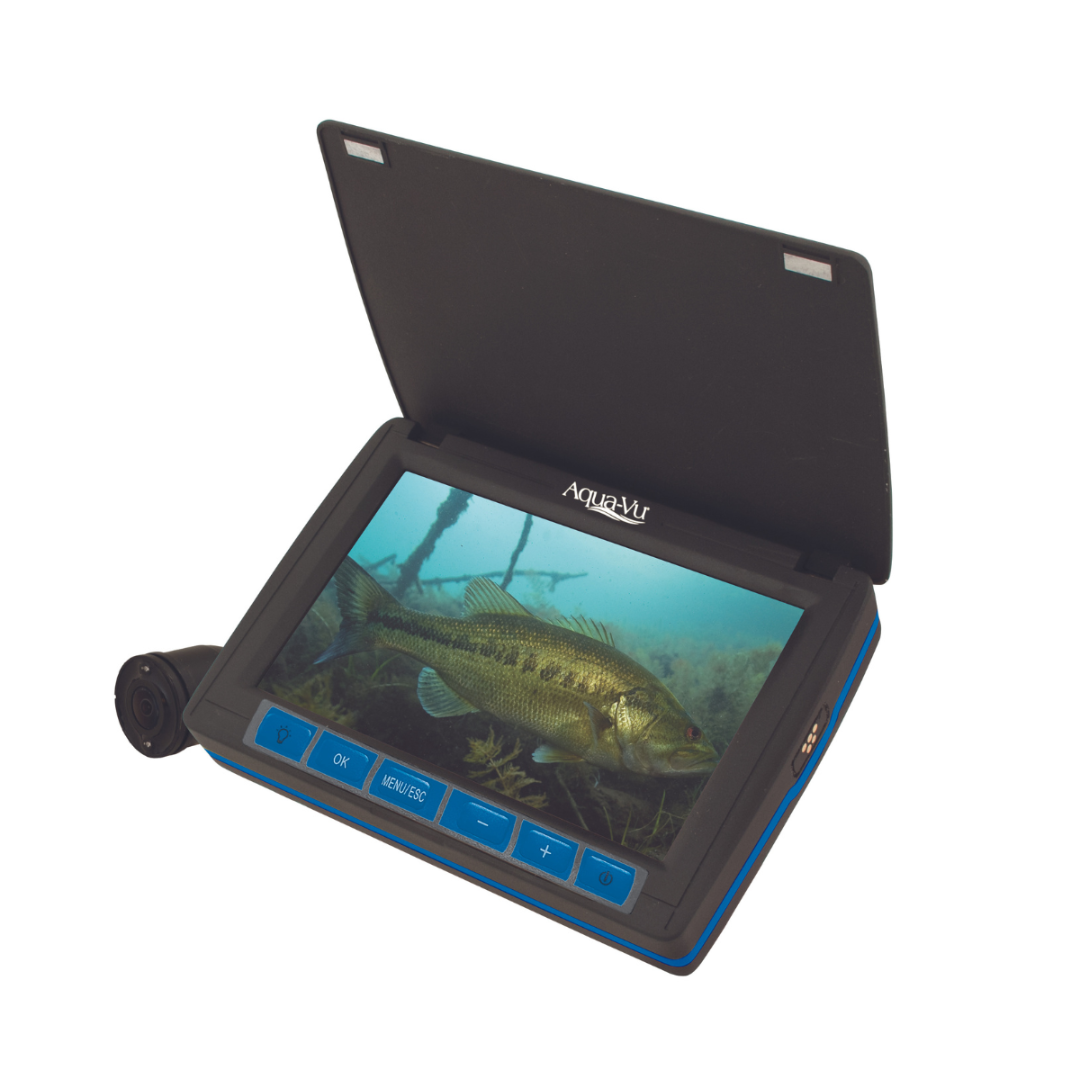
The Aqua-Vu MICRO Revolution Pro ($279.99) delivers 1080p HD video, a 40ft cable, and built-in LED lighting — enough depth and image quality for ice fishing, dock fishing, and pre-fishing structure scouting in one package.
Why Cable Length Matters
A 40ft cable covers the large majority of recreational ice fishing and dock/pier depths. If you’re regularly fishing significantly deeper water, check a camera’s rated cable length carefully before buying — running past the rated length isn’t advisable.
Why Built-In Lighting Is Worth Paying For
Natural light fades fast with depth, and a camera without its own light source becomes nearly useless past the first several feet in anything but the clearest water. The MICRO Revolution Pro’s built-in LEDs solve this directly rather than requiring a separate light accessory.
Built-in LED lighting and a 1080p sensor make the Aqua-Vu MICRO Revolution Pro usable well below the surface.
Video Quality vs. Live Viewing
If your priority is watching fish react to bait in real time, a topside-display model like this one is the right category. If you’d rather capture footage to review and share afterward, a general waterproof action camera on a pole rig is a different approach worth considering separately.
Frequently Asked Questions
Which underwater camera is best for ice fishing specifically? A model with a live topside display and built-in lighting, like the Aqua-Vu MICRO Revolution Pro, is the standard choice for ice fishing.
How deep can the Aqua-Vu MICRO Revolution Pro go? It’s rated for its full 40ft cable length — stay within that rating for reliable performance.
Do I need a separate light for underwater fishing video? Not with this camera — its built-in LED lighting is designed to handle typical depth and clarity conditions without an add-on light.
Is 1080p resolution enough for an underwater fishing camera? Yes, for identifying fish species, size, and behavior at typical fishing depths, 1080p is more than sufficient.
An underwater fishing camera won’t catch fish for you, but it answers a question sonar can’t: what’s actually down there and how are fish reacting to your bait, right now, in real time.
What an Underwater Camera Adds That Sonar Doesn’t
Sonar shows you where fish and structure are as arches and shapes; a camera shows you the fish itself, species, size, and behavior toward your bait or lure. That’s a genuinely different kind of information — useful for identifying species before you hook up, and for diagnosing why fish are marking on sonar but not biting.
How Dedicated Fishing Cameras Work
The Aqua-Vu MICRO Revolution Pro ($279.99) is built specifically for this — a 1080p HD camera on a 40ft cable with built-in LED lights and a display topside, designed for ice fishing, dock fishing, and checking structure before you commit a spot.
Where It Genuinely Helps
An underwater camera earns its keep most clearly for ice fishing, dock and pier fishing, and scouting new structure before committing time to a spot. Built-in LED lighting also makes a real difference in deeper or lower-light water, where a camera without its own light source struggles.
Dedicated fishing cameras like the Aqua-Vu MICRO Revolution Pro show a live topside feed as you lower the camera.
When Sonar Still Makes More Sense
For open-water trolling or offshore fishing, sonar generally remains the more practical primary tool, since it covers a wide area rather than the narrow, direct view a camera provides. Most serious anglers treat an underwater camera as a specialty add-on rather than a sonar replacement.
Frequently Asked Questions
Is an underwater camera a replacement for a fish finder? No — they serve different purposes. A fish finder covers a wide area via sonar; a camera shows a direct, narrow view exactly where you lower it.
Do underwater cameras work in murky water? Visibility depends heavily on water clarity — cameras perform best in clear to moderately clear water and are less useful in very murky conditions.
Does the Aqua-Vu’s built-in lighting really matter? Yes — natural light drops off quickly with depth, so built-in LED lighting like the MICRO Revolution Pro’s is what keeps the image usable below the first few feet.
What’s the cable length on the Aqua-Vu MICRO Revolution Pro? It comes with a 40ft cable, enough depth for most ice fishing, dock, and shallow-water scouting use cases.
The right mount depends on whether you’re bolting in a permanent helm display, need to remove a unit between trips, or you’re fitting a compact fish finder onto a kayak. Here’s a practical shortlist covering each case.
Garmin Quick Release Mount Kit — Best for Removable Displays
The Garmin Quick Release Mount Kit ($47.99) is the go-to choice if you want to pull your chartplotter off for storage or security between trips, without compromising a solid fit underway.
RAM Mounts Low Profile Track System — Best for Flexible Positioning
The RAM Mounts Low Profile Track System ($89.99) is ideal if you’re still dialing in your ideal helm layout, or want to swap a display, camera, or rod holder into the same rail as needed.
RAM Mounts Garmin Striker Ball Mount — Best for Kayaks
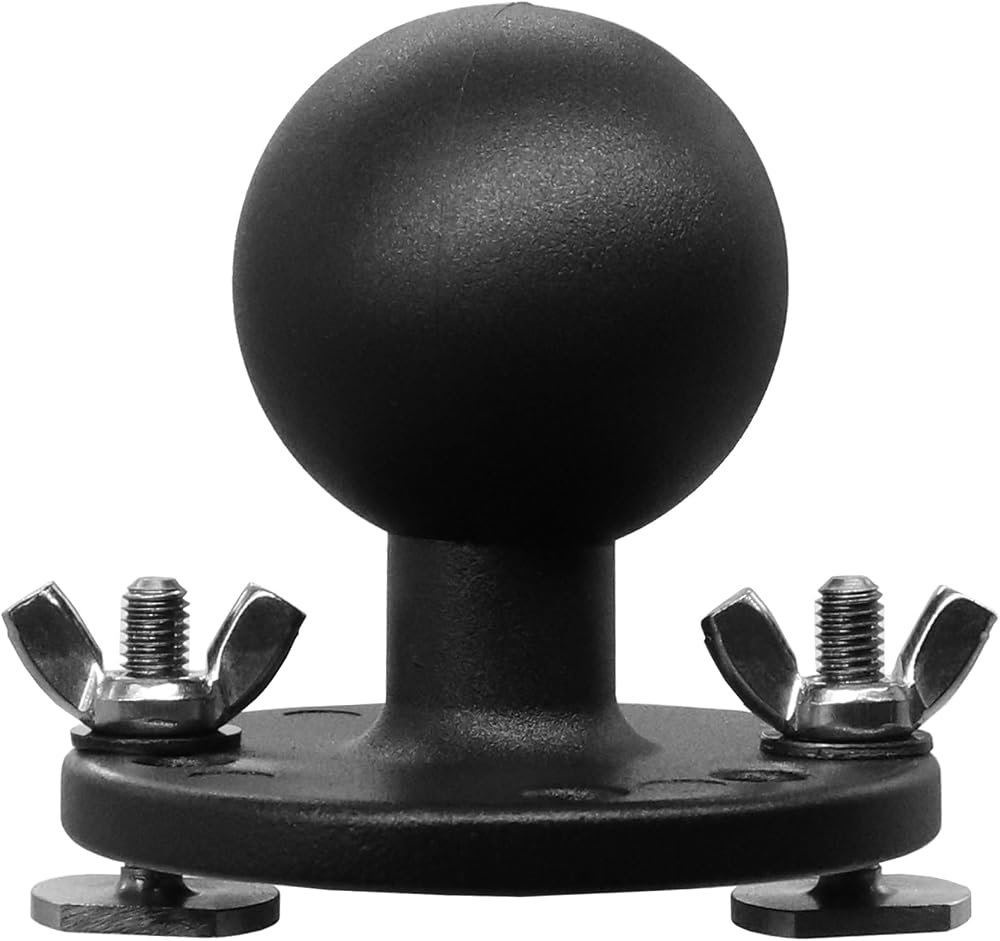
Purpose-built for smaller cockpits, the RAM Mounts Kayak Kit ($34.99) secures a compact fish finder without eating into limited kayak deck space.
Brocraft Universal Transducer Arm — Best for Transducer Fine-Tuning
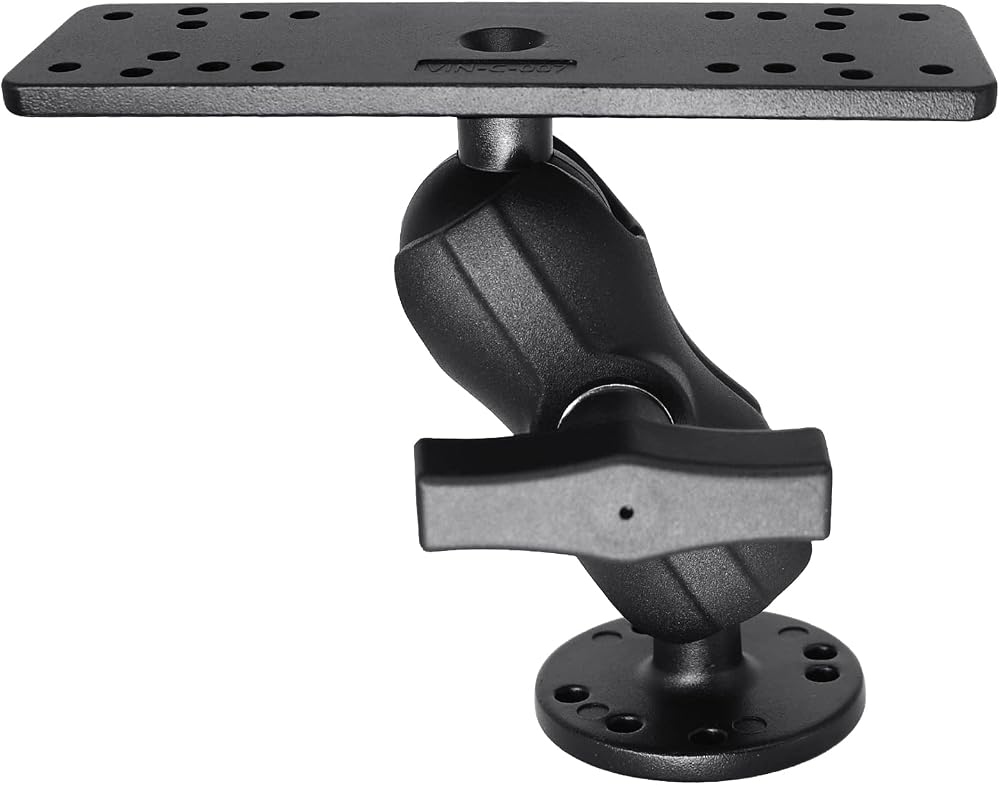
For getting transducer angle and depth exactly right, the Brocraft Universal Transducer Arm ($49.99) allows adjustment after installation, which fixed transom mounts don’t easily allow.
Kayak-specific mount kits keep compact fish finders secure without taking up scarce cockpit space.
Frequently Asked Questions
Which mount type is best for a first-time installation? A fixed or quick-release mount matched to your display’s official bracket is usually the simplest and most reliable starting point.
Are RAM Mounts compatible with most chartplotter brands? RAM’s track and ball-mount systems are widely compatible across brands, though it’s worth checking your specific display’s mounting bracket spec before buying.
Do kayak mounts fit small boats too? Many do, particularly ball-mount kits, though a track system generally offers more flexibility on a larger boat.
How much does mount quality really affect sonar performance? For displays, mount quality mainly affects vibration and readability; for transducers, mount position and angle can meaningfully affect sonar accuracy.
A brilliant chartplotter or fish finder is only as good as the mount holding it — a loose or flexing mount vibrates a screen until it’s unreadable and, worse, can fail outright in a chop. Here’s how to think about mounting before you buy.
Fixed vs. Quick-Release Mounts
A permanently bolted mount is the most rigid option and the right choice for a primary chartplotter at the helm. But for a unit you want to remove between trips — common on smaller boats and kayaks — a Garmin Quick Release Mount Kit ($47.99) lets you pull the display off in seconds without losing a secure fit while underway.
Track Mount Systems
Rather than committing to one fixed position, a track-mount system like the RAM Mounts Low Profile Track System ($89.99) lets you reposition a display, rod holder, or camera along a rail — particularly useful if you’re still working out the best layout for your helm or cockpit.
Mounting Transducers Correctly
Transducer placement matters as much as display placement. A Brocraft Universal Transducer Arm ($49.99) lets you fine-tune transducer depth and angle after installation — important because even a few degrees of misalignment can noticeably degrade sonar return quality.
Quick-release mounts let you remove a display for storage without sacrificing a rigid fit underway.
Mounting on Kayaks and Small Boats
Space is tighter and vibration is different on a kayak, so purpose-built kits matter more. A dedicated kayak ball-mount kit keeps a compact fish finder secure without eating up cockpit space you need for tackle and paddling.
Frequently Asked Questions
Do I need a different mount for a transducer than for a display? Yes — transducer mounts need to allow angle and depth adjustment in the water, while display mounts prioritize rigidity and viewing angle.
Can I move a fixed-mount chartplotter between boats? Not easily — a fixed mount is designed to stay in place. A quick-release system is the better choice if you plan to move a unit between boats or seasons.
What causes screen vibration on a mounted chartplotter? Usually a loose mount, an undersized mount for the display’s weight, or a mounting surface that flexes at speed — upgrading to a rigid track or fixed mount usually resolves it.
Does transducer mount position affect sonar accuracy? Significantly — incorrect angle or turbulent water at the mount point can distort or weaken the sonar return, even with premium hardware.
Every unit here is radar-capable when paired with a compatible radar antenna, spanning a wide budget range from a compact 9-inch combo unit to a full 16-inch offshore-grade display. Here’s how they stack up.
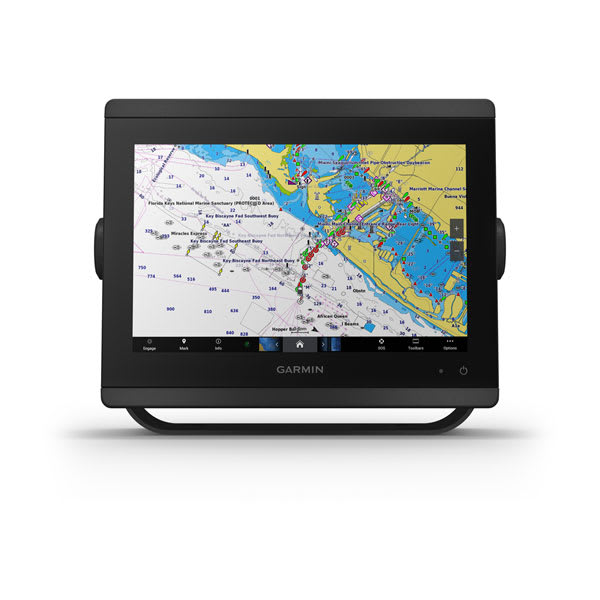
Garmin’s GPSMAP xsv series supports networked radar alongside sonar and chartplotting.
Best Budget Entry: Simrad NSS9 evo3S
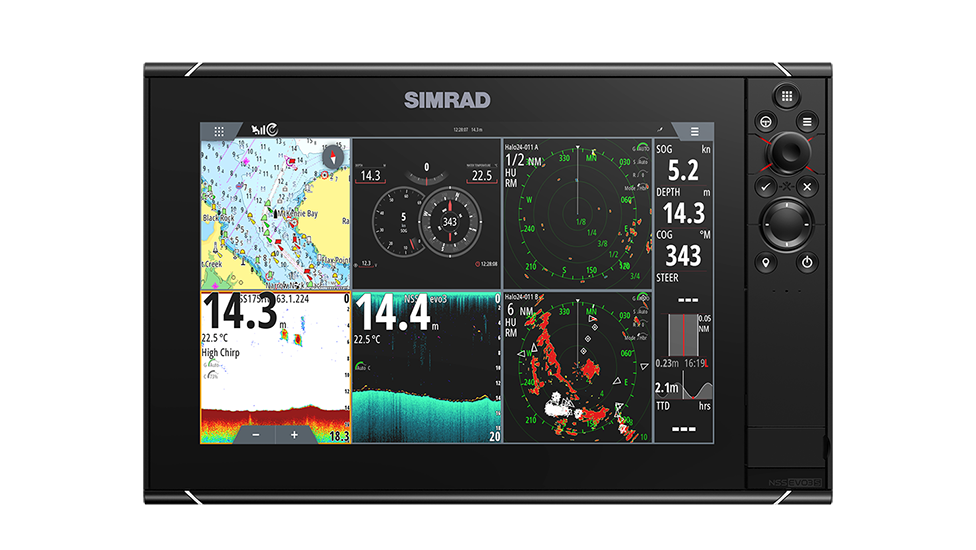
The Simrad NSS9 evo3S 9-Inch Chartplotter Fishfinder ($1,199.00) is the least expensive way into a radar-capable networked system here, pairing C-MAP Discover charts with a display that supports Simrad’s Halo and 3G/4G radar lines — a strong starting point for a small to mid-size boat.
Best Value Multifunction Display: Garmin GPSMAP 8610xsv
The Garmin GPSMAP 8610xsv GN+ Multifunction Chartplotter ($1,899.00) brings Garmin’s xsv-series radar and sonar networking to a 10-inch display, a solid mid-size-boat pick that leaves room to add a radome later.
Best for 3D Sonar Plus Radar: Raymarine AXIOM+ 12RV
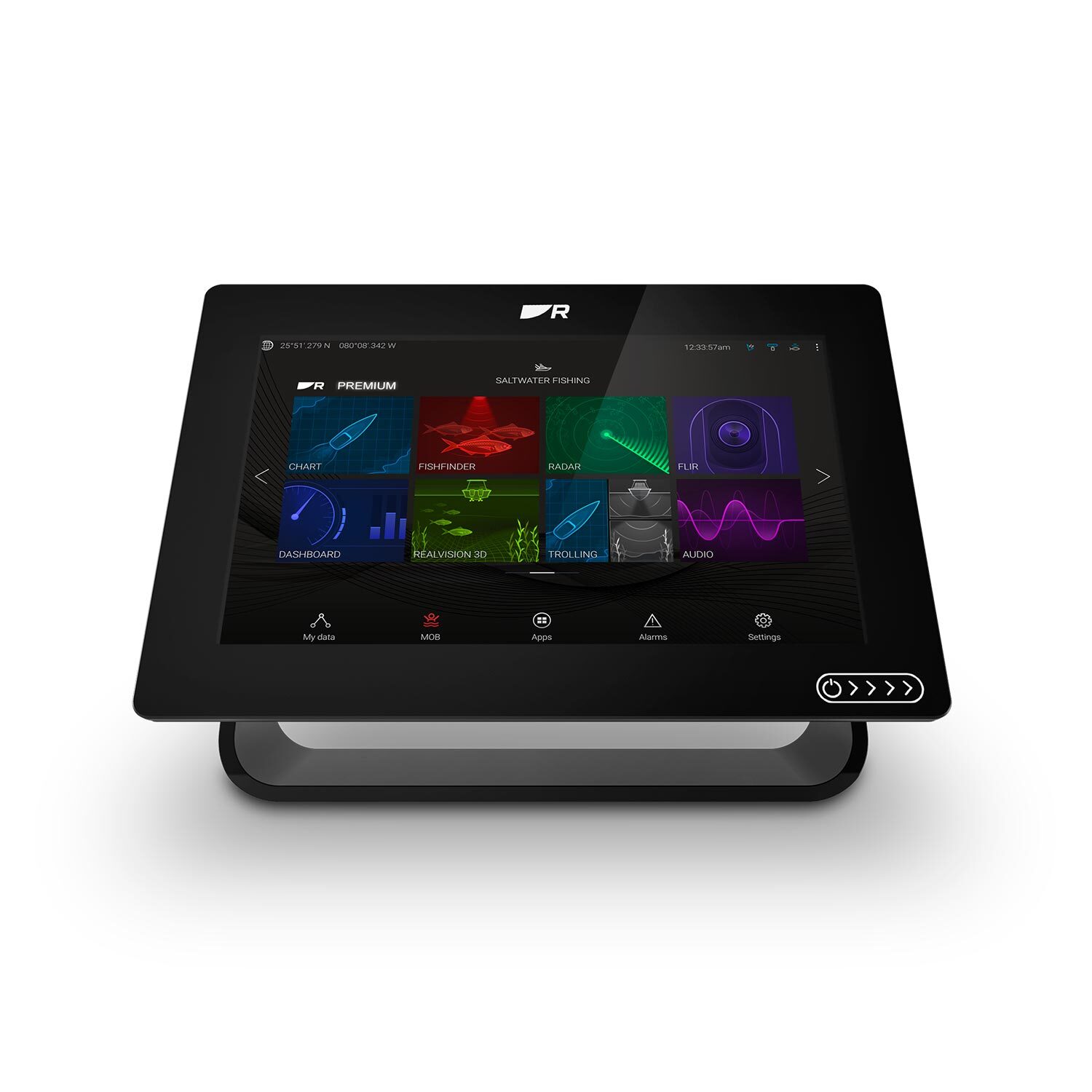
The Raymarine AXIOM+ 12RV with LightHouse North America Maps ($2,229.00) combines RealVision 3D sonar with a 12-inch display and full radar networking support — a strong choice if you want 3D sonar imaging and radar on one larger screen.
Best for Full Offshore Helms: Garmin GPSMAP 8616xsv
The Garmin GPSMAP 8616xsv GN+ 16-Inch Multifunction Display ($4,519.00) is the largest and most capable unit in this lineup, built for boats running a full networked helm with radar, multiple sonar sources, and AIS all displayed at once. It’s a serious investment aimed squarely at offshore and larger center-console owners.
Frequently Asked Questions
Does the radar antenna come included with these displays? No — these are the display/chartplotter units, and each supports a specific line of compatible radar antennas sold separately. Confirm the compatible radar family for your chosen display before ordering.
What size display do I need to read radar clearly? 9-10 inches works for a single full-screen radar view; if you plan to split-screen radar alongside sonar and charts simultaneously, 12 inches or larger makes a noticeable difference in usability.
Is a bigger, more expensive display always the better choice? Not necessarily — match the display to your boat size and how many data sources you’ll run simultaneously. A 9-inch unit like the Simrad NSS9 is plenty for a smaller boat running radar and sonar alone.
New to marine radar generally? Read our understanding marine radar guide first to understand range, overlay, and whether you actually need it for how you boat.
Radar is the one piece of marine electronics most recreational boaters go without — and the one that matters most the first time you’re caught out after dark, in fog, or in a sudden squall with visibility dropping to nothing. Here’s what marine radar actually does and how to know if you need it.
What Marine Radar Actually Shows You
Unlike sonar, which looks down into the water, radar sweeps horizontally, sending out radio pulses and building a picture of everything solid around your boat — other vessels, shoreline, buoys, and squalls carrying enough moisture to reflect a return. On a networked multifunction display like the Garmin GPSMAP 8616xsv, radar typically overlays directly on your chart screen, so you see real vessel and shoreline returns lined up against your GPS position and course.
Range and Resolution
Radar range is a trade-off: longer range lets you spot weather and large vessels well in advance, but resolution drops at distance and close-in targets can get harder to distinguish. Most recreational radomes cover a practical range from a few hundred feet out to 24-48 nautical miles depending on the unit and antenna height, with better near-range resolution generally coming from open-array antennas over compact radomes — though radomes remain far more common on recreational boats for their lower cost, weight, and easier mounting.
Radar typically overlays directly onto the chart screen on a networked multifunction display.
Collision Avoidance and Fog/Night Navigation
The single biggest reason recreational boaters add radar is situational awareness when visual range is compromised — fog, heavy rain, or running after dark in busy traffic areas. Radar picks up vessels and hazards well before they’re visible, and features like MARPA (Mini Automatic Radar Plotting Aid) on higher-end systems track other vessels’ speed and heading automatically to flag potential collision risks.
Storm and Weather Tracking
Radar also reads precipitation density, which means a boat with radar can visually track an approaching squall’s intensity and movement on screen well before it arrives — genuinely useful information when you’re deciding whether to keep fishing or head in.
Do You Actually Need It?
If you exclusively day-boat on a small inland lake in clear conditions, radar is a nice-to-have rather than essential. If you run coastal, offshore, in busy shipping lanes, or regularly out before dawn or after dusk, radar moves from optional to genuinely important safety equipment — the kind of purchase that pays for itself the one time visibility drops and you’re glad it’s there.
Frequently Asked Questions
Does radar replace AIS for collision avoidance? No — they’re complementary. AIS shows you the identity, course, and speed of other AIS-equipped vessels via broadcast signal; radar shows you everything solid in range regardless of whether it’s transmitting AIS, including small craft, buoys, and landmasses. Serious offshore setups run both.
Can I add radar to a chartplotter I already own? Often, yes, if your existing MFD supports a networked radar antenna — check your unit’s compatibility list before buying a standalone radome, since radar typically requires a specific network connection type matched to the display brand.
How much does adding radar typically cost? Radar-capable multifunction displays like the units in our best marine radar for small and mid-size boats guide start in the low thousands including the display, with the radar antenna itself typically an additional cost on top.
Do I need radar if I already have a good chartplotter and GPS? GPS and charts show you where you are; radar shows you what else is physically out there right now, including things with no GPS transponder at all — they solve different problems and most offshore-capable setups eventually add both.
Chartplotters range from focused, no-sounder navigation displays to full sonar/radar-ready multifunction units. Here’s how the current lineup breaks down by use case and budget.
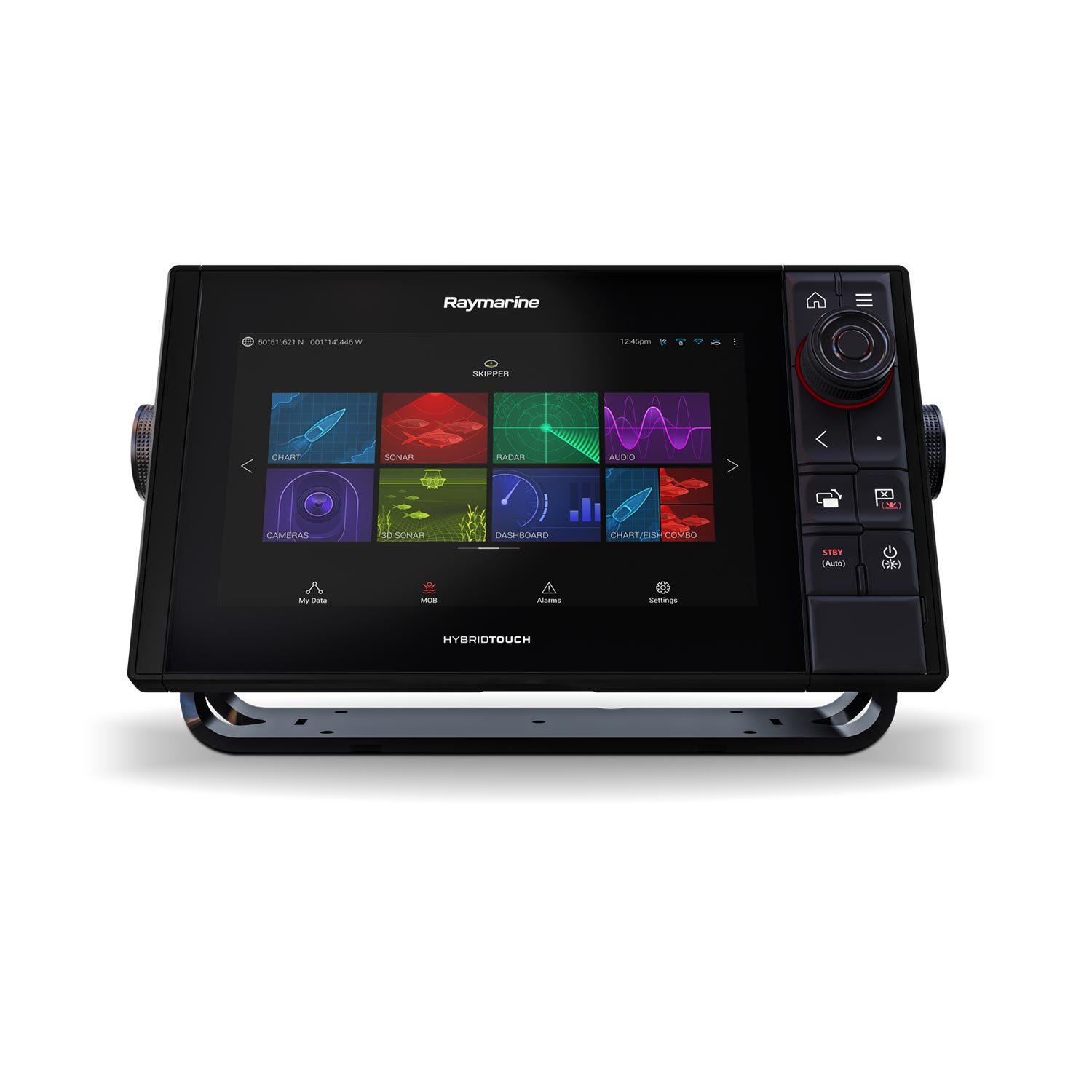
The Raymarine Axiom+ 9 is a dedicated chartplotter display built to network with sonar, radar, and autopilot.
Best Overall: Raymarine Axiom Pro 9 S
The Raymarine Axiom Pro 9 S HybridTouch Chartplotter ($1,669.97) ships with Navionics+ North America charts preloaded and HybridTouch controls (touchscreen plus physical keys, useful in rough water when a wet touchscreen gets unreliable), making it a strong all-around choice for boaters who want charts ready to go out of the box.
Best for Adding to an Existing Sonar Setup: Axiom+ 9 (No Sounder)
The Raymarine Axiom+ 9 Multifunction Display (No Sounder) ($1,319.99) is priced lower specifically because it skips a built-in sounder — the right choice if you already have dedicated fish finder hardware and just need a networked navigation display alongside it.
Best With Built-In 3D Sonar: Axiom+ 9 RV
The Raymarine Axiom+ 9 RV with RealVision 3D ($1,199.99) bundles Raymarine’s 3D sonar imaging with LightHouse charts in one unit, a strong value pick if you want chartplotting and modern sonar imaging from a single display without buying components separately.
Best for Large Helms and Offshore Boats: Garmin GPSMAP 8616
The Garmin GPSMAP 8616 GN+ 16-Inch Display Unit ($2,899.99) is built for boats running a full networked helm — radar, multiple sonar sources, AIS, and autopilot all on one large, bright display. It’s an investment, but it’s the category most serious offshore and center-console owners land in.
Best Budget Combo Unit: Humminbird HELIX 10 G4N
The Humminbird HELIX 10 CHIRP MEGA SI+ GPS G4N ($1,099.00) combines CHIRP sonar, MEGA side imaging, and full GPS chartplotting in one display at a noticeably lower price than the Raymarine and Garmin options above — a strong choice if a single all-in-one unit at a lower price point matters more than networked expansion.
Frequently Asked Questions
Do I need “Plus” charts included, or can I buy them separately? Most units can accept additional chart cards later, so a lower-priced no-sounder or base-chart unit isn’t a dead end — but buying with your primary cruising region’s charts preloaded, like the Axiom Pro 9 S with Navionics+ North America, saves an extra purchase.
What’s the real benefit of a networked multifunction display over a standalone unit? A networked MFD shares data across every connected device — sonar return on the chart screen, radar overlay on the map, autopilot waypoints from the chartplotter — instead of juggling separate displays for each function.
Is a touchscreen-only chartplotter reliable in rough water? Capacitive touchscreens can be less responsive with wet or gloved hands; units with HybridTouch or physical keypad backup, like the Axiom Pro line, hold up better in genuinely rough conditions.
Still deciding between a phone app and a dedicated chartplotter? Our chartplotter vs. phone GPS apps guide breaks down exactly when each makes sense.
Your phone already has GPS, a mapping app, and a bigger app ecosystem than any marine electronics company will ever build. So why do serious boaters still spend hundreds to thousands of dollars on a dedicated chartplotter? The answer comes down to reliability, integration, and a few capabilities phone apps fundamentally can’t match on the water.
What a Phone GPS App Does Well
Apps like Navionics Boating or similar marine navigation apps are genuinely good for casual, close-to-shore boating — they’re inexpensive, the charts are regularly updated, and most boaters already know how to use a phone interface. For a weekend on a familiar lake or a short coastal run with cell coverage nearby, a phone app is a perfectly reasonable primary tool, and even boaters with a full chartplotter often keep one installed as a backup.
Where Phone Apps Fall Short
The gap shows up in conditions that matter most: direct sunlight readability (marine displays are built for full-sun visibility; phone screens generally aren’t), waterproofing (a chartplotter is rated for spray and rain; a phone in a case is a compromise), and battery life (a chartplotter runs off the boat’s power system all day; a phone burns through its battery fast with GPS and screen-on navigation running continuously). More importantly, a dedicated unit like the Raymarine Axiom Pro 9 S integrates directly with your boat’s sonar, radar, and autopilot over a single network — a phone app operates in isolation from all of that.
A helm-mounted chartplotter integrates sonar, radar, and autopilot data that a phone app can’t reach.
Signal and Cell Coverage
This is the dealbreaker for many boaters: most phone navigation apps rely at least partly on cell data for map tiles, live weather, and AIS traffic overlays, even if base charts are cached offline. Once you’re a few miles offshore or in a coverage dead zone, that functionality can degrade exactly when you need it most. A standalone chartplotter’s charts, GPS, and (if equipped) radar and AIS all run independently of cell signal.
Integration With Sonar and Radar
If you already run a fish finder or are considering marine radar, a combo chartplotter/sonar unit or a networked MFD system shares one screen and one set of controls for everything — overlaying your route on the same display as your sonar returns or radar picture. Our guide to how fish finders work covers how the sonar side of that integration functions.
Frequently Asked Questions
Can I use a phone app as my only navigation on the water? For casual, near-shore boating in good conditions, many boaters do. For anything offshore, in variable weather, or where reliability genuinely matters, most experienced boaters treat a phone app as a backup to a dedicated chartplotter, not a replacement.
Do I need a chartplotter if I already have a fish finder with GPS? Many combo fish finder/chartplotter units already include full navigation charting — check whether your unit has chartplotting built in before assuming you need a separate dedicated MFD.
What size chartplotter display should I buy? Bigger is almost always better for on-water readability, especially if you’ll split the screen between charts and sonar or radar — 9-inch units like the Axiom+ 9 are a common sweet spot, while serious offshore setups often run 12-16 inches, like the Garmin GPSMAP 8616.
Does a chartplotter need an internet connection to work? No — charts are stored on the unit or a memory card, and GPS positioning doesn’t require cell or internet signal at all, which is the core reliability advantage over a phone app.
Buying a good fish finder is only half the battle — the other half is actually knowing what you’re looking at once it’s mounted and running. Here’s how to make sense of the screen instead of just staring at colorful noise.
Arches, Blobs, and Dots: Reading Fish Targets
On traditional 2D sonar, a fish swimming through the transducer’s cone shows up as an arch — the fish enters the edge of the cone (further away, weaker signal), passes under the center (closest, strongest signal), then exits the other edge. A full, symmetrical arch usually means a fish swam directly under the boat; a half-arch means it clipped the edge of the cone. On down imaging and side imaging, fish usually appear as bright dots, dashes, or small fish-shaped marks rather than arches, since those modes render a photo-like image instead of a traditional sonar return.
Reading the Bottom
The bottom shows up as a thick, continuous line across the screen. A hard bottom (rock, sand) returns a strong, sharp, often doubled line (the “second echo” as the pulse bounces bottom-surface-bottom again). A soft bottom (mud, silt) returns a thinner, fuzzier line since the sound energy absorbs into it rather than bouncing back cleanly. Learning to read bottom hardness matters for both fishing (many species prefer specific bottom types) and simply understanding what your anchor will grab.
Understanding Side Imaging Layout
Side imaging splits the screen into left and right halves, with the boat’s track running down the center. Distance from center represents actual distance from the boat — features closer to the centerline are closer to your hull. Brighter returns mean harder, denser objects (rock, wood, metal); darker areas are softer bottom or open water. Shadows behind objects (just like a shadow cast by sunlight) tell you the object has real height — a stump or rock pile casts a visible shadow, while a flat depth change doesn’t.
Color Palettes: Does It Matter Which One You Use?
Most fish finders offer several color palettes (blue, white, amber, etc.) purely for screen visibility in different lighting — amber and high-contrast palettes are often easier to read in direct sunlight, while blue palettes feel more natural in low light. The palette doesn’t change what the sonar is detecting, only how it’s displayed, so pick whatever’s easiest for your eyes on the water.
Split Screens: What’s Worth Running at Once
Most anglers settle into one of two layouts: sonar + chartplotter side by side (so you always know your location while watching sonar), or down imaging + side imaging together (for actively searching structure). Running three or four panels at once on anything smaller than a 9″ screen usually makes everything too small to read quickly — better to cycle between two clean views than cram in extra data you’ll ignore anyway.
Frequently Asked Questions
Why do I see fish arches sometimes but only dots other times? This is usually a difference between 2D sonar view (arches) and down/side imaging view (dots and marks) — they’re different rendering modes of the same underlying sonar data, not a malfunction.
Why does the bottom depth jump around or disappear at speed? At higher boat speeds, especially in choppy water, the transducer can lose a clean read on the bottom. This is normal and usually resolves once you slow down; if it happens constantly at low speed, check your transducer mounting angle and depth.
Should I adjust sensitivity manually or leave it on auto? Auto mode works well for most conditions on modern units. Manual sensitivity is worth learning if you fish very deep water (turn it up) or very shallow, clear water with excess surface clutter (turn it down).
How long does it actually take to get comfortable reading a fish finder? Most anglers get a working intuition within a handful of outings once they stop trying to read every detail and instead learn to recognize the handful of patterns above — arches, hard vs. soft bottom, and shadows on side imaging.
Walk into any tackle shop and ask “what fish finder should I buy?” and you’ll get a wall of jargon back — CHIRP, down imaging, side imaging, transducer frequency, beam angle. None of it makes sense until you understand what a fish finder is actually doing underneath your boat. Once you get the fundamentals, choosing between models (and reading the screen once you’re on the water) gets a lot easier.
The Basic Idea: Sound, Not Sight
A fish finder doesn’t “see” anything. It sends a pulse of sound energy down through the water from a transducer mounted on your hull or transom, and listens for the echo bouncing back. The time it takes for that echo to return tells the unit how far away an object is; the strength and shape of the echo tells it roughly what that object is — the bottom, a school of baitfish, structure, or a single big fish suspended in the water column. Your display just translates thousands of these echoes per second into a scrolling picture.
CHIRP vs. Traditional Sonar
Older, single-frequency sonar sends one pitch of sound (say, 200kHz) and reads the echo. CHIRP (Compressed High-Intensity Radiated Pulse) sends a sweep across a range of frequencies in every ping, which returns far more detail and separates targets that would blur together on traditional sonar — two fish holding close together, or a fish sitting right on the bottom. Nearly every fish finder worth buying today runs CHIRP as standard, including budget units like the Lowrance HOOK Reveal 5.
Down Imaging, Side Imaging, and Live Sonar
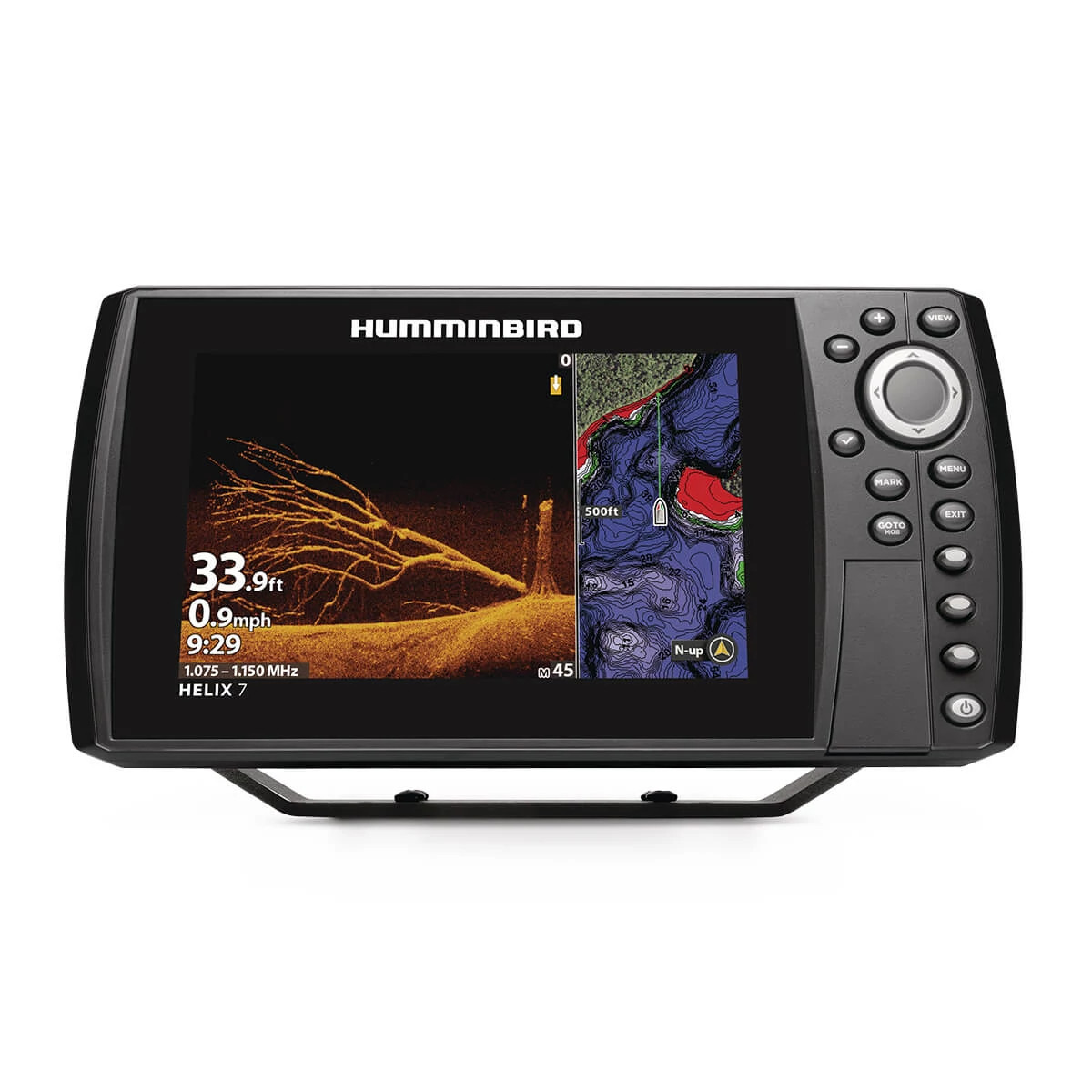
Traditional 2D sonar shows a cone-shaped slice directly under the boat. Down imaging uses a wider, flatter beam to produce a near-photographic picture of what’s directly below — brush piles, stumps, and individual fish show up as sharp, recognizable shapes rather than arches. Side imaging aims that same flat beam out to the sides, letting you scan a corridor 100–200+ feet wide without moving the boat, which is how experienced anglers find structure and schools without blind-casting the whole lake.
The newest step up is forward-facing live sonar (Garmin LiveScope, Lowrance ActiveTarget, Humminbird MEGA Live) which updates in real time instead of scrolling historically, so you can literally watch your bait fall past a fish and see it react. We cover the difference in more depth in our live sonar vs. traditional sonar guide.
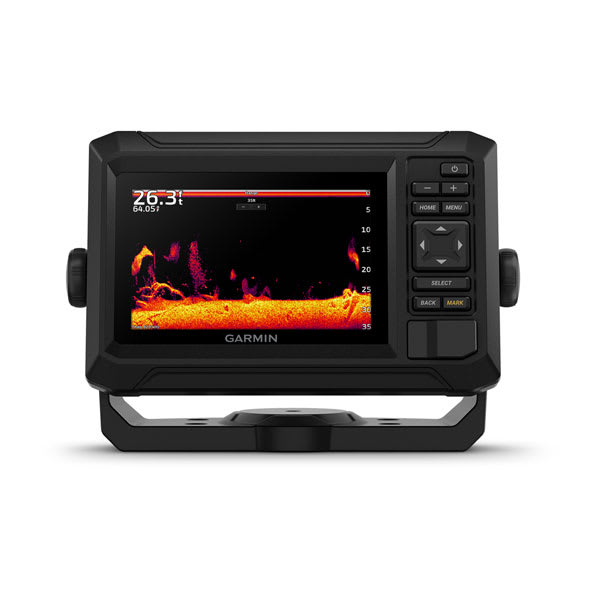
A combo fish finder/chartplotter display like the Garmin ECHOMAP UHD2 shares sonar and GPS map data on one screen.
Why Transducer Placement Matters
A high-end display is only as good as the transducer feeding it. Transom-mount transducers are the easiest DIY install and fine for most recreational use; thru-hull transducers sit flush with the hull for cleaner readings at higher speed; trolling-motor-mounted transducers (common with side and live imaging) move with the bow of the boat so you’re always scanning where you’re actually pointed. If you’re mounting your own, our fish finder & chartplotter collection lists the transducer each unit ships with so you know what you’re getting before it arrives.
GPS and Chartplotting: The Other Half of the Screen
Almost every fish finder sold today is really a combo unit — sonar plus a GPS chartplotter sharing one screen. The GPS side lets you drop waypoints on productive spots, follow contour lines that reveal drop-offs and ledges, and in many cases overlay lake maps or coastal charts. If you’re trying to decide whether you even need a dedicated unit instead of a phone app, that’s a separate question we answer directly in chartplotter vs. phone GPS apps.
Frequently Asked Questions
Do I need CHIRP, or is traditional sonar fine? CHIRP costs little to nothing extra on current-generation units and gives meaningfully better target separation, so there’s rarely a reason to buy traditional-only sonar today.
What frequency should I look for? Lower frequencies (50kHz) penetrate deeper water and cover a wider cone; higher frequencies (200kHz+) give sharper detail in shallower water. Most CHIRP units sweep a range and let the software pick the best return, so this matters less than it used to — but if you fish deep offshore water regularly, check that the transducer is rated for it.
Does a bigger screen actually help? Yes, more than most people expect. Side-by-side split screens (sonar + chartplotter, or down + side imaging) eat screen space fast, and a 5″ display gets cramped quickly if you run more than one view. Most serious anglers land on 7″ to 9″ as the sweet spot.
Can I add live sonar to a unit I already own? Sometimes. Garmin LiveScope and Lowrance ActiveTarget systems can often be added as a second transducer feeding into a compatible existing display — check your specific model’s compatibility before buying the add-on system.